
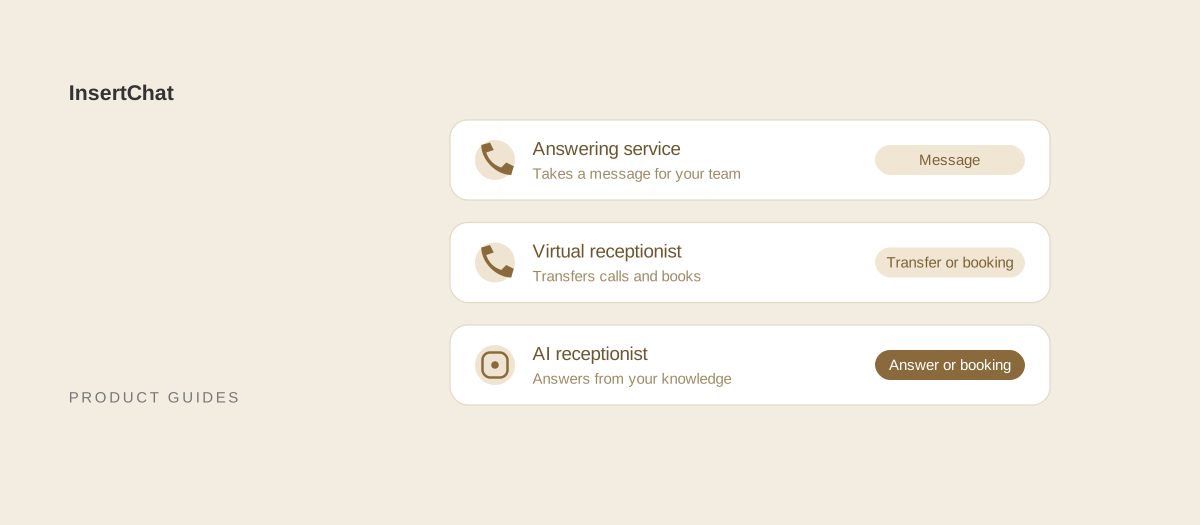
A virtual receptionist is a remote human receptionist team that works like your own front desk: it answers in your business name, transfers calls, books appointments, and handles intake. An answering service is a shared pool of operators who follow your script, take messages, and dispatch urgent calls. A call center runs high-volume programs for larger companies.
The terms overlap, and vendors use them loosely. This guide separates the three by what actually happens to a call, shows how each bills with prices taken from vendors’ own pricing pages on October 13, 2026, and explains where an AI receptionist fits alongside them. If you are already comparing AI with a human service, the AI receptionist vs answering service guide goes deeper on that choice.
What is the difference between a virtual receptionist and an answering service?
The difference is how much of the call they finish. An answering service mainly captures the caller’s details and passes them on. A virtual receptionist completes the next step itself: it puts the caller through, books the appointment, or runs a structured intake, using your tools and instructions.
A useful test is to ask what the caller has when they hang up:
- With an answering service, the caller usually has a promise of a callback. Your team gets a message by email, text, or app, and urgent calls are patched or paged to whoever is on call.
- With a virtual receptionist, the caller more often has an outcome: they spoke to the right person, have a confirmed appointment, or have given the full intake your team needs.
Who answers
Answering services typically staff a large shared pool, so a different operator may answer each time. Virtual receptionist services tend to use smaller teams trained on fewer accounts, and some assign a dedicated group to your business. Neither model guarantees a specific person, so ask how many receptionists will handle your line.
What they can reach
Answering services usually work from a script and a messaging system. Virtual receptionists more often work inside your tools: your calendar, your practice or case management system, or your CRM, depending on what the provider supports and what access you grant.
What does a call center do differently?
A call center runs high-volume inbound or outbound programs, such as a support queue, an order line, or a sales campaign. It is built for larger companies with dedicated agents, scheduled shifts, and service-level targets, rather than for overflow and after-hours coverage at a small business.
Small businesses rarely need a call center. The label shows up in search results because many answering services grew out of call center operations, and some still use the term for their facilities. If a provider talks about seats, agent headcount, and occupancy, you are looking at call center pricing; if it talks about minutes or calls per month, you are looking at an answering service or virtual receptionist plan. The AI call center guide covers what changes when software answers instead of agents.
How do the three compare?
The table shows the typical pattern. Providers cross these lines often, so treat it as a checklist of questions to ask rather than a guarantee.
| Answering service | Virtual receptionist | Call center | |
|---|---|---|---|
| Who answers | A shared pool of operators | A smaller remote receptionist team | Dedicated agents on scheduled shifts |
| Typical outcome | A message, or an urgent call dispatched | A transfer, a booking, or a completed intake | A resolved ticket, an order, or a sale |
| Script depth | Short scripts and message forms | Detailed instructions and intake questions | Full playbooks and knowledge systems |
| Your tools | Rarely | Often, depending on the provider | Usually integrated |
| Common pricing unit | Minutes, sometimes calls | Minutes or calls in monthly bundles | Hours or seats |
| Best for | After-hours and overflow message taking | Small businesses that want a remote front desk | Large, steady call volume |
How does each one bill?
Answering services and virtual receptionists both sell monthly bundles of minutes or calls with overage beyond the bundle. Answering services tend to have lower per-minute rates and base fees; virtual receptionist plans cost more per minute because more happens on each call.
Here is how that looks on public pricing pages, as listed on October 13, 2026. Prices change, so check each page before you compare.
| Provider | How it describes itself | Entry plan | Unit |
|---|---|---|---|
| Ruby | Virtual receptionist | $250 for 50 minutes | Minutes |
| Smith.ai | Live receptionists | $300 for 30 calls, then $11.50 per call | Calls |
| Specialty Answering Service | Answering service | $44 per month plus $1.54 per minute | Minutes, billed per second |
| AnswerFirst | Answering service | $30 per month plus $1.60 to $1.95 per minute | Minutes, billed per second |
A few details from the same pages show how the models differ in practice:
- Ruby lists coverage “including after-hours, on weekends, and holidays” on its receptionist plans, and separate live chat plans from $143 for 10 chats.
- Smith.ai bills per client call, states that wrong numbers and spam calls aren’t charged when the forwarded line passes caller ID, and lists appointment booking as a $1.50 per call add-on.
- Specialty Answering Service lists add-ons for its own IVR at $0.15 per minute, voicemail at $0.15 per minute, and patching at $0.10 per minute.
- AnswerFirst states no additional fees for nights, weekends, or holidays, and $3 per month for each additional forwarding number.
The answering service pricing guide compares more providers, works through a sample month on each plan, and covers per-minute versus per-call break-even math.
Which one fits your business?
Choose by the outcome each call needs. If the job is “capture the details and alert us,” an answering service is enough. If the job is “book, transfer, or complete intake without another step,” you need a virtual receptionist. If routine questions dominate, an AI receptionist may do it for less.
Some illustrative patterns:
- HVAC or plumbing with an on-call technician: most after-hours calls need triage and dispatch, not booking. An answering service that pages the on-call tech fits, and an AI receptionist can take the routine questions.
- Law firm intake: callers need a structured intake, conflict details, and a consultation slot. A virtual receptionist or an AI receptionist collecting the brief fits better than a message pad.
- Dental or medical office: booking and rescheduling dominate. A virtual receptionist working in your scheduling system fits, and if an AI receptionist will handle patient calls, check the vendor can sign a Business Associate Agreement. The HIPAA guide explains why.
- Property management: after-hours maintenance calls need triage and an emergency path. An answering service with on-call escalation fits, with an AI receptionist for leasing questions.
- Salon or spa: bookings and service questions dominate. A virtual receptionist or an AI receptionist with calendar access fits; message taking loses the booking.
These are examples, not customer results. Your own call log is the better guide.
What should you ask before you sign?
Ask every provider the same eight questions, including whether a person or software will answer. The answers turn vague labels into a comparable scope and price.
- Who answers my calls? A shared pool, a smaller team, or software. Some providers blend people and AI.
- What happens to a typical call? Message, transfer, booking, or intake. Ask for a sample message or transcript.
- Can you work in my calendar or system? Name your tool and ask whether booking costs extra.
- How are calls transferred? To how many destinations, and does a transfer cost more?
- What counts toward my bill? Talk time only, or wrap-up too? Spam, hang-ups, and wrong numbers? Billing increments?
- What happens past my bundle? The overage rate, and whether the plan upgrades automatically.
- Do nights, weekends, or holidays cost more? Get it in writing.
- What are the setup fees, contract length, and notice period? Month-to-month terms are common, but check.
Where does an AI receptionist fit?
An AI receptionist is a third option: software that answers in a natural voice from your business knowledge, at any hour you route to it. It sits closer to a virtual receptionist on outcomes, because it can book within your calendar rules, but it follows your rules instead of improvising, and it hands calls that need judgment to your team.
Compared with both human services, InsertChat’s AI receptionist:
- Answers questions with the same approved answer each time, from your website pages, documents, and questions and answers.
- Books, reschedules, and cancels within your appointment length, buffers, notice, and booking window, after the caller confirms. See scheduling.
- Keeps a transcript and summary of every call in the shared inbox, next to website chat, email, SMS, and WhatsApp conversations.
- Doesn’t transfer live calls. When a caller needs a person, it collects the details, marks the conversation needs-you, and emails your team.
- Bills from a monthly plan. Plans start at $98 per month with one phone number and 5,000 credits; calls round up to whole minutes.
That last limit matters if your calls depend on patching someone through. In that case, keep a human service for those calls and let the AI take the rest.
Can you combine a human service with an AI receptionist?
Yes, and for many small businesses the combination beats either one alone. Split calls by time, by caller, or by number so people handle the calls that need them and the AI handles volume.
- AI first, service for emergencies: route your main line to the AI and publish a separate emergency number that reaches your answering service. Add that number to the AI’s safety steps so callers who describe an emergency hear it.
- Team by day, AI after hours: with the “AI after hours” routing mode, calls ring your team’s number during the weekly hours you set, in your time zone, and the AI answers outside them.
- Team first, AI when nobody picks up: with “AI when unanswered,” calls ring your team for 5 to 60 seconds before the AI answers.
- AI for new callers: caller scope can limit the AI to unknown numbers, so saved contacts reach your team.
In the US and Canada you can keep your number and forward it to InsertChat; the call forwarding guides list carrier steps for AT&T, Verizon, T-Mobile, and RingCentral. Elsewhere, use a local or toll-free InsertChat number where one is available. Number porting is not offered.
How do you switch without losing calls?
Move one slice of calls at a time and keep the old service until the new setup has handled real calls well. Start with after-hours calls, since they are the easiest to compare.
- Collect your current script, call-handling instructions, FAQ answers, and a month of message notes from your existing service.
- Turn the script into knowledge and list the details the new service or AI should collect where the old script said “take a message.”
- Run test calls for your top call reasons, an emergency, a complaint, and a request for a person.
- Route after-hours calls first, review every conversation for a week, and fix gaps.
- Check your contract for notice periods before you cancel, and keep any emergency line in place.
The alternatives pages compare InsertChat with Ruby and Smith.ai using dated sources.
See the AI option before you decide
Hear how an AI receptionist handles your call types before you renew a service contract. Explore the InsertChat demo, compare plans on the pricing page, or start your free trial and send only after-hours calls to the AI while your current service keeps the day.