
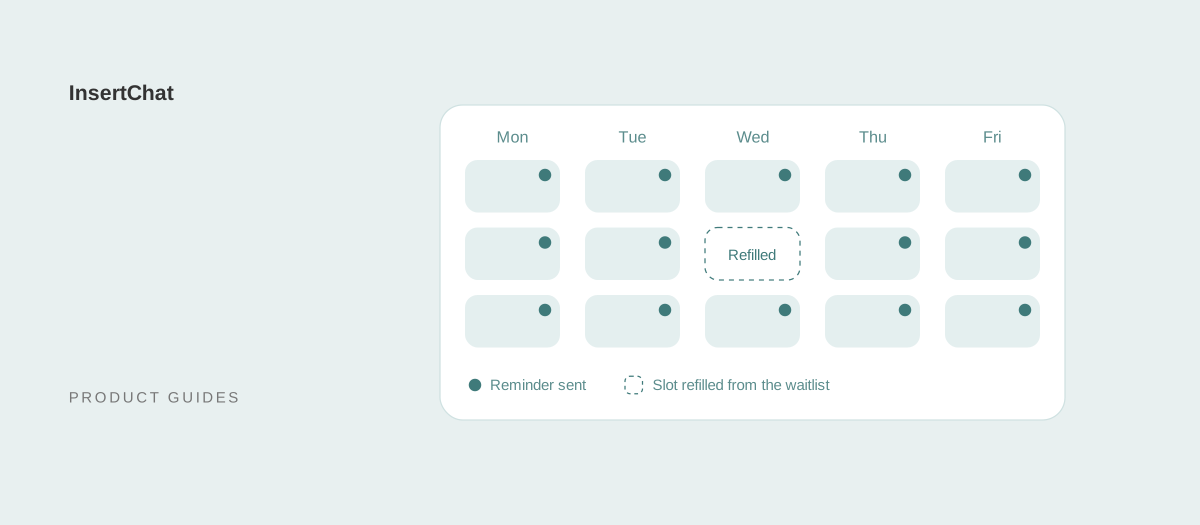
To reduce appointment no-shows, remind customers before each visit, ask them to confirm, and make rescheduling easier than simply not showing up. Then back that up with a clear cancellation policy, deposits for long or high-value appointments, a waitlist to refill open slots, and a same-day follow-up when someone misses a visit.
This guide shows how to calculate your no-show rate, why customers miss appointments, and 12 ways to bring the rate down, with the research behind reminders, policy wording you can copy, and how InsertChat books, reminds, and reschedules for you.
How do you calculate your no-show rate?
Your no-show rate is the number of missed appointments divided by the number of scheduled appointments in the same period, multiplied by 100. Count only customers who didn’t come and didn’t cancel. Late cancellations go in a separate count, because they need different fixes.
No-show rate = no-shows ÷ scheduled appointments × 100
For example, a salon with 200 appointments in a month and 12 no-shows has a 6% no-show rate. The numbers are illustrative; use your own calendar. Measure for at least a month, then break the rate down by:
- Booking lead time: appointments booked weeks ahead are easier to forget than ones booked this week.
- Day and time: Monday mornings and Friday afternoons may behave differently.
- New vs returning customers: first-time customers have less commitment to you.
- Service type: long or expensive appointments hurt the most when missed.
- How it was booked: phone, website, walk-in, or a referral.
Your first month becomes the baseline. Change one thing at a time and compare against it.
Why do customers miss appointments?
Customers miss appointments because they forget, because something came up and changing the appointment felt harder than skipping it, or because they were never fully committed. Each reason has a different fix, so it helps to ask customers why when you follow up.
- They forgot, especially when the appointment was booked weeks ago.
- Rescheduling felt like a hassle, such as a phone line that only works during office hours.
- The plan changed: work, childcare, transport, or illness.
- Cost or uncertainty: they weren’t sure what it would cost or what would happen.
- Low commitment: a casual booking with no deposit and no confirmation.
- Anxiety: common with medical, dental, and therapy visits.
12 ways to reduce appointment no-shows
These 12 tactics work together. Start with the first three, which are the cheapest and fix the most common causes, then add the others where your numbers show a problem.
1. Send reminders at the right times
Send a confirmation when the appointment is booked, a reminder about three days before, and another the day before. The three-day reminder gives customers time to reschedule, which gives you time to refill the slot.
The research supports this. A Cochrane review of randomized trials found that text reminders increased attendance at healthcare appointments compared with no reminders: attendance was 78.6% with text reminders and 67.8% without. Text reminders worked about as well as phone call reminders and cost less. The reviewers rated the evidence low to moderate quality. The appointment reminder text templates include 34 messages for every step.
2. Ask for a confirmation
Ask customers to reply to confirm, such as “Reply C to confirm or R to reschedule.” A confirmation turns a passive reminder into a small commitment, and an unconfirmed appointment the day before is a signal to call the customer or prepare a backup.
Never ask customers to reply CANCEL to cancel. Under the FCC’s text message rules, “cancel” is one of the replies that revokes consent to receive texts.
3. Make rescheduling easier than skipping
Customers who can’t make it will either tell you or not show up. Make telling you the easy option: one reply in a text, a link, or a phone line that answers at any hour.
Most changes come up in the evening, when your office is closed. An AI receptionist can take those calls: InsertChat reschedules or cancels the appointments it booked, within your calendar rules, whenever a customer calls or texts.
4. Book while the customer is still on the line
The best time to book is during the first conversation, while the need is fresh. A caller who has to wait for a callback to schedule is more likely to book elsewhere, or to book and later lose interest.
Offer two specific times instead of asking when they’re free, repeat the details back, and send the confirmation right away. The speed-to-lead guide explains why the first response matters.
5. Shorten the time between booking and the visit
The further out an appointment is, the more likely plans change. Keep open slots in the near term for new bookings, and avoid booking routine visits months ahead when you don’t need to.
In InsertChat’s scheduling settings, you can limit how far ahead customers can book, from 7 to 90 days, and set the minimum notice, from none to 48 hours.
6. Write a clear cancellation policy
A cancellation policy works when customers hear it at booking, see it in reminders, and see you apply it consistently. Keep it short: the notice period, the fee if any, and how to cancel.
Copy-ready wording:
- Simple: “Please give us at least 24 hours notice to cancel or reschedule. Late cancellations and missed appointments may be charged [Fee].”
- Generous first offense: “We understand things come up. Your first late cancellation is on us. After that, cancellations with less than 24 hours notice are charged [Fee].”
- For long appointments: “Appointments over two hours need 48 hours notice to change. Late changes forfeit the deposit.”
7. Take deposits for long or high-value appointments
A deposit raises commitment and covers part of the loss when someone doesn’t come. Use it where a missed slot really costs you, such as long treatments, first consultations, or work that needs preparation, and say how the deposit applies to the final bill.
Take deposits with the payment tool you already use and include the payment link in your confirmation. If you connect Stripe, InsertChat can create a payment link as an action, with your team’s approval if you require it; the payment itself is processed in Stripe.
8. Say what a missed appointment costs
Telling customers what a missed slot costs can change behavior. In a randomized trial at a London hospital, reminders that stated the specific cost of a missed appointment to the health service produced a missed-appointment rate of 8.4%, compared with 11.1% for the hospital’s existing reminder. That was a public hospital stating its own cost, so test the wording with your customers before adopting it.
9. Send first-visit instructions
First-time customers miss more often when they’re unsure what to expect. Send what to bring, where to park, how long it takes, and what it costs or how pricing works. Uncertainty is easier to resolve before the visit than at the front desk.
10. Keep a waitlist and refill open slots
A waitlist turns cancellations into bookings. When someone cancels, text the next person on the list with the open time and a one-word reply to claim it. The earlier you know about a cancellation, the better this works, which is another reason to make rescheduling easy.
11. Follow up the same day after a no-show
Contact customers who missed their appointment the same day, kindly, with an easy way to rebook: “We missed you today. We hope everything is okay. Reply R to book a new time.” Ask why if it feels natural, and add the answer to your notes. Repeat no-shows can be asked to prepay.
12. Track no-shows and review them monthly
Track your no-show rate by booking lead time, day, service, and how the appointment was booked. Review it monthly, change one thing at a time, and compare against your baseline. In InsertChat, every booking conversation is saved to the customer’s contact record in the shared inbox, along with the lead source when you publish separate numbers.
How do the 12 tactics compare?
Use this table to decide where to start. Effort and fit are judgments for a typical small appointment-based business, not measured results.
| Tactic | Fixes | Effort | Best for |
|---|---|---|---|
| Reminders | Forgetting | Low | Every business |
| Confirmation replies | Low commitment | Low | Every business |
| Easy rescheduling | Plans changing | Low with automation | Every business |
| Booking on the first call | Losing interest | Medium | Service businesses with many inquiries |
| Shorter lead times | Plans changing | Low | Practices booking weeks ahead |
| Cancellation policy | Low commitment | Low | Salons, clinics, studios |
| Deposits | Low commitment and lost revenue | Medium | Long or high-value appointments |
| Stating the cost | Low commitment | Low | Clinics and services with set prices |
| First-visit instructions | Uncertainty and anxiety | Low | New customers and patients |
| Waitlist | Empty slots | Medium | Fully booked calendars |
| Same-day follow-up | Losing the customer | Low | Every business |
| Tracking | Knowing what works | Low | Every business |
How InsertChat helps reduce no-shows
InsertChat books appointments on calls, website chat, and texts, sends reminders, and lets customers reschedule at any hour. It covers several tactics above without adding work for your front desk.
- Books in the first conversation: offers open times from your built-in calendar, Google Calendar, Outlook, Calendly, or Cal.com, and books after the customer confirms.
- Follows your rules: appointment length from 15 to 120 minutes, buffers before and after, minimum notice up to 48 hours, and a booking window up to 90 days.
- Sends reminders: by text or email, 72 and 24 hours before the appointments it books.
- Reschedules and cancels at any hour: for appointments it booked, so changes come in early instead of becoming no-shows.
- Keeps the record: every conversation and booking on the customer’s contact, in one inbox.
See how this works for salons, dental offices, med spas, and home services.
Let InsertChat book, remind, and reschedule for you
No-shows drop when booking is quick, reminders arrive on time, and changing an appointment takes one call or text. InsertChat’s AI receptionist does all three around the clock, from the same knowledge and calendar your team uses, and hands anything unusual to a person.
Plans start at $98 per month with one phone number and 5,000 monthly credits, and new customers can try Pro free for 7 days with 500 credits (a card is required). Start your free trial, or explore the demo to see bookings in a sample workspace.