
Conditional call forwarding sends a call to a second number only when your phone is busy, unanswered, or unreachable. To set it up for a business, dial your carrier's code or open the phone's call forwarding menu, point it at the number that should catch missed calls, set the delay so forwarding fires before your carrier's voicemail answers, and test it with a call you don't pick up. Your published number stays the same throughout, because forwarding redirects calls and porting is what moves a number.
This guide covers the codes for Verizon, T-Mobile, and AT&T, settings for business landlines and cloud phone systems, how to choose a ring time, forwarding versus porting, and how to test and turn forwarding off.
What conditional call forwarding does
Conditional call forwarding redirects an incoming call to another number only when a condition you chose is met; unconditional forwarding redirects every call. Wikipedia's call forwarding entry describes the same split: conditional forwarding works only when the customer's conditions are met, while unconditional forwarding works in all cases.
There are three conditions:
| Condition | Triggers when | Typical business use |
|---|---|---|
| Busy | You are already on another call | Send the second caller to a person or service instead of a busy signal |
| No answer | The phone rings past your delay without a pickup | Catch calls while you are on a job site or with a client |
| Unreachable | The phone is off, in airplane mode, or out of coverage | Cover dead zones, basements, and travel |
For a small business, the no-answer and busy conditions do most of the work. They keep your phone as the first stop, so regular customers still reach you, while anything you miss goes to somewhere that answers.
Conditional forwarding codes for Verizon, T-Mobile, and AT&T
Verizon and T-Mobile publish dial codes for conditional forwarding on wireless lines, and AT&T documents phone menu settings instead. Dial the code from the phone whose calls you are forwarding, and replace the example number with the number that should receive missed calls.
| Carrier | Busy | No answer | Unreachable | Turn off | Ring time |
|---|---|---|---|---|---|
| Verizon wireless | *71 + 10-digit number (one code covers busy and no answer) |
Same *71 code |
Not documented by Verizon | *73 |
Not adjustable; Verizon says 3 to 6 rings |
| T-Mobile | **67*1 + number + # |
**61*1 + number + # |
**62*1 + number + # |
##67#, ##61#, ##62#; ##004# resets all three |
No answer delay of 5 to 30 seconds |
| AT&T wireless | Phone menu: Call forwarding > When busy | Phone menu: When unanswered | Phone menu: When unreachable | Turn the setting off in the same menu | No official setting found |
Example entries: Verizon *71 followed by 5555550142; T-Mobile **61*15555550142#; and T-Mobile with a 15-second delay **61*15555550142**15#.
Verizon
Verizon's support page says conditional call forwarding sends calls to the designated number if your phone is busy or unanswered after 3 to 6 rings, instead of going to voicemail. You dial *71, then the 10-digit number, then wait for the beeps and for the call to end on its own. Verizon's turn-off page says *73 cancels forwarding. Verizon's forwarding FAQ adds that the destination must be a voice-capable US number with 10 digits, that international forwarding isn't available, and that without unlimited minutes forwarded calls are billed as if you had answered them.
Two Verizon cautions. Verizon's pages don't document a separate code for "phone off or out of signal," so test that case before you rely on it. And on an iPhone, Verizon's Live Voicemail page lists *71 conditional forwarding among services that need Live Voicemail turned off (Settings > Apps > Phone > Live Voicemail).
T-Mobile
T-Mobile's short codes page lists one code per condition: **61* for no answer, **67* for busy, and **62* for unreachable, each followed by 1, the number, and #. Add ** and a number of seconds to the no-answer code to set the delay; T-Mobile offers 5 to 30 seconds. T-Mobile's calling troubleshooting page says ##004# resets the busy, unreachable, and no-reply settings. Destinations must be 10 or 11 digits, and international numbers aren't allowed.
T-Mobile's pages blocked automated access when this guide was researched, so the codes above come from the page's search excerpt. Confirm them with your own test call. If you are on Wi-Fi Calling, switch it off before dialing codes, as T-Mobile's guidance reportedly advises.
AT&T wireless
AT&T's wireless forwarding page says you can change forwarding only from your wireless phone, not online, and that forwarding overrides your wireless voicemail. On an Android phone such as the Galaxy S25 Edge, AT&T's device guide gives the path Phone > Settings > Calling accounts > your SIM > Call forwarding, with When busy, When unanswered, and When unreachable options. AT&T's iPhone page lists only an on/off toggle with a forward-to number.
AT&T doesn't publish per-condition dial codes for consumer wireless lines. The codes *90 and *92 you will see online belong to AT&T's landline and business products, covered below. GSM-standard codes such as **61* may work on AT&T wireless, but they are unconfirmed, so test before you depend on them.
iPhone and Android menus
The iPhone's own Call Forwarding toggle forwards all calls, so conditional forwarding on an iPhone generally means carrier codes. Android phones usually expose busy, unanswered, and unreachable options under the Phone app's settings, though menu names vary by maker.
Business landlines and cloud phone systems
Business landlines use star codes or an online portal, and cloud phone systems use admin settings with a ring-time control. The table lists what each provider documents.
| Provider | Busy | No answer | Ring time and notes |
|---|---|---|---|
| AT&T business landline | *90 + number + #; off *91# |
*92 + number + #; off *93# |
AT&T lists no ring count. Check Voicemail Settings in your online account so busy and no answer don't override the code. AT&T Business |
| Verizon landline / Fios | *90 / *91 |
*92 / *93 (busy or don't answer) |
Codes may not be available in every area; settings in the online account override line codes. Verizon star codes |
| RingCentral | Call handling rules | "If no one answers" rule | 1 ring (5 seconds) to 15 rings (75 seconds). RingCentral |
| Vonage Business | Extension call forwarding settings | Extension call forwarding settings | Voicemail tab sets the rings before voicemail; don't forward to a phone running the Vonage app, which rings twice. Vonage |
| Quo (formerly OpenPhone) | Call flow | Call flow | Ring time comes from the "Ring users" step before Forward; unanswered external calls never fall back to Quo voicemail. Quo |
| Zoom Phone | "When I'm busy" setting | "When a call is not answered" setting | External forwarding needs an admin policy turned on. Zoom |
Cable business lines such as Comcast Business and Spectrum Business Voice manage forwarding mainly in their web portals. Comcast's end-user guide says the number of rings before no-answer forwarding is selectable in the portal. Star codes for these lines are reported by third parties, not confirmed on the providers' own pages, so use the portal first and treat codes as something to test.
If you already use RingCentral or AT&T, InsertChat has step-by-step guides for RingCentral call handling rules and AT&T business forwarding.
How long should the phone ring before it forwards?
Set the forwarding delay a few seconds shorter than the point where your carrier's voicemail answers, and long enough that you can actually pick up. A practical window for most small businesses is 15 to 20 seconds, about three to four rings.
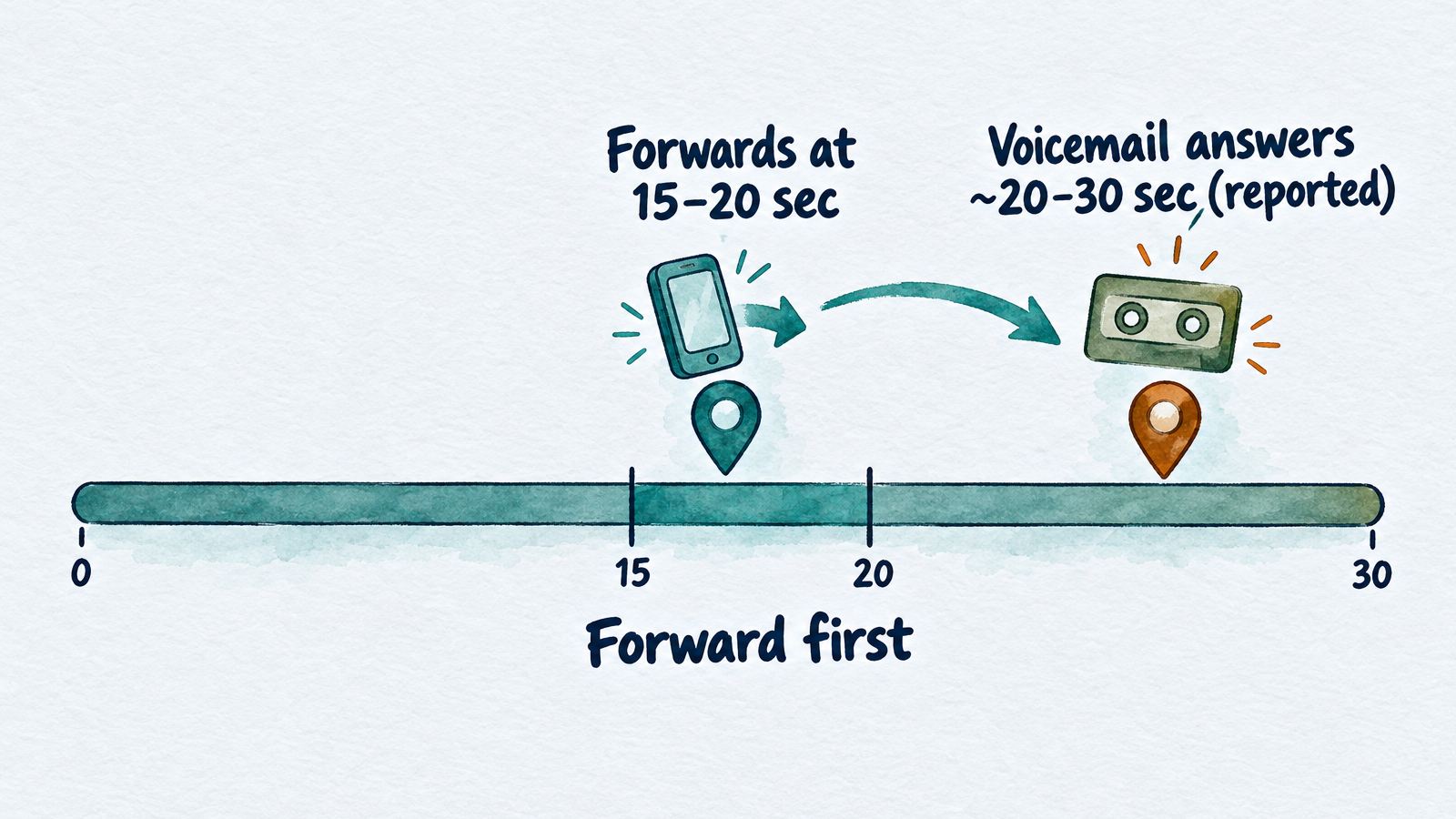
Forward before voicemail answers, or forwarding never fires.
The arithmetic is simple. RingCentral defines one ring as 5 seconds, which is a good rule of thumb across carriers. Verizon's 3 to 6 rings is therefore roughly 15 to 30 seconds. Verizon staff have said in a community thread that wireless voicemail picks up after about 20 to 30 seconds and usually can't be changed. That is community guidance, not formal documentation, but it shows the problem: if your forwarding delay is longer than your voicemail timeout, voicemail answers first and forwarding never fires.
- T-Mobile: choose 15 seconds with
**61*1+ number +**15#. That leaves cushion before voicemail. - Verizon wireless: the delay isn't adjustable, so run the test below. If your own voicemail answers first, ask Verizon about your voicemail settings or use the all-calls option instead.
- Cloud phones: set the ring time on the extension or call flow, and keep it shorter than any personal voicemail on the destination.
- Too short: under about 10 seconds, you will forward calls you would have picked up.
The second half of the budget is the destination. If the number you forward to has its own voicemail, a call can hop from your phone to its voicemail and the caller never reaches a live answer. Forward to a number that answers right away.
Forwarding versus porting
Forwarding keeps your number with your current carrier and redirects calls; porting moves the number to a new provider. With forwarding, you keep paying the carrier that owns the number, and the old line must stay active. With porting, the new provider takes the number over.
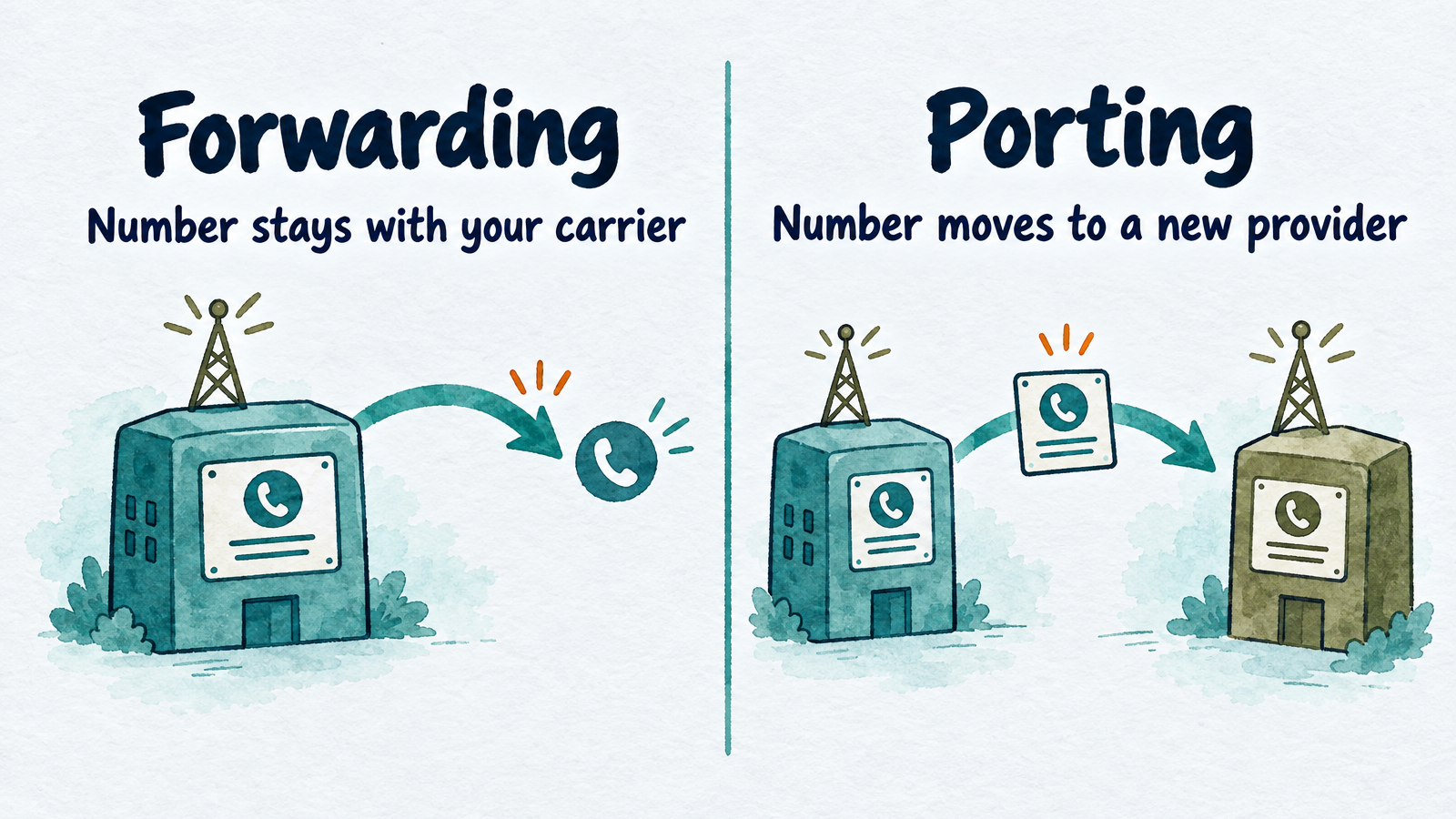
Forwarding redirects calls; porting moves the number itself.
Porting is a customer right in the US. The FCC's porting guide says you can generally keep your number when you switch providers in the same area, and under 47 CFR 52.35 simple ports must complete within one business day, with four business days allowed for non-simple ones. Carriers may charge a porting fee.
The tradeoff comes down to what you want from a new service:
| Forwarding | Porting | |
|---|---|---|
| Number owner | Stays with your current carrier | Moves to the new provider |
| Setup | Minutes, by code or menu | One business day for a simple port, longer for complex ones |
| Undo | Dial the off code | Port again |
| Ongoing cost | Current carrier plan stays | Current line is replaced |
InsertChat works through forwarding. In the US and Canada you keep publishing your number and forward calls to a private routing number; elsewhere you use a local or toll-free InsertChat number. Number porting is not offered, as the AI receptionist product page states.
Where to forward missed calls
Forward to a place that answers within a ring or two and does something useful, such as a live answering service, a second line, or an AI receptionist. A mobile voicemail box is the weakest choice, because the caller still has to leave a message and wait.
For an AI receptionist, there are two common setups. You can forward all calls to it and let it ring your team first, or you can keep your phone first and use carrier conditional forwarding for busy and no-answer. InsertChat's AI receptionist offers four routing modes: AI always, AI after hours, AI when unanswered (it rings your team for 5 to 60 seconds first), and team only. Setup creates a private routing number and confirms forwarding with a verification call; for overflow forwarding, let that call ring unanswered so your carrier's rule can forward it.
It has limits worth knowing: it doesn't transfer live calls, take voicemail, record calls, or place outbound calls. When a caller needs a person, it collects details, flags the conversation for your team, and tells the caller someone will follow up. The AI receptionist buyer's guide covers those limits and a test-call script. If a plumbing or other trades business is your case, see answering services for plumbers, and for the voicemail side of the experience see these business voicemail greeting examples.
Carrier details to check first: your provider may count forwarded calls against your plan, as InsertChat's own forwarding guides note, and Verizon and AT&T both say forwarded calls can be billed like answered ones on some plans.
Test conditional forwarding before customers call
Test every condition you turned on, from a phone that isn't the one you forwarded.
- Test no answer. Call your business number from another phone and let it ring. Note how many seconds pass before the destination answers.
- Test busy. Stay on a call on your business line, then call it from a third phone.
- Test unreachable. Turn on airplane mode and call again.
- Listen for your own voicemail. If your voicemail greeting plays instead of the destination, your delay is longer than your voicemail timeout. Shorten it.
- Check caller ID. Look at what number the destination sees. Some systems show your business number instead of the caller's.
- Repeat after changes. Re-test after any carrier plan change, phone replacement, or voicemail edit.
If the destination is InsertChat, its setup places a verification call for you, which confirms the forwarding route is working.
How to turn conditional forwarding off or check it
Each code has a matching off code, and a phone's call forwarding menu shows what is active.
| Where | Turn off |
|---|---|
| Verizon wireless | *73 |
| T-Mobile | ##61# (no answer), ##67# (busy), ##62# (unreachable), or ##004# to reset all three |
| AT&T wireless | Switch the setting off in the phone's Call forwarding menu |
| AT&T business landline | *93# (no answer), *91# (busy), *73# (all calls) |
| Cloud phone | Disable the rule or call flow step in the admin portal |
To see what is active, open the phone's call forwarding menu. On GSM-network phones, status-check codes such as *#61# are standard but not documented by every carrier, so treat them as a convenience, not a guarantee.
Common problems
- Voicemail answers first. The forwarding delay is longer than the voicemail timeout. Shorten it.
- Forwarding works for busy but not no-answer. The two conditions are separate settings on T-Mobile and in most menus. Set both.
- Cloud settings override line codes. Verizon notes that online account settings on Fios Digital Voice override codes set from the line. Change settings in one place.
- Wrong number format. Use 10 digits, or 1 plus 10 digits where the carrier requires it. Avoid numbers that need an extension.
- Double ringing. Don't forward to a phone running the same cloud app, which Vonage warns rings twice.
- Coverage gaps. Verizon says star codes may not work outside its coverage area, so set them while you have a signal.
Start answering the calls you forward
Conditional forwarding only routes the call. What matters is who picks up on the other end. InsertChat's AI receptionist answers forwarded calls in the voice and greeting you pick, books appointments on your calendar, and logs each call with a transcript and summary in a shared inbox. Pro starts at $98 per month and includes one phone number, with a 7-day trial and 500 credits (card required). You can compare plans and start your 7-day free trial when you are ready to test forwarding with a real routing number.
Frequently asked questions
Why does my phone say conditional call forwarding is active?
It usually means a rule is set so calls you miss, or receive while busy or out of signal, go to another number, often your carrier's voicemail. Many carriers set this up by default. Check your phone's call forwarding menu, or reset the settings with your carrier's reset code, such as ##004# on T-Mobile.
Can someone divert my calls without my knowledge?
It is possible if someone dials a forwarding code on your phone or gets into your carrier account. Check the call forwarding menu for numbers you don't recognize, turn them off, change your carrier account PIN and password, and contact your carrier if the setting keeps returning.
Does conditional call forwarding cost extra?
Usually there is no separate monthly fee, but forwarded calls can use minutes. Verizon says that without unlimited minutes, forwarded calls are billed as if you answered them, and AT&T says charges can apply and some plans don't count forwarded minutes. Check your plan before forwarding a busy line.
What does *72 do on Verizon?
On Verizon wireless, *72 followed by a 10-digit number forwards all calls immediately, so your phone won't ring. For missed calls only, use *71 instead. Dial *73 to cancel either one.
Is conditional forwarding the same as call waiting?
No. Call waiting beeps you about a second call while you are already on one. Conditional forwarding with the busy condition sends that second call to another number instead. They are separate settings and can be used together.
Can I forward to a number with an extension?
Plan on not doing it. None of the providers checked for this guide documents extension support in forwarding, and carriers expect a plain 10-digit number. Forward to a main line that answers directly, or to a number that routes calls without needing an extension.