
A lead generation chatbot for a small business should answer the visitor's question first, ask two or three qualifying questions, take a name and phone number once there is a reason to follow up, and then either book the visit or flag your team. Most guides for this query describe B2B sales funnels, lead scoring, and demo requests. A plumber, a dental office, or a Shopify store needs something simpler: the request, the contact details, and a time on the calendar, captured at 9:40 on a Tuesday night when nobody is at the desk.
This guide covers the conversation order that works, what to ask by business type, when to ask for contact details, when to book instead of taking a message, how to handle after-hours chats, where leads should land, and the numbers to watch. Scenarios are hypothetical illustrations, not customer results.
What is a lead generation chatbot for a small business?
A lead generation chatbot is a chat assistant on your website that talks to visitors, collects their contact details and the reason they came, and passes the lead to your team or onto your calendar. For a local business, "lead" means a real inquiry: a name, a way to reach the person, and what they want done.
It differs from a contact form in one way that matters. A form asks for details before it gives anything back. A chat can answer the visitor's question, then ask for details when the visitor wants a quote, a visit, or a callback. Salesforce's guide describes the same contrast: forms require users to provide their details first, while chatbots engage visitors and guide them toward an action such as scheduling.
Whether chat converts better than a form is not settled. A Databox roundup of marketer anecdotes reports results in both directions, from chat converting 33% to 50% better to forms winning outright for B2B. No independent head-to-head study turned up, so test it on your own site. Many small businesses keep both and compare.
The conversation order that works for a local business
The order that works is answer, qualify, collect contact details, then book or hand off. Reversing it, by asking for an email before the first answer, is the most common reason visitors close the chat.
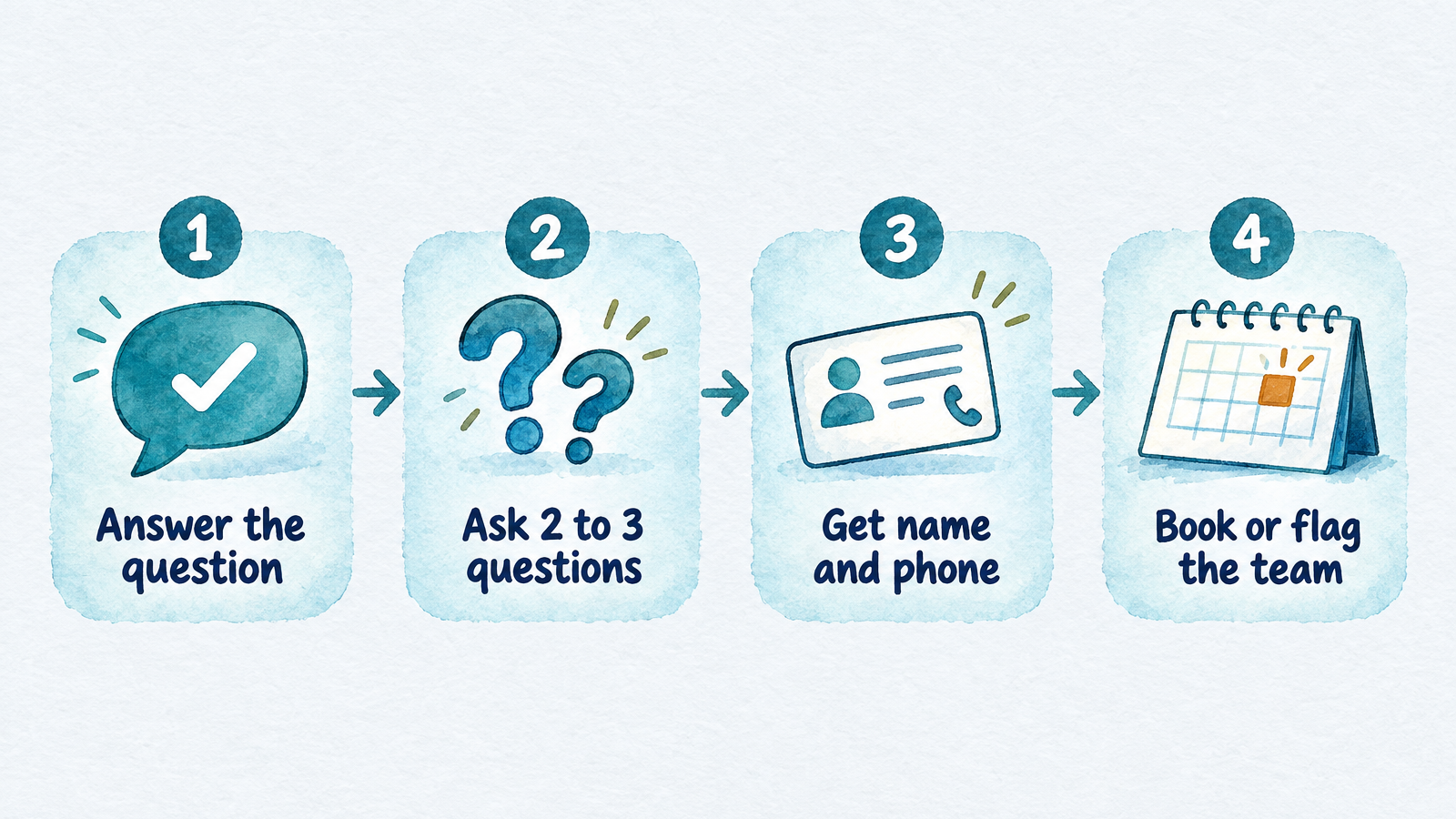
The order matters more than the wording: value first, details second.
| Step | What the chatbot does | Example |
|---|---|---|
| 1. Answer | Responds to the first question from your pages and documents | "Yes, we service Maple Grove. Water heater repairs usually start at..." (only if that price is in your knowledge base) |
| 2. Qualify | Asks two or three questions that decide the next step | "Is water leaking right now? What's your ZIP code?" |
| 3. Collect | Asks for name and phone, and says what happens next | "What's the best number to reach you? We'll call back when we open at 8." |
| 4. Book or flag | Offers open times or marks the lead for a person | "I have 10:00 or 1:30 tomorrow. Which works?" |
Here is a hypothetical after-hours exchange on a plumbing site, trimmed for space:
Visitor: Do you fix tankless water heaters?
Assistant: Yes, we repair and replace tankless units. Is the heater leaking, or is it not heating?
Visitor: Not heating. Cold water only.
Assistant: Thanks. That's usually something a technician has to look at. What's your ZIP code, so I can check that we cover your area?
Visitor: 55369
Assistant: We cover that area. I can book a visit. I have tomorrow at 9:00 or 11:30. Which is better, and what name and phone number should the technician use?
The visitor got a real answer before any contact details were requested, and the whole exchange took four questions. The same flow works on a salon site (service, stylist preference, time) or a store (product, order size, deadline).
What to ask: two or three qualifying questions by business type
Ask only the questions that change what your team does next. Every extra question loses some visitors, and a lead that arrives with the wrong details is not worth much more than no lead.
| Business | Question 1 | Question 2 | Question 3 |
|---|---|---|---|
| Plumbing, HVAC, electrical | What's wrong, and is it urgent or active right now? | ZIP code or address (service area) | Preferred day or time |
| Dental or medical practice | New or existing patient? | Type of visit (cleaning, pain, consult) | Insurance name, only if you check it before booking |
| Law, accounting, insurance | What type of matter is it? | Where are you located (jurisdiction)? | How soon do you need help? |
| Salon or spa | Which service? | Preferred stylist or location | Day and time |
| Online store | Product or order number | Quantity or custom request (wholesale, bulk) | Deadline |
| Real estate | Buying, selling, or renting? | Area or property | Timeline |
Two cautions. For health and legal businesses, the bot should collect intake details, not give clinical or legal advice, and it should hand off urgent or sensitive requests to a person. And do not ask for information you will not use, such as company size from a homeowner.
When to ask for a name and phone number
Ask for contact details after the visitor has received an answer and has shown intent: wanting a quote, a visit, a callback, or an order they cannot place themselves. Do not gate a simple question such as hours, price range, or service area behind a form.
The cost of getting this wrong is visible in public testing. In a blind test posted to the Shopify Community in November 2026, the poster found that 17 of 70 answers from one store's AI chat demanded a name or email before responding, even to basic questions. The poster runs a chatbot-auditing business, so treat it as an anecdote, but it matches a common complaint.
Use this rule of thumb:
- Ask for a phone number when your next step is a call or a visit. Say why: "so the technician can reach you."
- Ask for an email when the next step is a quote, a document, or a confirmation.
- Ask for both only when you need both. One reliable way to reach the person beats two partial ones.
- Tell people what happens next and when. "We open at 8 and call back by 9" gets more honest numbers than "leave your details."
After-hours visitors do not seem less willing to share details. In a vendor dataset of 7,159 chats at 19 small US businesses, 63% of after-hours chats included a phone number or email, against 64% of business-hours chats. That sample is small and comes from one vendor's customers, but it suggests the evening visitor will talk if someone answers.
When to book an appointment instead of taking a message
Book directly when the visit type is standard, the calendar is accurate, and the visitor can pick a time. Take a message and flag the team when the job needs a quote, a judgment call, or a person's approval first.
Good fits for direct booking are cleanings, haircuts, consultations, estimates with a fixed visit length, and tune-ups. Poor fits are emergencies, complex legal intake, and anything where the price depends on a diagnosis. In those cases a fast callback beats a wrong booking.
With InsertChat, the assistant can book, move, or cancel appointments in the built-in calendar, Google Calendar, Outlook, Calendly, or Cal.com. Appointment lengths run from 15 to 120 minutes, and customers can get reminders by text or email 72 and 24 hours before the visit. Two things to check in any tool before you rely on it: that the calendar it reads is the one your team actually uses, and that it only offers times you can honor.
How to stop losing after-hours leads
An after-hours lead is lost when the visitor leaves without a way for you to reach them and without any promise of when you will. The fix is a chat that stays on at night, captures the request, and tells the visitor what happens in the morning.
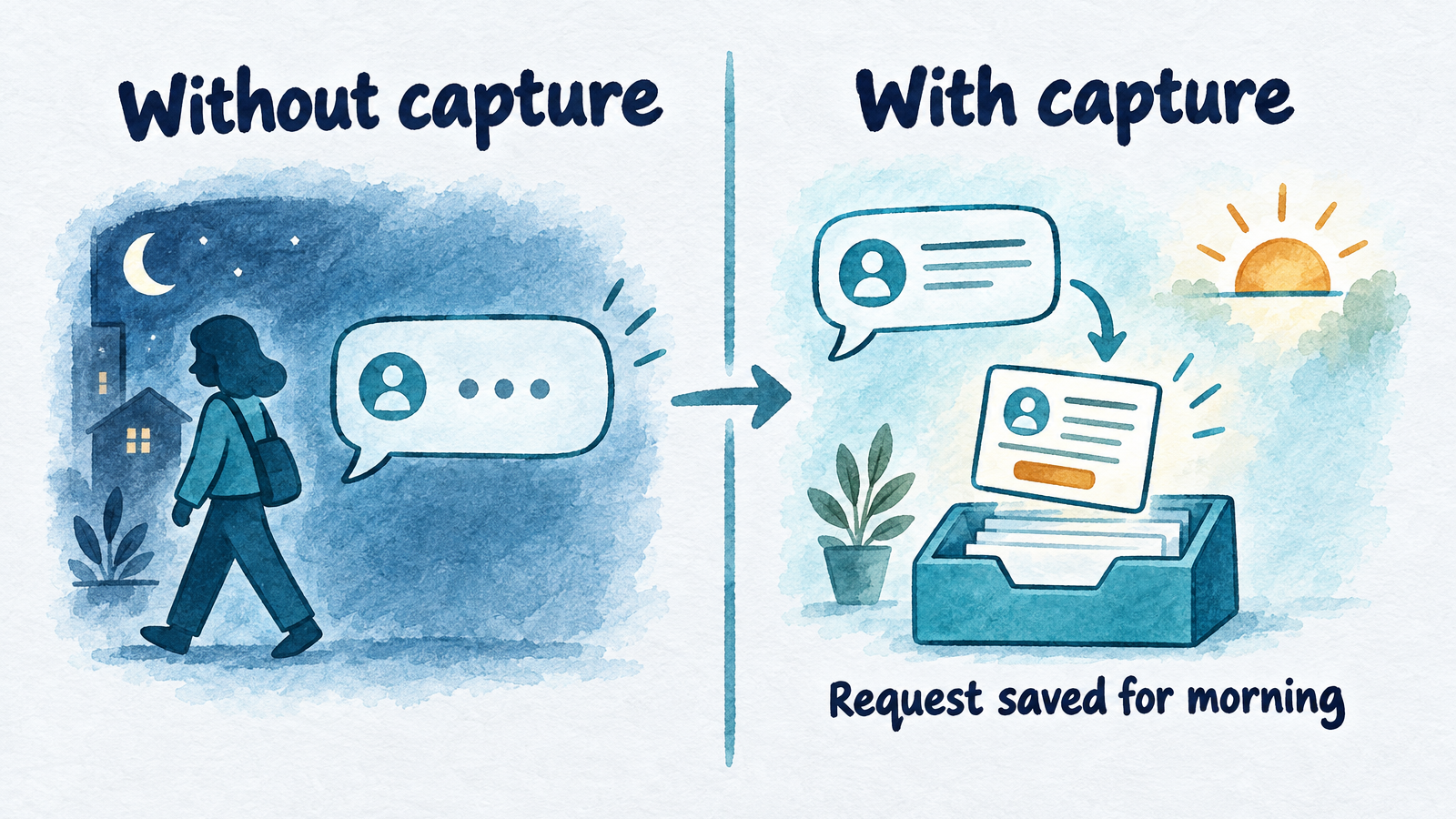
The goal is a saved request and a promised next step, not a faster robot.
How many leads come in after hours?
It depends on how you define "after hours" and what kind of business you run. The vendor dataset above found 38% of website chats arrived outside 8 a.m. to 6 p.m. on weekdays, with a range of 24% to 51% across the 17 busiest businesses, and 40% of home-service chats came after hours. By contrast, ServiceTitan's 2025 platform data put off-hours residential HVAC phone calls at 14.1% in June, the seasonal peak, using an 8 a.m. to 5 p.m. weekday definition. Calls and chats are different channels, so the numbers are not directly comparable. Pull your own chat timestamps for a few weeks before deciding how much after-hours coverage is worth.
Why speed matters
People who do not get an answer go elsewhere. In a CallRail survey of 1,000 US consumers published September 25, 2025, 42% said they leave a voicemail when a business does not answer, 24% turn to online chat, and 21% immediately call another business. Of respondents, 78% said they had abandoned a business after an unanswered call. These are self-reported answers from a call-tracking vendor, but the 24% who try chat are exactly the visitors a chatbot is there to catch.
Older research points the same way. A widely cited 2011 Harvard Business Review analysis of 1.25 million sales leads is reported to have found that companies contacting a lead within an hour were nearly seven times as likely to qualify it as companies that waited an hour longer. Treat that as direction rather than a benchmark: it is 15 years old, "qualified" meant a conversation with a decision maker, and a co-author ran a lead-response vendor.
What the chatbot should do at night
- Answer from your knowledge base, including hours, service area, and what the visit involves.
- Separate urgent from routine. Ask whether the problem is active or time-sensitive, and flag urgent requests to your team with the details attached.
- Book routine visits if the calendar allows, or promise a specific callback window you will keep.
- Save the lead with its source, so the morning team sees name, number, request, and the page it came from.
- Do not promise what you cannot deliver. A bot that says "a technician is on the way" at midnight creates a worse problem than a slow reply.
In InsertChat, the same assistant that answers website chat also covers phone, text, email, and WhatsApp from one knowledge base, so a visitor who chats at night and calls in the morning reaches the same answers. The AI receptionist guide covers the phone side, including what it cannot do.
Where each lead should land: CRM, inbox, and notifications
A captured lead is only useful if a person sees it before the visitor gives up. Decide three things before launch: where leads are stored, who gets notified, and how fast they must respond.
- Storage. Save each lead as a contact with name, phone, request, and source. In InsertChat the assistant saves leads as contacts and tells your team when someone is ready to book or buy. If you work in HubSpot, it is among the supported integrations, alongside Gmail, Outlook, Zoho, Zendesk, Stripe, Square, and Microsoft Dynamics 365.
- Visibility. Keep website chat, calls, texts, and email in one shared inbox so a lead does not live in a tool nobody checks. Your team can read the full transcript and take over the conversation.
- Notifications. Routing mistakes are common in public forums. HubSpot Community threads describe round-robin chat notifications reaching only the assigned agent, leaving chats unseen, with a workflow as the reliable alert. Whatever tool you use, send a test lead and confirm the right person is alerted.
Human handoff is the other half of lead capture. The assistant should hand the chat to a person when the visitor asks for one, sounds upset, or asks something outside the knowledge base, with the transcript and notes attached. Test this by typing "can I talk to a human?" Public testing shows how often it breaks: in the Shopify blind test above, all 10 attempts to reach a human failed.
Keep junk leads out
Spam and fake leads waste follow-up time, and a few cheap checks catch most of them. Ask a service-area question (ZIP code or city) early, since out-of-area visitors are the most common non-leads for local businesses. Validate that a phone number looks like a phone number and an email looks like an email. Use the chatbot's built-in spam protection or a CAPTCHA where it is offered, and note that a CAPTCHA does not stop real people typing fake details.
Also review the first 20 to 30 real chats after launch. You will quickly see which question leads to dead ends, which answers are wrong, and which visitors are not leads at all.
Guardrails: wrong answers, bot disclosure, and consent
A lead chatbot should only say what your business has approved, say it is a bot, and collect consent before any marketing follow-up. These are practical guardrails, not legal advice. Ask a qualified attorney about your specific situation.
Wrong answers and invented prices. Train the assistant on your own pages and documents, and leave prices out of the knowledge base unless they are accurate and current. Test with questions you know the answer to, and with ones the bot should decline. For actions with consequences, InsertChat lets you require team approval before an action runs.
Disclosure. California's BOT Act (Business and Professions Code section 17941) makes it unlawful to use a bot to mislead a person in California about its artificial identity in order to incentivize a purchase or sale. A bot is not liable if it clearly and conspicuously discloses that it is a bot. How far the act reaches a small business's own site is a legal question, and other states have their own chatbot disclosure rules, mostly aimed at companion bots. A short line in the greeting costs nothing and covers you either way.
Consent for follow-up. A phone number typed into a chat lets you answer that request. Marketing is different. Under the FCC's rules, prior express written consent for autodialed or prerecorded marketing calls and texts means a signed agreement that clearly authorizes them, lists the phone number, and discloses that signing is not a condition of buying. Digital signatures can qualify. Honor STOP replies promptly: as summarized from the FCC's order published October 26, 2026, revocations must be honored within a reasonable time not exceeding 10 business days. For email, the FTC's CAN-SPAM guide requires a clear opt-out for marketing email, also honored within 10 business days. In Canada, CASL has its own consent rules. If your plan includes promotional texts or emails, add a consent line to the chat and keep a record.
Metrics that tell you it is working
Track a short funnel from chat to booked work, and compare it with what your form produced before. Vendor guides quote benchmark rates, but they vary too widely to trust, so your own before-and-after is the useful number.
| Metric | What it tells you | What to do if it is low |
|---|---|---|
| Chats started | Whether visitors notice the widget | Move the widget or change the greeting |
| Contact capture rate (chats with a name and number or email) | Whether you ask at the right moment | Answer first, ask later, shorten the questions |
| Qualified leads (in service area, right job type) | Whether the questions filter well | Add a service-area or job-type question |
| Appointments booked | Whether booking is offered and works | Check calendar connection and open slots |
| Time to first human reply on handoffs | Whether leads reach the team in time | Fix notifications and set an owner |
| After-hours leads | How much work the night shift catches | Compare against your old voicemail or form volume |
| Cost per lead | Whether the tool pays for itself | Compare to the job value of one booked visit |
InsertChat includes 30 days of reports on every plan, and Scale and Enterprise add AI analysis reports. Whatever the tool, tag leads by source so you can tell chat leads from form leads and phone leads.
What a lead capture chatbot costs
Costs range from free tiers with tight limits to per-resolution fees that grow with volume. For example, HubSpot's Customer Agent is priced at $0.50 per resolved conversation as of April 14, 2026, down from $1.00 per conversation, and it sits on top of a HubSpot plan. Other tools charge per seat, per message, or through usage credits.
InsertChat Pro is $98 a month ($81.67 a month billed annually) with 3 assistants, 3 seats, and 5,000 credits shared across channels. Every paid plan includes the AI receptionist, one phone number, website chat, the shared inbox, and human handoff. Credits are a shared pool rather than separate caps per channel, and credits do not map to a fixed number of messages. A 7-day Pro trial includes 500 credits, and a card is required. For a side-by-side of how flat, per-seat, per-resolution, and credit plans compare, see the chatbot pricing breakdown, and if you are replacing a specific tool, the Tidio and Chatbase alternatives guides compare handoff and channels.
Where InsertChat fits (and where it doesn't)
InsertChat's website chat is an AI chat widget trained on your pages and documents that saves leads, books appointments, and hands the conversation to a person. It installs on Shopify, WordPress (plugin), Wix, Webflow, Squarespace, WooCommerce, Framer, BigCommerce, Ghost, and Duda. The same assistant also answers calls, texts, WhatsApp, and email, which matters if your leads call as often as they chat.
A few limits to know before you choose it:
- The AI receptionist does not transfer live calls, take voicemail, record calls, or place outbound calls. On the phone it flags your team and arranges a follow-up.
- Number porting is not offered. In the US and Canada you can keep your number by forwarding.
- You still need to keep the knowledge base current. The assistant is only as accurate as the pages and documents behind it.
- If you only want a simple chat widget with a free plan, a lighter tool may be enough.
Agencies that want to sell this to local clients can see the white label chatbot guide. To see how the pieces fit together, the product overview lists every channel and workspace feature.
When you are ready to test it with your own pages and calendar, you can start your 7-day free trial. Load your site, set your questions, send yourself three test leads, and check where they land.
Frequently asked questions
How do you use ChatGPT for lead generation?
As a standalone chat window, ChatGPT does not sit on your website, save contacts, or book into your calendar. People use it to draft chat scripts, qualifying questions, and follow-up messages, then load those into a chatbot tool that handles capture, booking, and handoff. Building your own bot on a model's API is possible, but it needs developer time and ongoing maintenance.
What is the best AI for lead generation on a small business site?
The best one is the tool that fits your channels, calendar, and budget, not the one with the most features. Check four things: whether it answers from your own pages, books into your calendar, hands off to a person with context, and saves leads where your team already works. Run a one-week trial with real questions before you commit.
What are the main types of chatbots?
Common categories are rule-based or button menus, keyword bots, AI chatbots that understand free-form questions, and hybrids that mix scripted steps with AI answers. For lead capture, hybrids work well: scripted questions guarantee you get the name and phone number, while AI answers handle everything else visitors ask.
Will visitors hang up on a chatbot?
Some will, usually when the bot blocks a simple answer behind a form or cannot reach a person. Visitors tolerate a bot that answers quickly, says what happens next, and offers a human when asked. Put a short bot disclosure in the greeting and test the "can I talk to a human?" path before launch.
Is there a free lead generation chatbot?
Free plans exist, but they cap conversations and often limit AI answers. They work for testing a flow, not for a business that depends on chat for leads. Compare the cap with your monthly chat volume and see what happens when you pass it, whether the bot stops, bills overage, or upgrades you.