
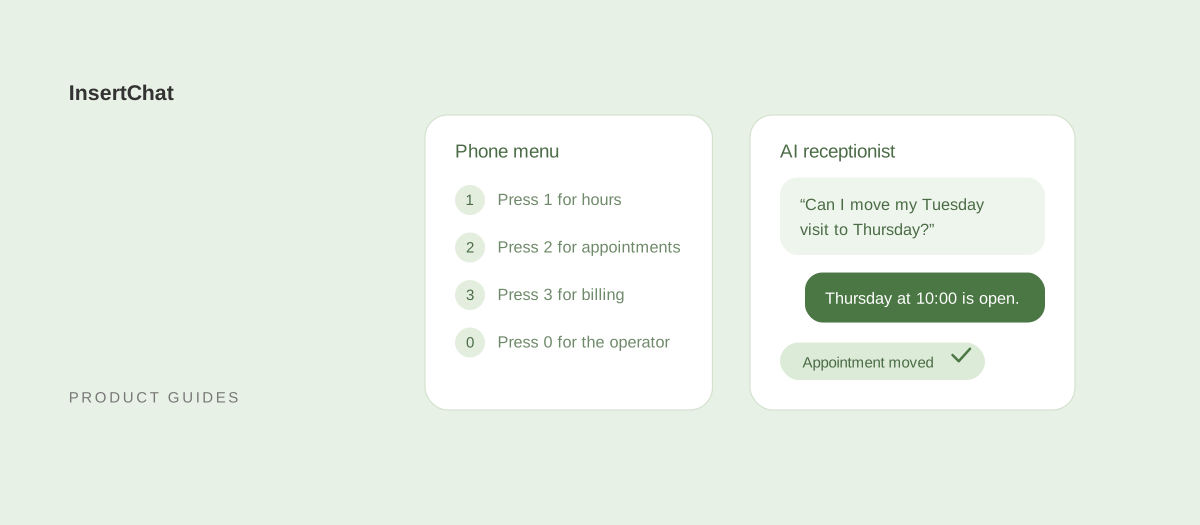
An IVR or auto attendant greets callers with a recorded menu and routes them by keypad press or a few spoken keywords. An AI receptionist lets callers say what they need in their own words, then answers from your business information, books appointments within your rules, or flags the call for your team.
The difference shows up in what callers get. A phone tree sends people somewhere; an AI receptionist tries to finish the request. This guide compares the two on the same call, explains where menus still make sense, and shows how to layer them or retire a tree without losing calls. InsertChat details are current as of October 2026.
What is the difference between an auto attendant, an IVR, and an AI receptionist?
An auto attendant is a recorded greeting with a routing menu. An IVR, or interactive voice response system, adds self-service flows, such as checking a balance by entering an account number. An AI receptionist replaces the menu with a conversation and answers or acts on the request itself.
- Auto attendant: “Thanks for calling. For sales, press 1. For service, press 2. For a company directory, press 9.” It routes calls to people, departments, or voicemail.
- IVR: a menu plus scripted flows that read or write data, such as account lookups, order status, or keypad payments. Many recognize a short list of spoken keywords.
- Phone tree: the everyday name for either one, especially a menu with several levels.
- AI receptionist: a voice AI that listens to an open request, asks follow-up questions, and responds from your knowledge base or with the actions you enabled, such as scheduling.
How does each one handle the same call?
Take one realistic call: “Hi, I have a cleaning on Thursday but I need to move it to next week, ideally early morning. Also, are you in network with my dental plan?” Here is what happens in each system, step by step.
With an auto attendant
- The caller hears the greeting and a list of four or five options.
- They guess that scheduling is option 2 and press it.
- The call rings the front desk. If nobody answers, it goes to voicemail.
- The insurance question waits until someone calls back.
With an IVR
- The caller hears the menu and chooses appointments.
- The IVR may ask for a patient number or date of birth by keypad, if the practice built that flow.
- If the practice built a reschedule flow connected to its scheduling system, the caller can pick a new slot from read-out options. Many small businesses never build that flow, so the call routes to the desk.
- The insurance question either has its own menu branch or goes to a person.
With an AI receptionist
- The caller hears a short greeting and says the whole request in one breath.
- The AI asks for the name the appointment is under, finds the open early-morning times next week, and offers a few.
- The caller picks one. The AI recaps the date, time, and service, and moves the appointment after the caller confirms. In InsertChat, it can reschedule appointments it booked; others go to your team.
- It answers the insurance question from your knowledge, if you listed accepted plans, or flags it for your team if the answer isn’t there.
- The conversation lands in the shared inbox with a transcript and summary.
The example is illustrative. It shows the structural difference: the menu routes, and the conversation resolves.
How do they compare side by side?
The table compares a typical small-business auto attendant, a custom IVR, and InsertChat’s AI receptionist.
| Auto attendant | IVR | AI receptionist | |
|---|---|---|---|
| How callers ask | Keypad presses | Keypad presses and a few keywords | Their own words, in their own language |
| Answers questions | No; routes to someone who can | Only flows you built in advance | Yes, from your knowledge sources |
| Books appointments | No | Only with a custom scheduling flow | Yes, within your calendar rules |
| Routes to departments | Yes | Yes | InsertChat doesn’t transfer live calls; it flags the conversation for your team |
| After hours | Voicemail or a closed message | Self-service flows, otherwise voicemail | Answers, books, and collects details |
| Keeping it current | Re-record prompts when options change | Developer or vendor changes | Update knowledge sources and rules |
| When it fails | Callers press 0 or hang up | Callers get stuck in a loop | The AI says it isn’t sure and hands off to your team |
| Record of the call | Call log | Call log and flow data | Transcript, summary, and contact record |
| Typical cost | Often included with business phone service | Setup and maintenance on top of phone service | Monthly plan with usage; InsertChat from $98 per month |
When does an IVR or auto attendant still win?
Menus still win when the main job is routing, not answering. If your callers need to reach one of many departments or people, or must enter numbers securely by keypad, a menu does that predictably and cheaply.
- Many departments or extensions: a hospital, a multi-location dealership, or an office with a staff directory needs routing first.
- Keypad-only flows: account numbers, PINs, and card payments by keypad are built for IVR systems with the right security controls.
- Fixed, high-volume tasks: if most calls are “check my order status” and you already have the integration, a short self-service flow is efficient.
- Live transfer requirements: if callers must reach a person during the call, keep routing in your phone system. InsertChat does not transfer live calls.
When does an AI receptionist win?
An AI receptionist wins when callers mostly want answers or appointments and you have no departments to route between. That describes most small and local businesses, where a phone tree adds steps without adding information.
- Questions vary: callers ask about services, prices you publish, hours, parking, insurance, or service areas in a hundred different ways. A menu can’t list them all; the AI answers from your sources.
- Booking matters: the AI offers open times and books after the caller confirms, within your appointment length, buffers, notice, and booking window.
- After-hours calls: instead of voicemail, the caller gets an answer or a booking. See after-hours answering.
- Mixed languages: the AI follows the caller’s language, with 58 business languages to choose from. See bilingual answering.
- Small teams: without a receptionist, every menu option ends at the same busy phone. The AI takes the call instead.
Can you use an IVR and an AI receptionist together?
Yes. Keep the auto attendant for routing and send the calls it handles badly to the AI: the scheduling option, the after-hours branch, and calls nobody answers. Your phone system decides where calls go; the AI answers the ones it receives.
Three common layouts:
- One menu option goes to the AI. “For appointments and questions, press 1” forwards to an InsertChat number. Get a new local or toll-free InsertChat number for this, and keep the other options routing to your team.
- After-hours and no-answer rules go to the AI. Your phone system keeps the menu during the day and forwards after-hours or unanswered calls to the private routing number InsertChat gives you. With RingCentral, a call handling rule can forward all calls, missed calls, or after-hours calls this way.
- The AI replaces the menu, and your team rings first. Forward your main number to InsertChat and use the “AI when unanswered” mode: calls ring your team’s number for 5 to 60 seconds, then the AI answers.
In the US and Canada, keep your existing number by forwarding it; the call forwarding guides list steps for each supported provider, and a verification call confirms that forwarding works. Elsewhere, use a local or toll-free InsertChat number where available. Number porting is not offered.
How do you retire a phone tree without losing calls?
Map every menu option to something the AI knows or a rule it follows, test each one, then switch during quiet hours first. Most options turn into a knowledge source, a booking rule, or a handoff topic.
| Old menu option | Where it goes in the AI receptionist |
|---|---|
| Hours and directions | Knowledge: opening hours, address, parking, and holiday closures |
| Appointments | Scheduling: calendar connection and booking rules |
| Pricing or services | Knowledge: services and the prices you publish |
| Billing | Handoff topic: billing disputes go to a person |
| Emergencies | Safety steps you write, plus an urgent alert to your team |
| Speak to the operator | The default rule that flags any caller who asks for a person |
| Company directory | Knowledge: team names and the best way to reach each one, or keep a direct line |
| Leave a message | Lead capture: the AI collects name, contact details, and the request |
Then work through the switch:
- Export your call reasons. Listen to a sample of calls or read your call log to confirm which options callers actually use.
- Write the knowledge. Add the answers behind each option as website pages, documents, or questions and answers. The knowledge guide covers what to include.
- Set handoff rules. Review the five default rules and add topics that must reach a person. The handoff guide explains each one.
- Test every old option as a sentence. Call in and say what each menu option was for, in your customers’ words, and check the transcript.
- Switch after hours first. Route only after-hours calls to the AI for a week, review every conversation, then widen.
What does each one cost?
A basic auto attendant is often bundled with business phone service, so the cash cost can be zero. Custom IVR flows cost setup and maintenance time. AI receptionists charge a monthly plan plus usage, so the bill follows how many calls the AI answers and how long they last.
InsertChat plans start at $98 per month with one phone number and 5,000 monthly credits. Calls use credits by the minute, rounded up per call with a one-minute minimum, and additional numbers cost $10 per month each. The pricing page has a usage estimator, and the AI receptionist cost guide compares how vendors meter usage.
The fairer comparison includes what a menu costs you in missed outcomes: callers who hang up in the tree, after-hours voicemails nobody returns, and staff time answering questions a recording could not. Measure those from your own call log before you decide.
How do you choose?
Use the menu for routing and the AI for answering. If your business has departments and live transfers, keep the auto attendant and add the AI to its weakest branches. If your business is a small team where every option ends at the same phone, replace the tree.
A quick rule of thumb:
- Keep the IVR if callers need many destinations, keypad security, or live transfer.
- Layer both if you route by department during the day but miss calls after hours or at lunch.
- Replace the tree if most calls are questions or bookings and your team is small.
Before switching, listen to how the AI sounds on your line. The guide to whether AI receptionists sound human covers voices, greetings, and disclosure, and the setup guide walks through the full InsertChat flow.
Hear the difference on your own number
Menus make callers do the work. Explore the InsertChat demo to see a conversation resolve end to end, check plans on the pricing page, or start your free trial and point your after-hours rule at the AI first.