
Modern AI receptionists sound close to human on routine calls: natural voices, normal pacing, and replies that follow what the caller just said. They are not indistinguishable in every situation. Long, emotional, or noisy calls expose the difference more often, which is why the best practice is to tell callers they are speaking with an AI assistant.
This guide covers what research says about synthetic voices, what actually makes a phone call feel natural, how InsertChat’s voices and greetings work, and how to test yours before customers call. It avoids invented statistics; the one study cited is linked.
Do AI receptionists really sound human?
On a short call about hours, prices, or a booking, many callers won’t notice an AI receptionist until it tells them. On longer or harder calls, small things give it away: a pause before an answer, a reply that’s slightly too complete, or a moment where a person would have read the mood differently.
Voice quality is rarely the problem anymore. The gap shows up in conversation: timing, interruptions, and judgment. That is why the rest of this guide spends more time on those than on the voice itself.
What does research say about AI voices?
The clearest recent evidence comes from a 2025 study in PLOS ONE, Voice clones sound realistic but not (yet) hyperrealistic, by Lavan, Irvine, Rosi, and McGettigan. Listeners judged short voice clips and labeled each as human or AI. Cloned voices came close to real ones; generic AI voices less so.
The study ran several experiments with 50 participants each:
| Experiment | Voices compared | Judged human |
|---|---|---|
| 1a | Real human voices vs generic AI voices | 81% of human voices; 41% of generic AI voices |
| 1b | Real human voices vs voice clones of real people | 62% of human voices; 58% of voice clones |
Two cautions apply. The clips were short recordings, not live phone calls, so they say nothing about timing or turn-taking. And business receptionists use designed voices, not clones of a specific person, which is closer to the generic AI voices in the study. The fair reading: a good AI voice can pass as human in a short clip, but a call is more than a clip.
What makes an AI receptionist sound natural on a call?
Five things matter more than the voice itself: how quickly it replies, whether it stops when the caller talks, how it handles silence, how long its answers are, and how it pronounces names, numbers, and addresses. Get these right and a caller hears a conversation rather than a recording.
Response timing
People notice gaps. A reply that starts promptly feels natural; a long silence feels like a machine. Expect a short pause when the AI checks a calendar or looks something up, and listen for it in your test calls. Answers it can give from your knowledge should come back without a noticeable wait.
Interruptions
Callers talk over receptionists all the time, especially during a greeting they’ve heard before. If a caller starts speaking during the welcome, InsertChat’s receptionist stops the greeting and responds to what they said instead of finishing a script.
Silence
Real callers get distracted, mute themselves, or lose signal. When the line goes quiet, InsertChat’s receptionist briefly checks whether the caller is still there. If there is still no answer, it explains that it can’t hear them and ends the call, rather than talking into the void.
Answer length
Spoken answers need to be shorter than written ones. A receptionist that reads a paragraph of policy sounds robotic even in a perfect voice. Write your knowledge for the ear: short sentences, one fact at a time, and the most common answer first.
Names, numbers, and addresses
Dates, prices, phone numbers, and street names are where callers listen hardest. For bookings, InsertChat’s receptionist recaps the date, time, time zone, service, and contact details once before saving, so the caller can correct a misheard detail before it becomes a wrong appointment.
Why do some AI receptionists still sound robotic?
When an AI receptionist sounds robotic, the cause is usually the setup around the voice. The same voice sounds natural with short, spoken-style answers and stiff when it reads long written policies or recites a menu of options.
Common causes and fixes:
- Answers written for a web page: rewrite the knowledge callers hear most into short spoken sentences.
- Reading lists aloud: a list of twelve services sounds like a menu. Add a short summary answer and let callers ask for detail.
- A greeting that sounds like a phone tree: “Please state the reason for your call” invites robotic replies. Ask “How can I help?” instead.
- Local names: street names, suburbs, and product names may be mispronounced. Test them and add a phonetic hint in your knowledge if needed.
- A voice that doesn’t fit: a voice that suits a law firm may sound out of place for a surf shop. Preview a few with your own greeting.
How do you choose a voice and greeting?
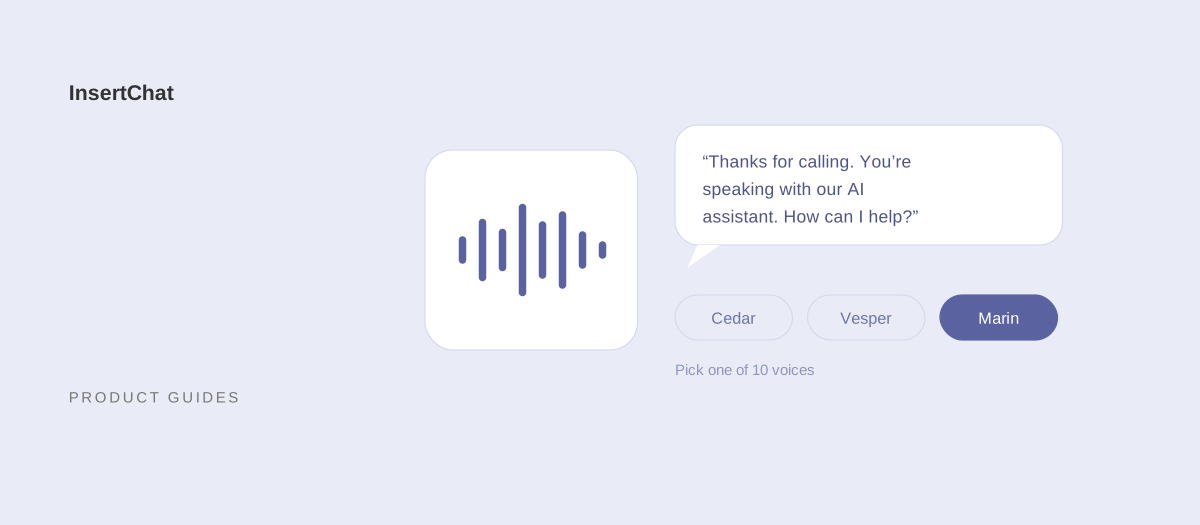
Choose a voice that suits your callers, then write a greeting that names your business, says it’s an AI assistant, and invites the request. In InsertChat, you preview and pick one of 10 voices and write a greeting of up to 200 characters in the Caller experience settings.
Picking a voice
InsertChat’s voices cover several English accents and two Portuguese ones:
- North American English: four voices, including the default, described as clear and balanced.
- British-influenced English: one voice.
- Irish-influenced English: two voices.
- Australian-influenced English: one voice.
- Brazilian Portuguese-influenced: two voices.
Pick the accent your callers expect from a local business, then preview two or three options with your own greeting. You can change the voice at any time.
Writing the greeting
Callers hear the greeting before the conversation starts, so it does three jobs in one or two sentences: confirm they reached the right business, set expectations, and invite the request. If you leave it blank, the receptionist answers with a simple “Hi, thanks for calling” followed by your business name, which doesn’t mention AI, so write your own.
Examples that fit within 200 characters:
- Home services: “Thanks for calling Northside Plumbing. You’re speaking with our AI assistant. I can answer questions, book a visit, or get your details to the team. How can I help?”
- Salon: “Hi, you’ve reached Willow Hair Studio’s AI assistant. I can book appointments and answer questions about services and prices. What can I do for you?”
- Law office: “Thank you for calling Reyes Law. This is the firm’s AI assistant. I can take your details for a consultation and answer general questions. How can I help?”
- Clinic front desk: “Thanks for calling Lakeside Physio. You’re speaking with our AI assistant for bookings and general questions. For emergencies, hang up and call 911.”
The business names are fictional examples.
Should you tell callers they are talking to an AI?
Yes. Disclosure sets expectations, gives callers who want a person an easy way to say so, and avoids the trust problem of a caller realizing halfway through. It also keeps you on the right side of rules that require AI systems to identify themselves.
Two rules show where regulation is heading:
- In the EU, the AI Act includes a transparency obligation in Article 50: AI systems intended to interact directly with people must be designed so those people are informed they are interacting with an AI system, unless that is obvious from the context.
- In the US, the Federal Communications Commission’s 2024 declaratory ruling confirmed that AI-generated voices count as “artificial” under the Telephone Consumer Protection Act, which restricts outbound calls that use them. That ruling targets calls a business places; an AI receptionist answering calls customers make to you is a different situation.
InsertChat’s receptionist answers incoming calls and doesn’t place outbound AI calls. Rules vary by country and state, so check with your advisor if you operate in a regulated field, and disclose by default either way.
How do callers react when they know it’s an AI?
Most routine callers care more about getting a correct answer or a booking than about who gives it. Callers with a complaint, an emergency, or a complicated situation are more likely to want a person from the start, and some will ask for one immediately.
Plan for both groups:
- Make it easy to reach a person. InsertChat’s default rule flags any caller who clearly asks for one; the conversation is marked needs-you and your team is emailed.
- Ring your team first if you can. The “AI when unanswered” mode rings your team’s number for 5 to 60 seconds before the AI answers.
- Keep promises realistic. Write your actual callback time into the AI’s knowledge so it doesn’t promise more than your team can deliver.
- Hand off upset callers. The default rule for threats, severe frustration, or repeated complaints brings in a person.
The human handoff guide explains how to set these up and test them.
Does it speak your callers’ language?
InsertChat’s receptionist starts in your business language and follows the caller. When a caller speaks another language or asks for one, it switches and keeps that language for the rest of the conversation. A one-word greeting in another language doesn’t switch it.
You can set your business language from 58 options, or turn off replying in the customer’s language so it stays in your business language unless a caller explicitly asks. Test each language your customers use, because the same voice can sound more natural in some languages than in others. See bilingual answering.
How do you test whether yours sounds right?
Call it the way your customers will: from a mobile phone, in a noisy place, with a real question. Then read the transcript. Most problems that make an AI sound robotic show up within ten calls and come from the greeting or the knowledge, not the voice.
| Test | What to do | What to listen for |
|---|---|---|
| Interruption | Start talking during the greeting | It stops and responds to you |
| Noise | Call from a car or a busy street | It asks you to repeat rather than guessing |
| Silence | Say nothing for a while after the greeting | It checks in, then ends the call politely |
| Spelling | Spell an unusual surname and email address | The recap matches what you said |
| Numbers | Ask about a price and a date | It reads them clearly and correctly |
| Long question | Ask two things in one breath | It answers both, briefly |
| Direct question | Ask, “Am I talking to a robot?” | It says it’s an AI assistant |
| Person | Ask to speak with someone | It explains the follow-up and flags the call |
In InsertChat, Test saved greeting and voice runs a browser call with your current settings, and calls to your real number appear in the shared inbox with a transcript and summary. The setup guide has a full launch checklist.
Hear it for yourself
Reading about voices only goes so far. Explore the InsertChat demo, see what the AI receptionist can do, or start your free trial to build a phone receptionist demo from your website and hear it answer with your own greeting.