
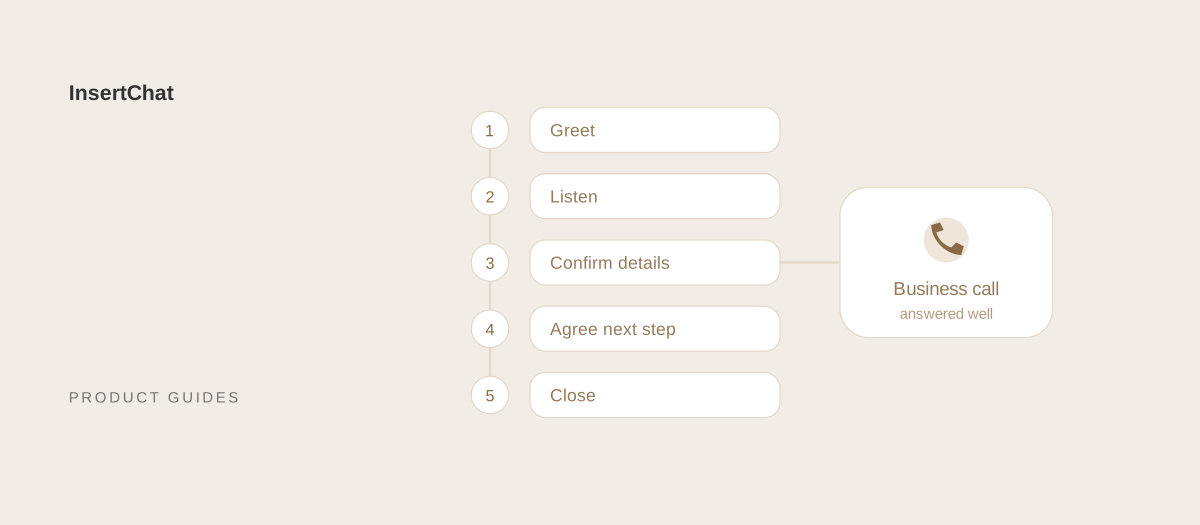
To answer a business phone professionally, pick up promptly, greet the caller with the business name, your name, and an offer to help, then listen without interrupting and take notes. Confirm the important details back, agree on a clear next step, and close by thanking the caller by name. The whole approach fits on one card next to the phone.
This guide walks through each part of the call, from the moment before you pick up to the last sentence, with the exact words to use, phrases to avoid, a checklist for your team, and what to do when nobody can get to the phone.
The 9 steps of a professional business call
A professional business call follows the same nine steps whatever the business. The sections below explain each one.
- Get ready before it rings: calendar open, price list and notes within reach.
- Answer promptly: pick up quickly, in a quiet place, with your attention on the call.
- Greet the caller: hello, business name, your name, and an offer to help.
- Get their name early: and use it during the call.
- Listen and take notes: let the caller finish before you respond.
- Confirm the details: read back numbers, dates, times, and addresses.
- Handle holds and transfers politely: ask first, give a time, pass on the context.
- Agree the next step: a booking, an answer, or a callback with a time.
- Close the call: summarize, thank them by name, and let them hang up first.
How do you prepare to answer business calls?
Prepare by having everything a caller might ask about within reach: your calendar, services and prices, opening hours, and a place to take notes. A receptionist who has to search for information sounds unsure, even when the answer is right.
- Open the tools you need: your calendar or booking system, your contact list, and the price list.
- Keep a call card next to the phone: the greeting, the details to collect, and who handles what.
- Find a quiet spot: close the door, mute other devices, and use a headset if the room is noisy.
- Avoid speakerphone: it makes you sound distant and picks up background noise.
- Know the handoff: who takes billing questions, complaints, and emergencies, and how to reach them.
What should you say when you answer?
Say a short greeting, the business name, your name, and an offer to help, in that order: “Thank you for calling [Business Name], this is [Your Name]. How can I help you today?” It takes a few seconds and tells the caller they reached the right place and who they’re talking to.
Speak a little slower than normal for the business name, because it’s the part callers listen for. Smile while you speak; callers hear it in your voice. Use the same greeting as everyone else on the team, so callers get the same experience whoever picks up. The business phone greeting examples include 52 versions by industry and situation.
Avoid these openings:
- “Hello?” The caller can’t tell whether they reached a business.
- The phone number alone. It sounds like a switchboard and gives no name to use.
- A rushed run-on. “ThanksforcallingHarborDentalthisisMayahowcanIhelpyou” loses the business name.
- A tagline and a promotion before the caller can speak.
How do you listen and take notes on a business call?
Listen by letting the caller finish, then summarize what you heard before you act on it. Take notes as they talk, so you don’t have to ask them to repeat anything, and write down the details in the same order every time.
Ask for the caller’s name early, using a simple line: “Can I start with your name?” Use it once or twice during the call. Ask whether they’re a new or existing customer, then the details your business needs, such as an address, a vehicle, or a date of birth for a returning patient.
Use plain words instead of internal terms. A caller doesn’t know what a “PM visit” or an “intake” is, so say “maintenance visit” or “first appointment.” When the caller uses a term you don’t know, ask: “Can you tell me a bit more about that?”
Phrases that make a call go better:
| Instead of | Say |
|---|---|
| “I don’t know.” | “Let me find out for you.” |
| “Hold on.” | “May I put you on hold for about a minute?” |
| “That’s not my department.” | “The best person for that is [Name]. Let me get this to them.” |
| “You need to…” | “The quickest way to get this done is…” |
| “Calm down.” | “I understand. Let’s get this sorted out.” |
| “We can’t do that.” | “Here’s what we can do.” |
| “Can you repeat that?” (again) | “Let me read that back to make sure I have it right.” |
How do you confirm details on the phone?
Confirm details by reading them back: phone numbers digit by digit, names spelled when they’re unusual, and dates with the day of the week. Most messages that go wrong do so because one digit or one date was misheard.
- Phone numbers: “That’s 5-5-5, 0-1-4-2. Is that right?”
- Dates: “That’s Wednesday the 21st at 2 p.m.” The weekday catches mistakes the date alone won’t.
- Addresses: include the unit, the gate code, and where to park if it matters for a visit.
- Email addresses: spell them back letter by letter.
How do you put a caller on hold or transfer a call?
Put a caller on hold only after asking and hearing a yes, and give a time: “May I put you on hold for about a minute while I check?” Transfer a call only after telling the caller who they’re going to and why, and pass on what they’ve already told you.
For holds:
- Ask permission and give a reason and a time.
- Check back if the hold runs longer than you said.
- Offer a callback at a specific time if it’s going to take a while.
- Thank the caller when you return: “Thanks for waiting.”
For transfers, say: “The best person for that is [Name], our [Role]. I’m transferring you now and letting them know what you need, so you won’t have to explain it again.” Then actually tell the next person. A transfer where the caller has to start over feels like being passed around.
How do you take a phone message professionally?
Take a phone message by collecting the caller’s full name, a callback number read back digit by digit, the reason for the call, how urgent it is, the best time to call back, and who the message is for. Then tell the caller when they’ll hear back, and make sure that happens.
Write the reason in the caller’s words, not a summary like “call back,” so the person returning the call can start with an answer. Put messages where the team will see them, not on a sticky note. If you promise a callback time, write it on the message too.
The receptionist phone scripts include word-for-word scripts for messages, holds, transfers, angry callers, wrong numbers, and emergencies.
How do you end a business call?
End a business call by summarizing what was agreed, confirming the next step and when it happens, asking if there’s anything else, and thanking the caller by name. Let the caller hang up first, so you never cut off a last question.
“So you’re booked for Wednesday at 2 p.m., and you’ll get a text confirmation in the next few minutes. Is there anything else I can help with? Thanks for calling, Dana. We’ll see you Wednesday.”
How do you answer business calls on a mobile phone?
Answer business calls on a mobile phone with the same greeting you’d use at a desk, starting with the business name, so callers know they reached a business. Only answer when you can give the call your attention; otherwise, let it go to voicemail or an AI receptionist and call back soon.
- Don’t answer while driving or in the middle of a job where you can’t take notes.
- Step away from noise before you answer, or answer and ask to call right back.
- Save customer numbers in your contacts, so you know who’s calling.
- Keep a notes app or booking app open for details and appointments.
- Call back quickly when you miss a call. The speed-to-lead guide explains why the first hour matters.
Phone etiquette checklist for your team
Use this checklist to train new staff and to review calls with the team. It turns everything above into habits you can check.
- We answer with the same greeting, including the business name and our name.
- We ask for the caller’s name early and use it.
- We let callers finish before we respond.
- We read back numbers, dates, and addresses.
- We ask before putting anyone on hold and check back on time.
- We tell callers who they’re being transferred to and pass on the details.
- Every message has a name, number, reason, urgency, and callback time.
- Every call ends with a clear next step.
- We know who handles billing, complaints, and emergencies.
- Our voicemail and after-hours messages are up to date.
What should you do when nobody can answer?
When nobody can answer, every call still needs a next step: a voicemail with a callback time, an answering service, or an AI receptionist that answers for you. Decide in advance which one handles each situation, such as lunch breaks, busy mornings, evenings, and holidays.
A voicemail is the simplest option, but many callers won’t leave a message, and the cost of missed calls guide shows how to work out what that costs your business. An answering service puts a person on the line. An AI receptionist answers from your business information, books appointments within your rules, and takes complete details for your team. For evenings and weekends, the after-hours message examples cover voicemail scripts and AI greetings.
Let InsertChat answer when your team can’t
InsertChat’s AI receptionist follows the habits in this guide on every call: it greets callers with your greeting, asks for their name and reason for calling, confirms the appointment with the caller before booking it within your scheduling rules, and ends with a clear next step. Calls that need a person are marked needs-you and emailed to your team with a transcript and summary in the shared inbox.
You choose when it answers. With “AI when unanswered,” your phone rings for 5 to 60 seconds first, and the AI picks up only if nobody does. With “AI after hours,” it covers the hours outside your weekly schedule. In the US and Canada, keep your number with call forwarding.
Plans start at $98 per month with one phone number and 5,000 monthly credits, and new customers can try Pro free for 7 days with 500 credits (a card is required). Start your free trial, or explore the demo to hear how calls are handled in a sample workspace.