TL;DR
- Report metrics only when they help the client decide what to improve next.
- Group AI chatbot reporting metrics into usage, engagement, resolved and unresolved conversations, answer quality, leads where relevant, content gaps, and next actions.
- Usage does not prove success by itself. Pair it with conversation review and unresolved-question themes.
- Lead metrics belong in the report only when the assistant has a lead capture or handoff job.
- A useful client report ends with owners, fixes, and the next review point, not a long dashboard export.
Your client does not need every chatbot number you can export. They need to know whether visitors used the assistant, where conversations helped or stalled, what answers need review, which leads or handoffs matter, and what should change before the next report.
Key Takeaways
- A client-facing report should answer one practical question: what should we keep, fix, add, or review next?
- Usage and engagement show activity, but they do not prove answer quality, satisfaction, or business impact.
- Resolved and unresolved conversations need review. A conversation can look complete while still using weak source content or missing the visitor's real intent.
- Lead indicators matter only when the assistant is meant to capture details, qualify intent, or route conversations for follow-up.
- Content gaps are one of the most useful outputs of chatbot client reporting because they turn visitor questions into source updates.
- The final page of the report should assign actions to an owner: agency, client, sales, support, content, or operations.
Start With the Client Decision the Report Must Support
Before choosing metrics, decide what the report is supposed to help the client do this month. A support-heavy assistant, a lead capture assistant, and a content discovery assistant should not receive the same report just because the analytics tool has the same dashboard fields.
Use this filter for every metric: what decision will this number support?
If the client needs to decide whether to update FAQ content, report unresolved question themes, missing source pages, unclear answers, and the recommended content changes. Total chat opens can stay in the summary.
If the client needs to decide whether sales follow-up is working, report captured lead details, qualification signals, handoff status, and client feedback on lead quality. Do not present lead count as revenue proof unless the client supplies downstream conversion data.
If the client needs to decide whether the assistant is ready for broader placement on the site, report usage by page or entry point where available, conversation completion patterns, answer quality, unresolved themes, and any handoff problems.
This is also where success measures from the original project can help, but only as report context. Do not turn the report into proposal language. If those expectations were defined in a white-label AI chatbot proposal clients understand, use them to interpret the month, then focus the report on observed behavior and next actions.
Use Metric Groups Instead of a Vanity Dashboard
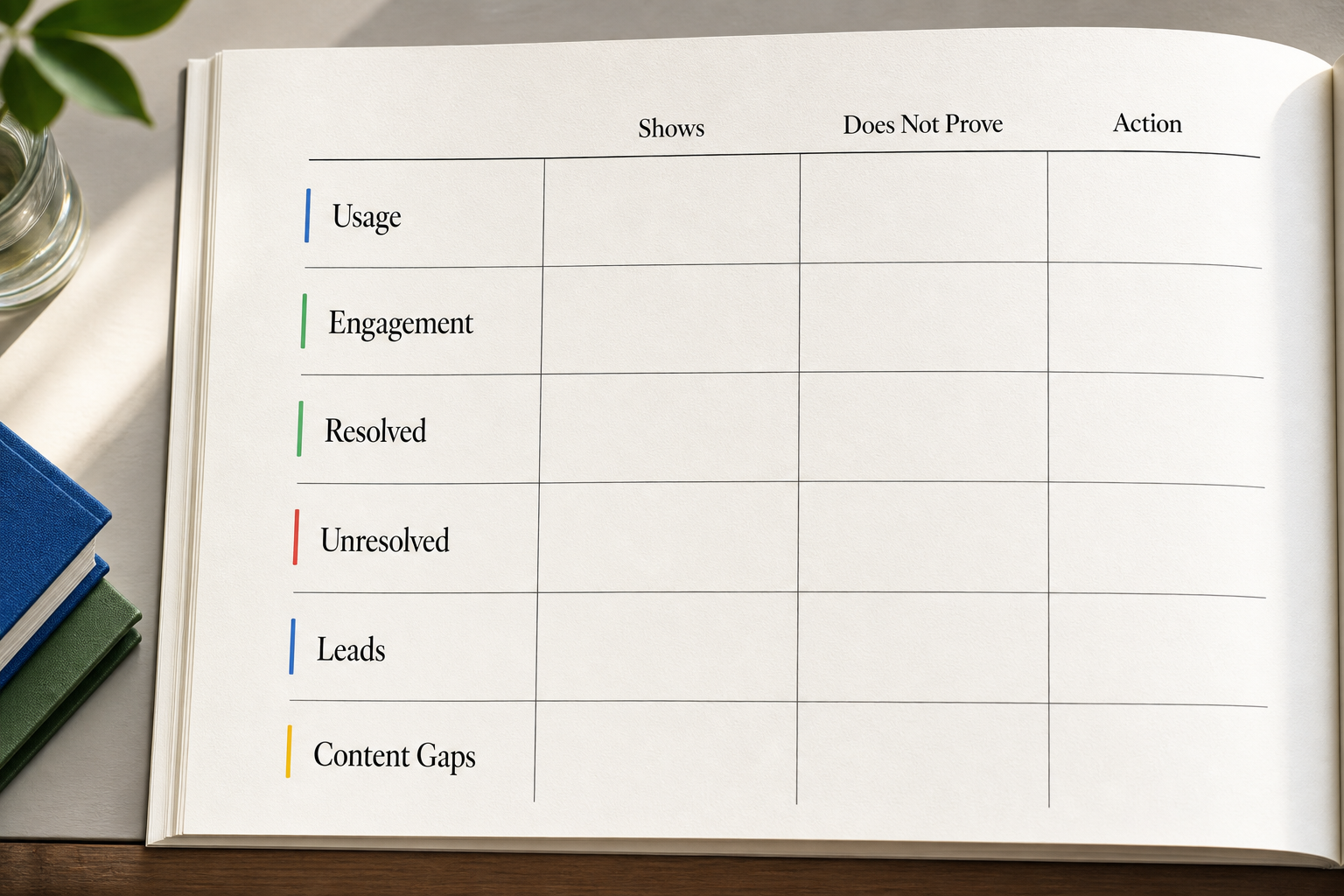
A useful chatbot report is easier to read when metrics are grouped by decision, not by whatever order the analytics export uses. For each group, include three notes: what it shows, what it does not prove, and what action should follow.
| Metric group | What it shows | What it does not prove | Action to trigger |
|---|---|---|---|
| Usage | How often visitors opened or used the assistant | That the assistant helped | Check placement, traffic context, and visitor intent |
| Engagement | Whether visitors asked questions, continued the chat, or used suggested next steps | That the answer was correct | Review conversation samples and drop-off points |
| Resolved conversations | Where the assistant appeared to answer or complete the interaction | That the answer was complete, sourced, or useful | Sample completed chats for answer quality |
| Unresolved conversations | Where visitors got stuck, asked unsupported questions, or needed help | That the assistant failed by itself | Group themes into source, routing, or prompt issues |
| Lead indicators | Whether the assistant collected details, qualified intent, or routed a lead | That the lead became revenue | Ask the client to confirm lead quality and follow-up status |
| Content gaps | Missing, unclear, or outdated source material | That every gap needs a new page | Prioritize updates by frequency, risk, and client value |
This grouping keeps the report from becoming a list of impressive-looking totals. A high chat count may mean strong interest, confusing page copy, campaign traffic, or repeated support questions. A low chat count may mean low traffic, poor placement, or a page where visitors already find answers without help. The report should name the most likely interpretation and the evidence behind it.
For a white-label website assistant trained on approved pages, docs, FAQs, policies, videos, or other owned sources, the most useful analytics are often the ones that show unclear or missing answers. InsertChat context supports that workflow: learn from visitor questions, review unclear or missing answers, and improve the approved sources that shape future responses. Keep that product context practical. The report should still be about the client's decisions, not a feature tour.
Review Answer Quality Before You Trust the Numbers
Resolved conversation counts are useful only after quality review. A conversation can look resolved because the visitor stopped asking questions, but the assistant may have answered too generally, skipped a source, misread the question, or failed to provide a useful next step.
Review a sample of conversations across common themes. Include both completed and unresolved chats. For each sampled answer, check:
- Did the answer match approved client content?
- Did it answer the visitor's actual question, not just a nearby topic?
- Did it avoid unsupported claims?
- Did it give the right next step, such as a page, form, support route, or sales handoff?
- Did the tone fit the client's expected visitor experience?
The report does not need to show every reviewed transcript. It should summarize the pattern and include a few short examples when they clarify the decision. For example: “Several visitors asked about warranty coverage. The assistant answered from the general product FAQ, but the policy page does not clearly cover replacement timing. Recommended action: client updates the warranty source page, agency retrains or refreshes the assistant sources after approval.”
Answer quality review also protects the agency from overclaiming. Do not tell a client the assistant is performing well only because the resolved count increased. Say what was reviewed, what looked reliable, what needs correction, and what remains uncertain.
Turn Unresolved Conversations Into Fixes
Unresolved conversations should not sit in the report as a negative number. They should become an improvement queue.
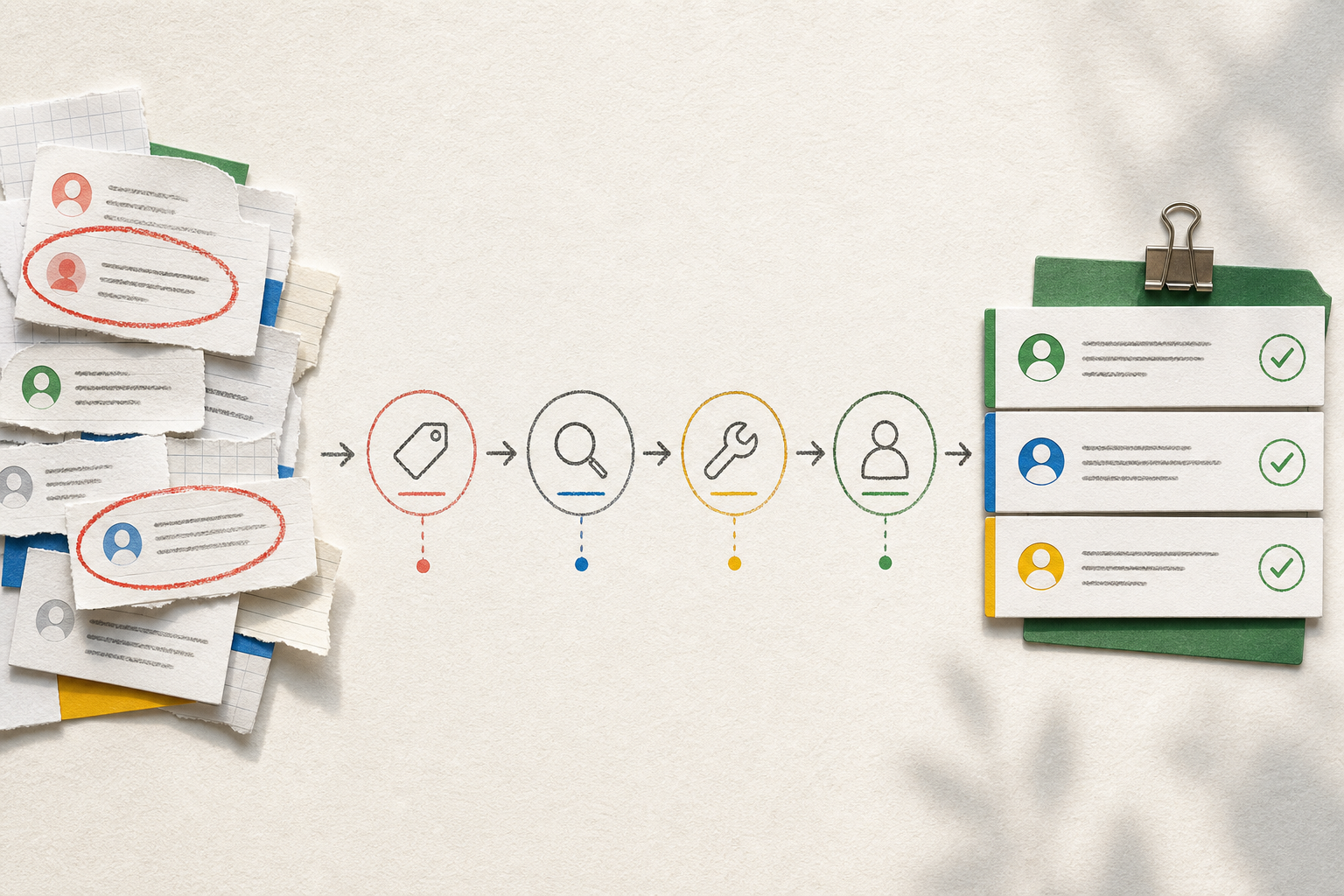
Group unresolved conversations by cause:
- Missing content: the visitor asked a valid question, but the approved source set did not contain the answer.
- Unclear content: the answer existed somewhere, but the page, FAQ, or policy was vague.
- Wrong route: the visitor needed sales, support, billing, or operations, but the handoff path was unclear.
- Out-of-scope request: the visitor asked for something the assistant should not handle.
- Ambiguous phrasing: the visitor's question needed a clarification step before answering.
Then assign a fix type. Missing and unclear content usually need a client-owned source update before the assistant can improve. Wrong route may need an agency configuration change or a client decision about ownership. Out-of-scope requests may need safer fallback language or clearer boundaries. Ambiguous phrasing may need a better clarifying question.
This is where reporting becomes useful for retention without becoming a package-design lesson. If reporting cadence is part of recurring support, the report should show the recurring work plainly: review data, identify gaps, recommend source updates, apply approved changes, and check the next month. For broader service boundaries, readers can review how to package white-label AI chatbots without scope creep, but the report itself should stay focused on evidence and action.
Report Leads Only When the Assistant Has a Lead Job
Lead and conversion indicators do not belong in every chatbot report. They belong when the assistant is designed to collect details, qualify intent, route a conversation, or support a buying path.
For a lead-heavy assistant, report metrics such as:
- Conversations with contact details captured
- Conversations with stated buying intent, budget, location, timeline, or service need, if those fields are relevant
- Handoffs sent to the right inbox, CRM, workflow, or person
- Follow-up status, when the client provides it
- Client feedback on lead quality
The caveat matters: chatbot lead count is not the same as qualified pipeline, closed revenue, or sales performance. If the assistant sends chats to a CRM or sales inbox, the report can show that handoff occurred. It should not claim the lead converted unless the client confirms the downstream result.
For a support-heavy assistant, lead metrics may be a distraction. The better report may focus on resolved questions, unresolved themes, answer quality, repeated support topics, and content updates. If a few leads appear, mention them briefly, but do not let them dominate the report unless lead capture is part of the assistant's job.
Conversion indicators need the same discipline. Report form clicks, booking starts, routed conversations, or qualified handoffs only when those events are actually tracked and relevant. If the client cannot provide sales follow-up data, label the gap instead of filling it with a claim.
Use a Report Structure Clients Can Act On
A good client report is short enough to read and specific enough to assign work. Use the same structure each cycle so the client can compare months without learning a new format.
Recommended structure:
- Executive summary: the main decision, the most important finding, and the recommended action.
- Metric groups: usage, engagement, resolved and unresolved conversations, lead indicators where relevant, and content gaps.
- Conversation review: key patterns from sampled conversations, including answer quality issues and examples.
- Content gaps: source pages, FAQs, policies, docs, or other materials that need updates.
- Next actions: what will be fixed, tested, reviewed, or escalated.
- Owner: agency, client, sales, support, content, or operations.
- Review cadence: when the next report or check-in will happen.
The action section is the most important part. Use a table like this:
| Finding | Evidence | Recommended action | Owner | Next check |
|---|---|---|---|---|
| Visitors ask about implementation timing | Repeated unresolved questions about timelines | Client clarifies timeline language on the service page | Client content owner | Next report |
| Assistant gives broad answer on support availability | Sampled answers cite a general FAQ but miss escalation detail | Agency updates assistant sources after approved FAQ change | Agency | After source update |
| Lead handoffs lack context | Sales receives contact details but not the visitor's use case | Add use-case field to lead capture path | Agency and client sales lead | Next handoff review |
This structure keeps the report operational. It avoids a dashboard dump, avoids pricing talk, and avoids turning the report into a new proposal.
Scenario: Turn One Month of Chatbot Data Into Client Actions
An agency manages a branded website assistant for a client with a content-rich service site. The assistant answers visitor questions from approved pages and FAQs, captures lead details when visitors ask about working with the company, and routes selected chats to the sales inbox.
At the end of the month, the agency reviews the data. Usage is active enough to review themes, but the agency avoids calling it a trend without more months of context. Engagement shows that visitors often ask follow-up questions after reading service pages. Resolved conversations include basic service explanations, location questions, and next-step questions. Unresolved conversations cluster around three topics: implementation timing, cancellation terms, and whether a specific service applies to a regulated use case.
The answer quality review finds a mixed result. The assistant handles basic service questions well because the source pages are clear. It gives weaker answers on cancellation terms because the policy page uses internal wording that visitors do not use. It avoids answering the regulated-use-case question directly, which is appropriate, but the fallback does not route the visitor to the right contact.
Lead review shows that the assistant captured contact details from several visitors who asked about project fit. The client confirms that some handoffs were useful, but sales wants more context before follow-up. The agency does not claim conversion lift. It reports the confirmed handoff pattern and recommends adding one qualification field tied to the client's sales process.
The client report gives these actions:
- Client content owner rewrites the cancellation policy summary in visitor-facing language.
- Client subject matter expert provides approved language for regulated-use-case questions.
- Agency updates the assistant's approved sources after client approval.
- Agency adjusts the fallback route for regulated-use-case questions.
- Agency and client sales owner agree on one added qualification field for lead handoff.
- Next report checks whether unresolved questions decrease for those themes and whether sales receives better context.
This is the level of reporting that helps a client act. The metrics support the work, but the report is really about the next improvement cycle.
Use Caution When Volume or Context Is Thin
Some chatbot metrics are easy to misread. Build caution into the report before the client asks for certainty the data cannot support.
Low-volume assistants need qualitative reporting. If only a small number of conversations happened, use examples, themes, and open questions. Do not make strong claims about month-over-month trends, resolution rates, or visitor behavior from a thin sample.
Lead-heavy and support-heavy assistants need different emphasis. A lead-heavy assistant may deserve more reporting on captured details, qualification fields, handoff status, and sales feedback. A support-heavy assistant may deserve more reporting on resolved questions, unresolved themes, answer quality, and missing source content. Mixing those priorities can make the report feel busy without helping the client decide anything.
Some metrics require client context before interpretation. A spike in questions may come from a campaign, a seasonal pattern, a confusing page change, or a new audience segment. A drop in usage may be positive if a page was clarified and visitors no longer need help. A high number of unresolved questions may indicate missing content, but it may also indicate visitors asking for something outside the assistant's approved job.
When the context is missing, say so directly in the report: “Interpretation depends on campaign traffic and sales follow-up data not included in this report.” That is stronger than inventing a conclusion.
FAQ
Which AI chatbot reporting metrics should be in a client report?
Include usage, engagement, resolved conversations, unresolved conversations, answer quality findings, content gaps, and next actions. Add lead and conversion indicators only when the assistant has a lead capture, qualification, or handoff role.
How often should chatbot reports be reviewed?
Use the cadence that matches the service relationship and the volume of conversations. A monthly report often works for managed services, but low-volume assistants may need a lighter review focused on themes and examples rather than trend claims.
Should lead metrics appear in every chatbot report?
No. Lead metrics belong when the assistant is expected to collect details, qualify intent, or route conversations to sales. For support or content discovery assistants, lead metrics should stay secondary unless the client has asked the assistant to support that workflow.
How do you report answer quality?
Review sampled conversations against approved sources, visitor intent, next-step usefulness, and tone. Report the pattern, not every transcript. Separate reliable answers from unclear answers, missing source content, and routing issues.
What should agencies do with unresolved chatbot questions?
Group them by theme, identify the likely cause, recommend the fix, and assign an owner. Common actions include updating approved content, clarifying FAQs or policies, changing a handoff route, or adding a safer fallback for out-of-scope questions.