
TL;DR
- Package a white label ai chatbot for agencies around repeatable delivery boundaries, not broad client promises.
- Each tier should define assistant purpose, approved content sources, deployment surface, handoff path, review rounds, support cadence, and exclusions.
- Pricing belongs downstream. Use tiers to control scope first, then price the bounded work.
- Client inputs and review cycles are package terms. If the client changes the purpose, adds sources, or asks for extra rounds, that is new scope.
- Recurring support should have limits, such as a monthly summary, review call, or capped content updates.
A chatbot package starts to break when every client request sounds small: one more content source, one more audience, one more handoff, one more review pass. The agency problem is not that white-label chatbot work is hard to explain. It is that delivery becomes custom unless the package says exactly what the assistant will do, what the client must provide, how many review cycles are included, and where support ends.
Key Takeaways
- A chatbot tier should describe delivery scope before it describes price.
- The smallest repeatable unit is usually one assistant, one main purpose, one content set, one deployment surface, and one handoff path.
- Tiers should expand by controlled delivery variables: content volume, surfaces, handoff complexity, review rounds, and support cadence.
- Client inputs are part of scope. Missing, messy, or late inputs can change delivery effort.
- Recurring support should be sold as a defined option, not absorbed into setup work.
- The finished package should be ready to pass to pricing, proposal, onboarding, and reporting workflows without adding new service promises.
Start With the Delivery Unit Each Package Will Repeat
Before naming tiers, decide what your agency can deliver more than once without rebuilding the service for each client. A useful delivery unit is narrow enough for your team to estimate, assign, and review consistently.
For many agencies, the first repeatable unit is a website assistant trained on approved client content. It answers visitor questions from selected pages, FAQs, docs, policies, videos, or other approved sources. It can collect contact details, qualify visitor intent, and send the conversation to an inbox, CRM, workflow, or named person when follow-up is needed.
That is a packageable unit because the boundaries are visible. The assistant has a place to live, a defined source set, a known audience, and a handoff path. A broad promise such as “AI automation for your business” is harder to package because each client will define automation differently.
Use this decision rule: if your team cannot describe the package in one sentence without saying “it depends,” the delivery unit is still too broad.
A tighter delivery unit might be: “A branded website assistant that answers questions from approved website content, captures qualified inquiries, and routes follow-up to the client’s sales inbox.”
That sentence keeps unrelated work out of the same sale. Content cleanup, CRM redesign, custom workflow logic, support process redesign, and ongoing optimization can become separate tiers, add-ons, or later handoffs.
This is also where tool capabilities should inform the package without taking over the strategy. InsertChat, for example, is described as a white-label AI assistant for your website that can be trained, branded, published, and improved from visitor questions. That framing supports a bounded agency package: approved sources, branded presentation, visitor answers, and a path to improve coverage over time.
The caution is that the package should not mirror every possible platform feature. If a platform supports widgets, embeds, full-page assistants, custom domains, in-app embeds, and API use, your starter tier does not need all of them. More surfaces usually mean more setup choices, more review points, and more ways for the client to ask for changes.
Build Tiers Around Scope, Not Vague Client Size
Starter, Growth, and Managed tiers only help if each tier changes something your team actually delivers. “Small business,” “mid-market,” and “enterprise” labels are too vague by themselves. They describe the buyer, not the work.

Build tiers around scope variables you can control:
| Package variable | Starter boundary | Growth boundary | Managed boundary |
|---|---|---|---|
| Assistant purpose | One main purpose | One main purpose plus one secondary path | One main purpose with managed refinement |
| Content sources | Limited approved sources | Larger approved source set | Larger source set with capped updates |
| Deployment surface | One website widget or embed | One or two approved surfaces | Multiple approved surfaces if supported |
| Handoff path | One inbox or form path | One CRM, workflow, or team route | Routing adjustments during support period |
| Review rounds | One client review round | Two client review rounds | Two rounds plus scheduled support review |
| Recurring support | Not included or light check-in | Monthly summary option | Review call and capped updates |
A higher tier may include more source material, more review time, more handoff complexity, or more support. It should not include an undefined promise to “handle whatever comes up.”
There is a tradeoff. Fewer variables make delivery easier and help sales stay consistent. More variables can fit complex clients, but too much flexibility recreates the custom work problem. If the client can change content volume, assistant purpose, deployment surface, handoff logic, review rounds, and support cadence inside the same tier, the tier is a custom project with a label.
Use pricing language only after the scope is stable. Setup fees, retainers, and tier names can reflect delivery effort, but they should not be used to hide fuzzy boundaries. A package that lacks clear scope will remain hard to price, hard to propose, and hard to deliver.
Write Inclusions, Exclusions, Inputs, and Review Rounds Together
Scope creep often starts because agencies write inclusions first and exclusions later. That leaves the sales conversation open to interpretation. Instead, define four things at the same time: what is included, what is excluded, what the client must provide, and how review works.
For a website assistant package, inclusions might cover one branded assistant setup, one approved assistant purpose, a defined set of approved content sources, one deployment surface, one handoff path, a fixed number of review rounds, and a defined support option if the tier includes recurring work.
Exclusions should match the real ways delivery can expand: new assistant purposes, new audiences, extra assistants, large source cleanup, additional deployment surfaces, new integrations, extra languages, extra review rounds, or ongoing content maintenance beyond the selected tier.
Client inputs are not an onboarding checklist here. They are package boundaries. The client must provide the source material, brand choices, assistant name, logo, colors, tone direction, welcome message preference, handoff owner, and any topics the assistant should avoid or escalate. If those inputs are missing or change after setup starts, delivery time changes.
Review rounds need the same treatment. A review round is not an unlimited period of feedback. Define what the client can review: answer accuracy against approved sources, tone fit, branding, welcome message, and handoff behavior. Then define what is outside review: adding a new purpose, replacing the source set, changing the deployment surface, or asking for a new integration.
A simple rule works well: revisions tune the agreed package, change requests alter the package.
Separate Setup Work From Recurring Support Options
Setup work gets the assistant configured, branded, connected to approved sources, reviewed, and published in the agreed surface. Recurring support covers what happens after launch. Mixing those two inside one vague package creates long-term delivery debt.
A setup-only package can be clean when the client has stable content, a simple handoff path, and an internal owner who can handle changes later. This can fit agencies that want a clear implementation service without ongoing obligations.
A support package can make sense when the client wants the agency to stay involved after launch. Keep that support bounded. Options can include a monthly summary, a limited number of content-source updates, one review call, minor routing adjustments, or notes on unclear and missing answers. Do not turn the package into an open promise to monitor every conversation, rebuild every source, or optimize every workflow.
Reporting should stay at the package level here. A tier can include “monthly summary and support notes” without defining a full report structure or metric set. A managed tier can include “one monthly review call” without promising a full optimization program.
Recurring support can create a stronger client relationship and a clearer reason for an ongoing fee, but it adds delivery responsibility. Setup-only work is easier to contain, but it may leave improvement work unsold or unmanaged.
Scenario: Turn One Website Assistant Into Three Bounded Packages
Consider a digital agency that wants to sell a white-label chatbot agency service to content-rich B2B websites. The agency already knows the use case: a branded website assistant that answers visitor questions from approved content and routes qualified inquiries to the client’s team.
The agency turns that one offer into three packages.
| Package | Included | Required inputs | Review and support | Excluded |
|---|---|---|---|---|
| Starter Website Assistant | One assistant, one approved content set, one website widget or embed, one lead handoff path to an inbox | Approved pages or docs, assistant name, logo, colors, tone preference, handoff email | One review round, no recurring support unless added separately | Extra sources, CRM routing, additional deployment surfaces, extra review rounds, content cleanup |
| Growth Website Assistant | One assistant, larger approved source set, one or two deployment surfaces, one CRM or workflow handoff if already defined | Approved source list, brand inputs, tone preference, welcome message preference, handoff owner, CRM or workflow destination | Two review rounds, monthly summary option, capped minor adjustments | New assistant purpose, new integration design, extra departments, major source rewriting |
| Managed Website Assistant | One assistant with agreed source set, approved surfaces, defined handoff route, and post-launch support window | Same as Growth, plus named client owner for support review and source-change requests | Two review rounds, scheduled support review, capped content updates, routing adjustments within agreed limits | New assistant, new audience, unplanned integrations, unlimited reporting, open-ended optimization |
This table gives the agency a working package menu without creating a pricing model. It shows what changes across tiers: sources, surfaces, handoff complexity, review rounds, and support cadence.
It also gives sales a way to handle client requests. If a Starter client asks for CRM routing, the agency can point to Growth. If a Growth client asks for a second assistant for customer support, that is a separate package or change request. If a Managed client asks the agency to rewrite source content every week, that is outside the capped support boundary unless a separate content service is added.
This is where platform features can support the agency’s structure. InsertChat’s white-label AI assistant features describe connecting approved pages, docs, videos, FAQs, policies, and other sources, then using them for source-backed answers and next steps. Those capabilities fit package variables such as source set, branded setup, deployment surface, and support notes.
Use Change-Request Triggers Before Delivery Starts
Scope creep prevention works best when the trigger is named before the request appears. A client should not have to guess whether a request is a revision or new work. Your team should not have to debate it during delivery.
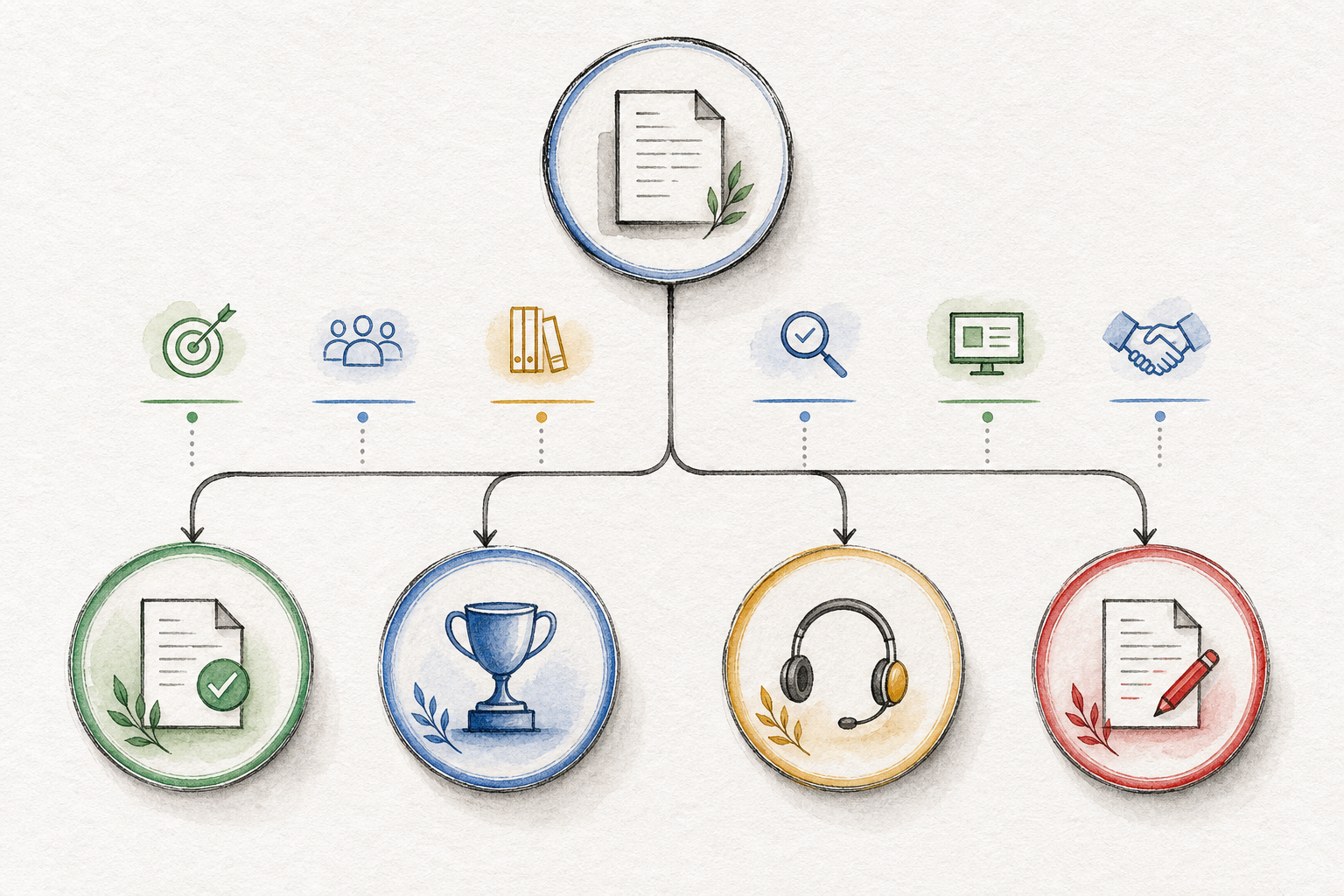
Use a short trigger list inside your internal package sheet:
- New assistant purpose: The client changes from lead capture to support, recruiting, product education, or another primary use.
- New audience: The assistant now needs to serve a different buyer, customer segment, department, or region.
- New source set: The client adds major sources after setup begins or swaps the approved source set.
- Source cleanup required: The provided material is outdated, duplicated, missing, or too unclear to use without separate content work.
- Extra review round: The client has used the included review cycle and wants more revisions.
- New deployment surface: The client adds an embed, full-page assistant, custom domain, in-app placement, or other surface not included in the tier.
- New handoff path: The client asks for a new CRM, support, ecommerce, calendar, webhook, inbox, workflow, or person route beyond the package.
- New support expectation: The client asks for ongoing monitoring, reporting, content updates, or optimization not included in the tier.
This list connects scope creep to visible delivery work. It also helps account managers stay consistent. They need to route each request correctly: included revision, higher tier, support option, or change request.
There is a caution. If the trigger list is too rigid, sales may struggle with legitimate client needs that do not fit the menu. Keep one path for custom work, but make it explicit. A custom package should be reserved for clients whose requirements are truly outside the repeatable delivery unit.
Hand Off the Package to Pricing, Proposal, and Onboarding Work
A finished package is not a full service blueprint. It is the boundary sheet that makes the next work easier.
Before pricing, proposal writing, or onboarding starts, each tier should answer:
- What assistant purpose is included?
- Which content sources are allowed?
- Which deployment surfaces are included?
- Which handoff path is included?
- What must the client provide before setup starts?
- How many review rounds are included?
- What recurring support or reporting option is included?
- What is excluded?
- What triggers a change request?
Once those answers are clear, pricing can reflect real scope instead of guesswork. Proposal work can explain the package without inventing new promises. Onboarding can collect the right inputs without reopening the offer. Reporting can be offered as a defined support option rather than a vague afterthought.
The next decision is practical: choose the smallest package your team can deliver repeatedly, then decide which one or two variables expand in the next tier. If Starter is one source set, one surface, one handoff path, and one review round, Growth might add a larger source set and a second review round. Managed might add bounded recurring support.
FAQ
How many chatbot packages should an agency start with?
Start with two or three. One package can be too rigid, but five or six packages usually create too many edge cases. A simple Starter, Growth, and Managed structure is enough to separate setup-only work from larger implementation and recurring support.
What belongs in the first tier?
The first tier should include the smallest repeatable delivery unit: one assistant, one purpose, one approved source set, one deployment surface, one handoff path, and one review round. Keep it narrow enough that your team can deliver it without senior custom planning each time.
Should every package include reporting?
No. Reporting should match the support promise. A setup-only tier may include no recurring reporting. A higher tier can include a monthly summary or support notes. Keep detailed metrics, dashboards, and report structure separate from the package definition unless they are explicitly part of a managed support offer.
How do review rounds prevent scope creep?
Review rounds give feedback a container. The client can review the agreed assistant setup, answer behavior, branding, tone, and handoff path. They cannot use a review round to add a new assistant purpose, new content set, new integration, or extra deployment surface without changing scope.
When should an agency create a custom package?
Use a custom package when the client needs a different delivery unit, such as multiple assistants, unusual handoff logic, several audiences, or ongoing work that does not fit your Managed tier. Do not use custom packaging just because the client asks for one extra item. First check whether the request fits a higher tier or a defined change request.