TL;DR
- Report six metric groups: usage, containment, handoff, lead, unanswered question, and content gap metrics.
- Explain each metric in client language: what changed, what it may mean, and what action follows.
- Treat attribution as directional unless the client has connected tracking, clean source rules, and agreed definitions.
- Use monthly reporting to choose specific optimization work, not to fill a generic status report.
A client does not need a screenshot dump from the chatbot dashboard. They need to know what changed, what it means for visitors, and what the agency recommends doing next. The useful version of ai chatbot metrics for agencies is a decision record: which conversations happened, which ones resolved, which ones needed a person, which ones produced leads, and which ones exposed missing or weak content.
Key Takeaways
Client-facing chatbot reporting should separate activity from outcome signals. Usage tells you whether visitors are engaging with the assistant, but it does not prove the assistant is useful on its own.
The core reporting set is usage, containment, handoff, lead, unanswered question, and content gap metrics. These categories cover visitor demand, self-service performance, escalation quality, lead capture, answer weakness, and source content work.
Each metric should point to a monthly optimization action. If a number does not help the client approve a content update, handoff improvement, lead form change, or follow-up workflow, keep it in internal analysis.
Attribution needs plain limits. Chatbot reports can show captured events and assisted paths when tracking supports them. They cannot prove exact revenue, full support savings, or full-funnel causality without connected systems and agreed rules.
Build The Report Around Decisions, Not Dashboard Volume
The fastest way to make an agency chatbot report hard to use is to include every number the platform exposes. Raw event counts, transcript tags, model settings, and internal diagnostic notes may help your team investigate issues, but they rarely help a client decide what to approve next.
Use a simple inclusion rule: a metric belongs in the client report when it explains visitor behavior, chatbot performance, lead flow, handoff quality, or content work. If the metric does not support one of those decisions, keep it out of the main report.
A strong monthly report has three layers. First, show the top-level movement across usage, containment, handoffs, and leads. Second, explain the likely cause using unanswered questions, handoff reasons, transcript themes, and repeated content gaps. Third, recommend the next action: add approved answers, adjust handoff copy, route repeat issues, remove weak lead fields, or update stale source content.
This keeps the report client-readable. The client sees metric movement, the agency explains what it means, and the next month’s work is tied to observable chatbot behavior.
Use The Six Metric Groups Clients Can Act On
A useful agency chatbot report needs a small set of categories that match how clients think about their website: people visit, ask questions, get answers, request help, become leads, or reveal missing content.

Usage metrics show whether visitors are interacting with the chatbot. Depending on the platform, this may include sessions, users, conversation starts, repeat use, page location, or engagement by entry point. Usage is the demand signal, not a value claim. It should be read alongside traffic, campaigns, page placement, and seasonality.
Containment metrics show how many conversations were handled without human follow-up. Clients often read containment as “the bot solved it,” but that is only true when the workflow is meant for self-service. For simple support questions, product information, policy answers, or routing help, higher containment may be positive. For complex sales, regulated advice, account-specific issues, or high-value support, forcing containment can be a bad result.
Handoff metrics show when conversations moved to a person or follow-up workflow. This can include handoff rate, handoff reason, failed handoff signals, requested contact method, or team destination. Handoffs are not automatically failures. They can show healthy qualification when the chatbot gathers the required context before passing the visitor to sales or support.
Lead metrics show captured or assisted opportunities. Depending on tracking, the report may include lead form starts, completed lead captures, qualified lead signals, requested demo or booking events, or assisted conversions. Use precise language. A chatbot-captured lead is not the same as revenue. A chatbot-assisted lead is not the same as a closed deal.
Unanswered question metrics show where the assistant could not answer, gave a weak response, or needed to escalate because approved source material did not support the request. Group these by visitor intent instead of pasting a long transcript list. A repeated intent can become a content, support, or sales enablement priority.
Content gap metrics show what the client needs to fix in its source material. A gap might be missing information, outdated policy language, unclear product detail, conflicting page copy, or an answer that exists internally but is not approved for chatbot use. InsertChat’s site context describes assistant workflows across marketing, support, ecommerce, content, lead capture, handoff, and website visitor experience. For agency reporting, that vocabulary helps keep the report tied to real visitor paths.
Read Each Metric Before You Recommend A Fix
Metric movement is a starting point, not a diagnosis. Agencies should read the pattern before recommending work.
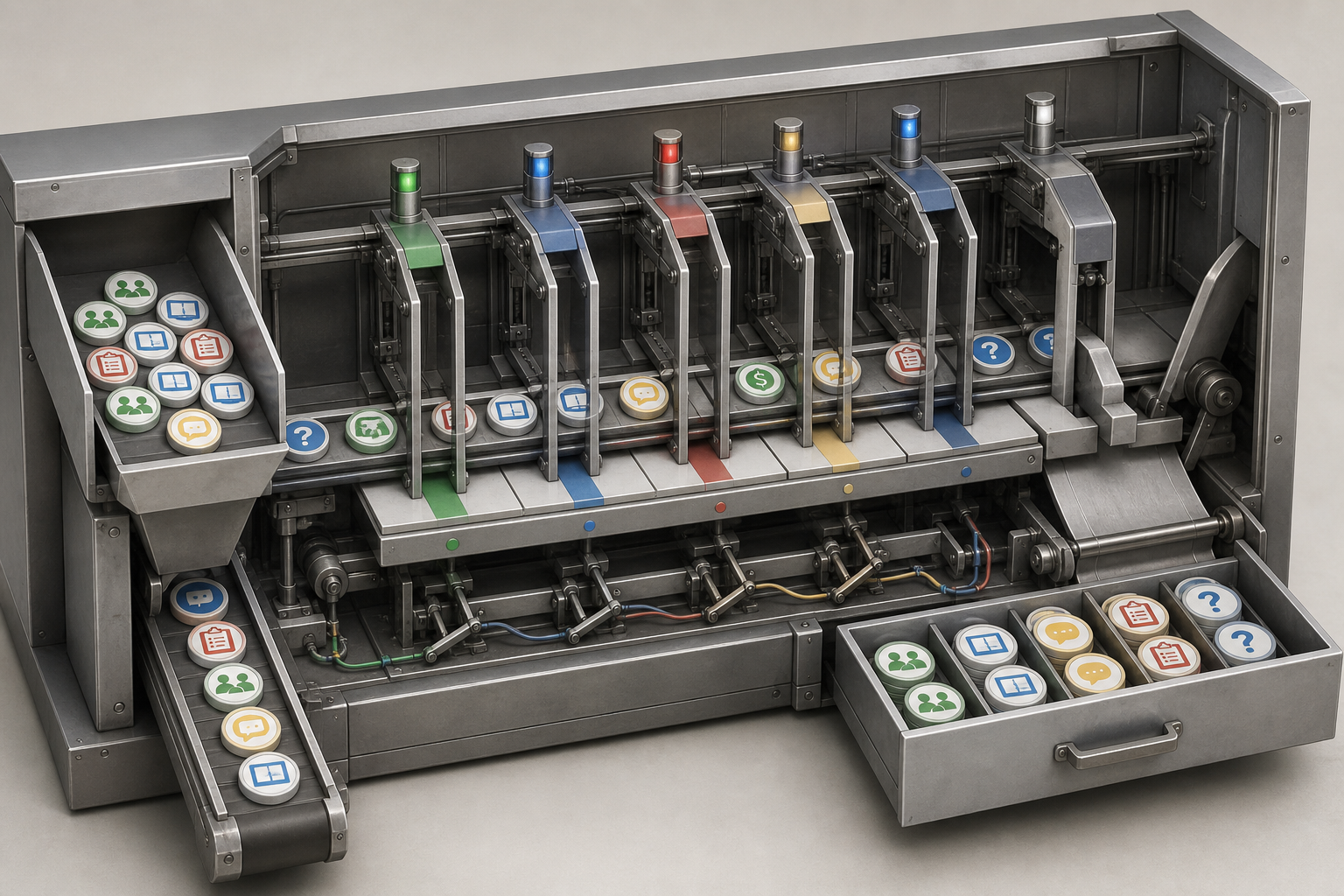
If usage rises, ask what changed around the chatbot. Traffic may have increased. A campaign may have sent more visitors to high-intent pages. The widget may have moved. A usage increase can mean the assistant is more visible, but it can also mean the same website problem is sending more visitors to the chatbot for help.
If usage drops, do not assume the chatbot got worse. A quieter month, changed page mix, fewer support issues, or lower paid traffic can reduce conversations. The report should show the most likely context and recommend only the action the evidence supports.
If containment rises, check whether the contained conversations were the right ones. For support questions, higher containment may reduce unnecessary follow-up. For lead capture, a high containment rate may mean visitors are getting answers but not reaching the next step.
If handoffs rise, split them by reason. A handoff spike from pricing questions may be useful for sales. A spike from account-specific support questions may indicate a missing support path or incomplete source content. A spike from confused questions may point back to page copy or chatbot boundaries.
If lead volume rises, review quality before celebrating. Duplicate leads, incomplete fields, low-intent submissions, and unclear source paths can inflate the count. Client-safe reporting should distinguish captured leads from qualified signals when the data allows it.
If unanswered questions rise, group them by intent and frequency. “Pricing eligibility, warranty coverage, and integration setup were the three most repeated unanswered intents” is more useful than a raw failure count because it gives the client a content decision.
If content gaps rise, assign an owner. Some gaps belong to product, some to support, some to legal or compliance, and some to the agency’s content team. The report should state which source content needs approval, revision, or a new page before the assistant can answer better.
Turn Monthly Metrics Into Optimization Actions
The report becomes useful when every metric connects to a next step. Use a compact action table in the client report, then keep deeper transcript review for internal notes.
| Metric group | What to check | Client misunderstanding to prevent | Monthly optimization action |
|---|---|---|---|
| Usage | Conversation starts, active users, page source, repeat use | More usage does not automatically mean better performance | Review placement and high-intent pages, then adjust visibility where visitor intent supports it |
| Containment | Conversations resolved without human follow-up | High containment is not always success | Improve approved answers for simple requests, but add clearer handoff paths for complex requests |
| Handoff | Handoff rate, reason, destination, failed handoffs | Handoffs are not always failures | Rewrite handoff copy, collect required context before transfer, and route repeat issues to the right team |
| Lead | Captured leads, completed fields, qualified signals, assisted paths | Lead count is not exact ROI | Remove weak fields, clarify the next step, and separate captured leads from qualified or assisted leads |
| Unanswered questions | Repeated unanswered intents, weak answers, escalation patterns | A raw failure count does not show priority | Cluster questions by intent and add approved answers for repeated high-impact topics |
| Content gaps | Missing, stale, conflicting, or unapproved source content | The chatbot cannot fix source material the client has not approved | Assign content owners, update source pages, approve answer language, and recheck the same intents next month |
This table gives the account manager a clean way to lead the monthly conversation. Start with what moved, explain the likely cause, then ask for the specific approval needed. That approval might be new answer copy, a content update, a routing rule, or a lead capture change.
Use caution when the chatbot has too little conversation volume. Thin data can still guide cleanup, but it should not be framed as a trend. Focus on early signals: which pages produced conversations, whether handoffs worked, and which source content gaps appeared.
Explain Attribution Without Overclaiming Results
Clients want to know whether the chatbot is producing value. Agencies need to answer without making claims the data cannot support.

A chatbot report can usually show conversation activity, captured lead events, handoff paths, unanswered questions, and content gaps when those items are tracked. It may support directional evidence for lead assistance, support routing, and content priorities. That is useful, but it is not the same as exact ROI.
For leads, use language such as “chatbot-captured leads,” “chatbot-assisted inquiries,” or “leads that included a chatbot interaction” when tracking supports it. Avoid saying the chatbot generated a specific amount of revenue unless the client has connected CRM data, closed-won reporting, source rules, and an agreed attribution model.
For support, be careful with deflection claims. A contained support conversation may suggest that the visitor did not need a ticket, but it does not prove a ticket was avoided unless the client has a baseline, ticket categories, and a rule for counting avoided contacts. Safer language is “handled without human follow-up in the chatbot record.”
For content, attribution is usually about prioritization rather than direct financial proof. If repeated questions expose a missing warranty answer, unclear pricing detail, or outdated policy page, the chatbot report can show demand for that content. It cannot prove the final business impact of updating the page unless the client tracks downstream behavior.
Use an attribution note in the report: “These metrics show tracked chatbot activity and assisted paths. Revenue, cost savings, and full-funnel impact require connected client systems and agreed attribution rules.”
Monthly Report Scenario: Lead Capture With Support Questions
Consider a client chatbot that answers common support questions and captures leads when visitors ask about fit, pricing, or booking. The chatbot is already live. The agency’s job is to explain what happened and what to improve.
Conversation starts increased from two product pages and one booking page. The agency does not claim the chatbot improved on its own. It notes that the client also sent more campaign traffic to those pages, so higher usage may reflect traffic mix as much as assistant placement.
Containment increased for basic support questions. Visitors asking about hours, service area, and standard policy details usually received an answer without needing a person. The agency recommends keeping those answers stable and rechecking them after the client updates policy copy.
Handoffs increased for pricing and account-specific questions. Pricing requests may be qualified sales conversations, while account-specific support questions need a person because the chatbot should not guess. The next action is to improve the handoff prompt so the visitor submits the required context before transfer.
Lead metrics show more completed lead captures, but several records are missing budget or timeline fields. The agency avoids claiming revenue impact. The recommendation is to shorten the lead flow, make one field optional, and review lead quality before treating the increase as stronger pipeline evidence.
Unanswered questions cluster around integration details and cancellation policy. The agency groups the repeated intents and shows the top themes. The next action is to get approved answer language for the integration questions and update the source policy page before the next report.
Content gaps are assigned to owners. Operations owns cancellation policy language. Sales owns pricing qualification language. The agency owns the chatbot answer update after those sources are approved.
That gives the client a clear read on activity, resolution, handoffs, leads, unanswered questions, and content work without promising exact ROI or turning the report into a service package.
Where To Hand Off Broader Agency Chatbot Planning
This reporting workflow assumes the chatbot is live or close enough to launch that post-launch reporting is the main problem. Some adjacent questions belong elsewhere.
If the agency needs to turn reporting and monthly optimization into a broader service model, use the chatbot retainer service article. This metrics guide should stay focused on what the report says and what action follows.
If the report is hard to interpret because the client never defined success criteria, source owners, or handoff expectations before launch, revisit the chatbot discovery questions article for the minimum pre-launch context needed to read post-launch results.
If containment, handoff, or unanswered-question patterns suggest the chatbot was asked to cover too much, the issue may be project boundaries. In that case, the next step is to scope an AI chatbot project without overpromising, then use future reports to confirm whether the narrower workflow performs better.
FAQ
What are the most useful ai chatbot metrics for agencies to report?
The most useful set is usage, containment, handoff, lead, unanswered question, and content gap metrics. Together, they show whether visitors use the chatbot, whether requests resolve, when a person is needed, whether leads are captured, which questions fail, and what source content needs work.
Is containment always a good metric?
No. Containment is positive when the visitor’s request should be resolved without a person. It can be negative when the visitor needed sales help, account-specific support, compliance review, or another high-value handoff. Report containment against the workflow’s goal.
How should agencies report chatbot leads without promising exact ROI?
Use precise labels. Report chatbot-captured leads, chatbot-assisted inquiries, completed lead fields, and qualified signals when the data supports them. Do not claim exact revenue unless the client has connected CRM data, closed-won tracking, source rules, and an agreed attribution model.
What should agencies do with unanswered questions?
Group them by intent, frequency, and business impact. Then decide whether the fix is an approved answer, a source page update, a better handoff, or a boundary clarification. A raw list of failed questions is less useful than a prioritized content backlog.
How often should agencies review chatbot reporting metrics?
Monthly review is a practical rhythm for client reporting because it gives time for conversation patterns to appear and for the agency to complete targeted updates. Thin-volume chatbots may need lighter claims and more transcript review until there is enough data for trend language.
Can chatbot metrics prove support deflection?
They can support directional evidence, but they do not prove full support deflection by themselves. To make a stronger claim, the client needs baseline ticket data, clear ticket categories, chatbot containment records, and an agreed rule for counting avoided contacts. Without that, report tracked conversations handled without human follow-up rather than exact support savings.