TL;DR
- Start with the chatbot job, then inventory only the sources that support that job.
- Remove duplicate, stale, conflicting, and off-scope content before ingestion.
- Write owner-approved canonical answers for sensitive topics such as pricing, refunds, privacy, eligibility, or service limits.
- Create exclusion rules for content the chatbot should ignore.
- Assign review owners before handing the source set to configuration, brand voice, or testing work.
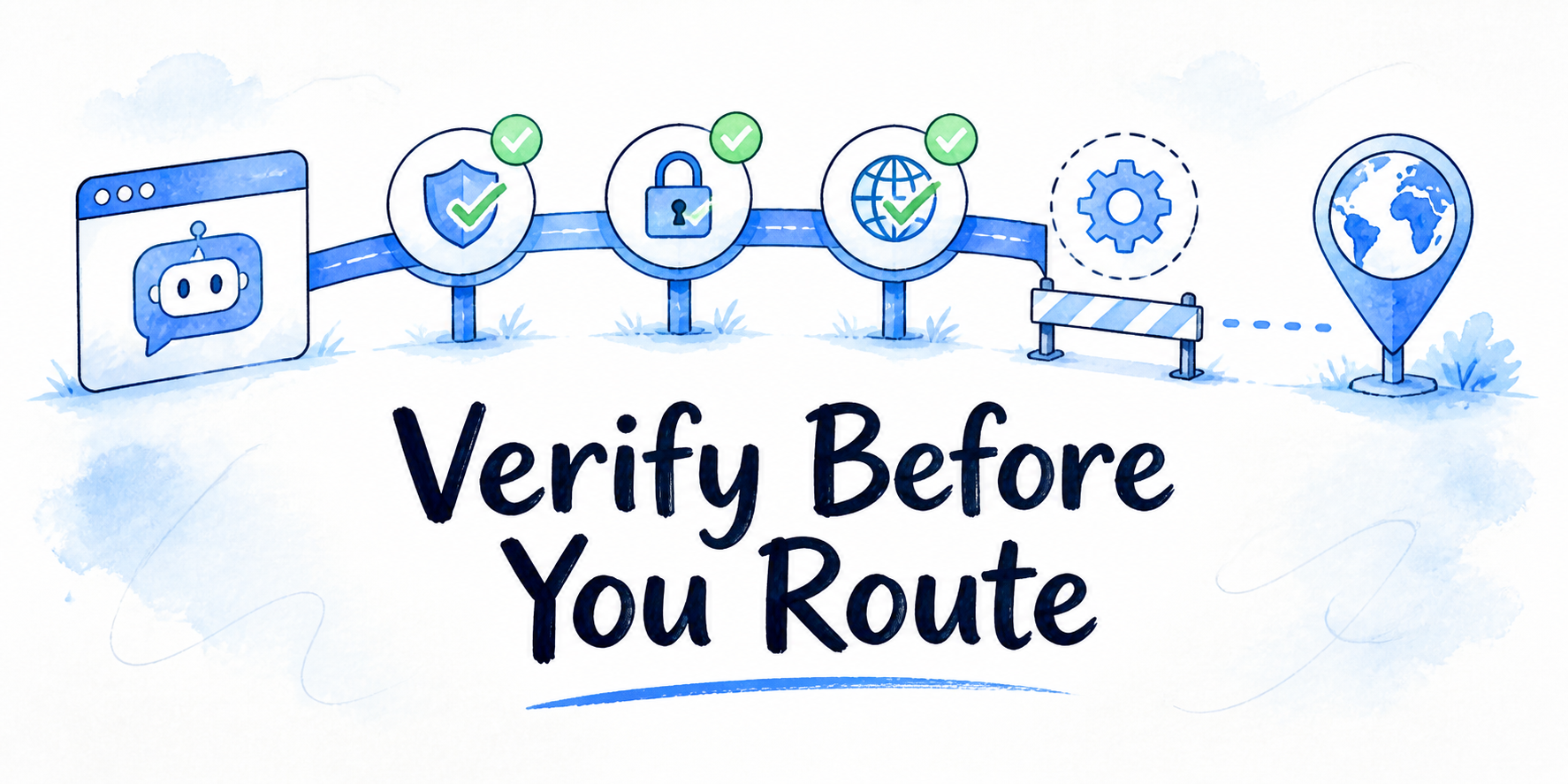
Your website, FAQs, help docs, policy notes, and product pages may all be useful, but they are not automatically ready for chatbot use. AI chatbot knowledge base preparation is the source-content work that happens before configuration: deciding what belongs in scope, cleaning what conflicts, approving sensitive answers, excluding risky material, and naming the people who keep the source set current.
Key Takeaways
- Source quality affects answer quality before the chatbot platform is at fault.
- The selected chatbot job determines source scope. If that job is still unclear, first choose the first workflow for your branded AI chatbot, then return to source preparation.
- A source inventory makes conflicts visible before they become bad chatbot answers.
- Canonical answers for sensitive topics should be factual, approved, and owned. They are not a substitute for brand voice rules, legal policy, or launch testing.
- Exclusion rules keep drafts, stale PDFs, unsupported claims, and private notes out of the answer base.
- Review ownership prevents the knowledge base from becoming stale after the first configuration pass.
Start With the Chatbot Job and Source Scope
Do not start by collecting every document the business has. Start with the job the chatbot is supposed to handle.
If the job is a website visitor assistant, source scope may include public website pages, product information, help articles, FAQs, policy pages, and approved sales or support documents. If the job is internal policy Q&A, the source set will look different. The goal is the cleanest source set for the job the chatbot is allowed to do, not the largest knowledge base.
A practical source-scope statement has three parts:
- The audience: visitor, customer, prospect, staff member, partner, or client team.
- The allowed question types: product questions, service questions, policy questions, account support, lead routing, or another bounded task.
- The source boundary: which pages, documents, FAQs, policies, and product notes are approved to inform answers.
This boundary keeps preparation work from turning into a company-wide document cleanup project. It also protects answer quality. A chatbot that answers visitor questions should not rely on old internal sales notes unless those notes have been converted into approved visitor-facing source material.
If the chatbot job is still broad, source preparation will expose that quickly. A source set for “answer anything about the business” usually becomes a pile of conflicting pages, outdated PDFs, private notes, and unresolved policy questions. Narrow the job first, then clean the sources that support it.
Build a Source Inventory Before You Clean Anything
A source inventory is the working map for chatbot knowledge base setup. It shows what exists before anyone edits, deletes, merges, or approves content.
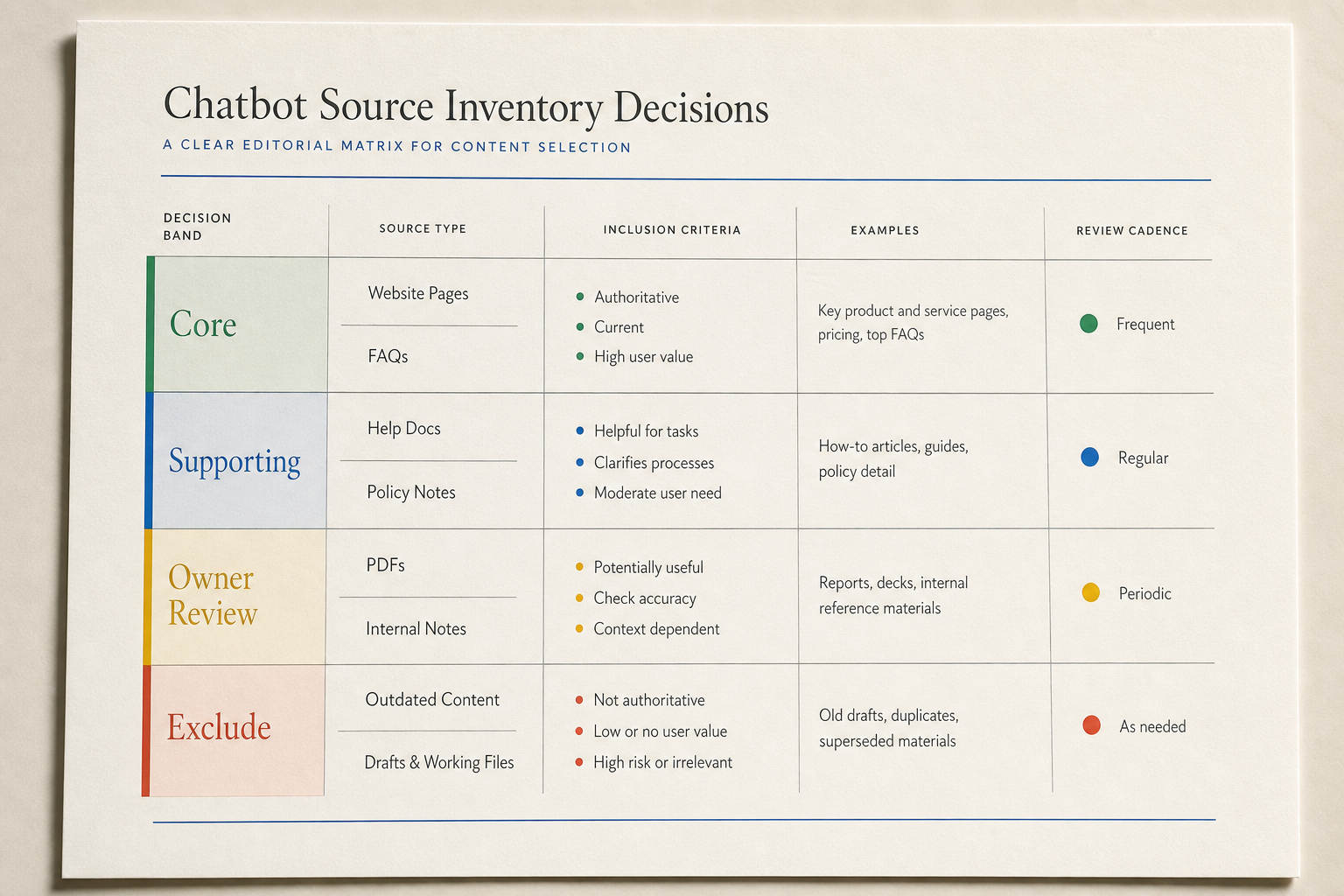
For each source, capture these fields: source name, source type, location, audience, source owner, approver, last updated date, approval status, chatbot relevance, risk level, and cleanup action. Source types may include website pages, help docs, FAQs, policies, PDFs, videos, product pages, internal notes, sales decks, or support macros.
InsertChat’s product context centers on answering website questions from approved sources, including content such as pages, documents, videos, policies, FAQs, and product information that the business approves. That same principle applies before any tool work: the team needs to know which sources are trusted enough to enter the knowledge base.
The inventory does not need to be fancy. A spreadsheet is enough for most teams. What matters is that the inventory makes hidden conflicts visible. If a product page says one thing, a help article says another, and an internal note says something else, the issue is not a prompt problem. The business has not provided one approved source answer.
Group sources by job relevance. Core sources answer common questions the chatbot is expected to handle. Supporting sources add detail but should not override core sources. Edge-case sources answer rare questions and may need owner review. Out-of-scope sources may be useful elsewhere but should not be ingested for this chatbot job.
This grouping helps you avoid rewriting everything. Most teams do not need to clean every document before configuration. They need to clean the sources most likely to affect chatbot answers.
Remove Duplicate, Stale, and Conflicting Content
Once the inventory is visible, start cleanup with the content most likely to produce wrong answers: duplicates, outdated pages, and conflicts.
Use this decision rule:
- Keep the most current approved source.
- Merge useful fragments only when they add factual detail.
- Update the source when the information is still needed but stale.
- Exclude the source when it is outdated, unapproved, duplicate, or outside the chatbot job.
- Flag the source for owner decision when two approved-looking sources disagree.
Common conflicts include a pricing page that does not match an FAQ, a refund policy note that does not match a help article, a product page that conflicts with a sales deck, or an old PDF that still appears in search results. These are source problems before they are chatbot problems.
Do not solve conflicts by hoping the chatbot will choose the better answer. Choose the answer before ingestion. If the FAQ is wrong, update or exclude it. If the policy page is correct but too vague for user questions, write a canonical answer from the approved policy source. If nobody knows which source is correct, pause that topic until an owner decides.
Be careful with “almost current” content. An old page can be more dangerous than no page because it looks official. A service page from two years ago, an archived pricing sheet, or a PDF linked from an old campaign may mislead the chatbot and the user.
Source cleanup does not mean deleting company records. Some old sources should be kept for internal reference but excluded from chatbot use. Some duplicate landing pages may be harmless for marketing campaigns but confusing as chatbot sources. The preparation decision is “allow, update, merge, or exclude for this chatbot knowledge base.”
Write Canonical Answers for Sensitive Topics
Some questions deserve one approved answer even when source pages are otherwise clean. These are sensitive topics: areas where a wrong, vague, or improvised answer could create risk, confusion, or extra support work.
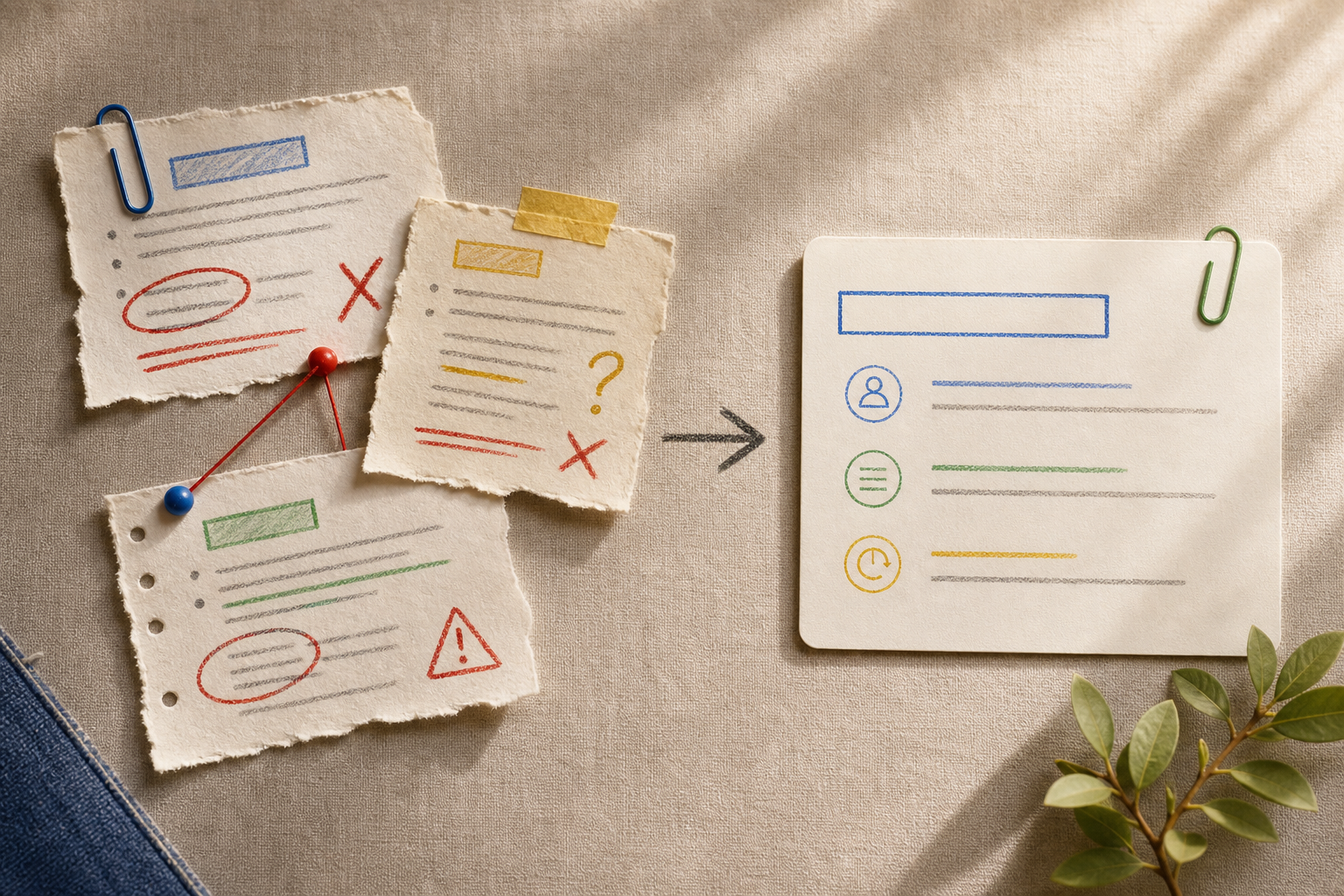
Common sensitive topics include pricing and plan limits, refunds, cancellations, legal disclaimers, medical or financial claims, privacy summaries, security claims, eligibility rules, service limits, and handoff triggers. The exact list depends on the business.
A canonical answer is not a tone rule. It is approved factual source material. It should state what the chatbot is allowed to say, what source supports it, who approved it, and when it needs review.
A simple canonical-answer entry can include the topic, user question pattern, approved answer, source basis, owner, last approved date, review trigger, and exclusion note. For example, a refund answer should point back to the approved refund policy and name what the chatbot should not infer or promise.
Keep these entries short enough to maintain. A canonical answer should reduce ambiguity, not become a new policy document. If the topic needs legal, security, medical, or compliance review, route it to the right owner. Do not ask the content team or chatbot vendor to invent a policy.
Set Exclusion Rules for Sources the Chatbot Should Ignore
Exclusion rules tell the team what must stay out of the chatbot source set. They are useful because bad source material often looks useful at first glance.
Exclude content when it is outdated, a draft, not approved for the chatbot audience, a duplicate of a better source, outside the selected chatbot job, written for the wrong audience, based on unsupported claims, too vague to answer real user questions, sensitive without owner approval, or a shortcut that contradicts public policy.
Write exclusion rules before configuration so the team does not rely on memory during upload or connection work. They also reduce review friction. When a stakeholder asks why a source was not included, the answer can point to the rule, not a personal preference.
For example, an internal support note may explain how agents handle a refund exception. That does not mean the chatbot should present the exception as a public promise. The note may help the policy owner write a canonical answer, but the note itself should stay out of the visitor-facing source set unless approved for that use.
Avoid rules that are too broad. “Exclude all PDFs” may block approved policy details. “Exclude outdated PDFs unless the owner confirms they are current and visitor-approved” is more useful. The rule should support repeatable decisions without blocking good source material.
Assign Review Owners Before Ingestion
A clean source set still fails if nobody owns it. Review ownership answers three questions: who approves source use, who decides when sources conflict, and who updates the material later.
For each core source and canonical answer, assign a source owner, approver, conflict decision maker, update trigger, and review date or interval when the business has one. Update triggers may include pricing changes, product releases, policy changes, service changes, or new support patterns.
This is source-content ownership before ingestion. It is not client onboarding, proposal approval, or launch QA approval criteria. The question is narrower: who is allowed to say, “This source is accurate enough for the chatbot to use”?
InsertChat site context references team roles and collaboration, but this article should not assume a specific UI or approval workflow. The durable practice is to map responsibility before the source set enters the chatbot. If a source has no owner and affects sensitive answers, hold it out or mark it for decision.
Ownership also prevents small changes from becoming large answer-quality problems. A pricing page change, policy update, or product rename can make several chatbot answers stale. The owner map gives the team a path to update the knowledge base when the source changes.
Scenario: Turn Website Pages, FAQs, Help Docs, and Policy Notes Into Approved Source Material
Suppose a team is preparing a website assistant that answers visitor questions about a service business. The source material is scattered across five service pages, a public FAQ page, twelve help center articles, two old PDF brochures, a refund policy page, internal support notes, and a sales deck with a few outdated claims.
The team starts with the chatbot job: answer visitor questions about services, pricing boundaries, booking fit, refund basics, and support handoff paths. It should not negotiate custom terms, interpret legal obligations, or answer internal process questions.
First, they build the inventory. The service pages and FAQ are core. Help center articles are split between core and supporting. The refund policy page is core but sensitive. The old PDF brochures need review because their dates are unclear. Internal support notes are internal and not approved for visitor use. The sales deck is supporting, but several claims need owner review.
Second, they clean conflicts. One service page says consultations are available for all customers. A help article says consultations are available only for certain plans. The owner confirms the help article is current, so the service page is updated before ingestion. The old brochures are excluded. The sales deck is not ingested directly, but one current paragraph is rewritten into a public-facing service summary and approved by the owner.
Third, they write canonical answers. Refunds get one approved answer based on the refund policy page. Pricing boundaries get one approved answer that explains where the chatbot can give general information and where a human should confirm details. Eligibility gets one approved answer because the source pages had several slightly different explanations.
Fourth, they create exclusion rules and assign owners. The chatbot should ignore old brochures, internal exception notes, draft campaign pages, unsupported sales claims, and any policy explanation that lacks owner approval. Marketing owns service pages. Support owns help center articles. Operations owns refund policy details. Sales can suggest positioning updates, but cannot approve policy answers.
The result is not a perfect company knowledge base. It is a cleaner, approved source set for one chatbot job.
Know When Source Cleanup Is Not Enough and Handoff Is Ready
Source preparation can reveal problems it cannot solve. Stop and resolve the larger issue when the chatbot job is too broad, sources disagree because the business has not decided the policy, sensitive answers have no owner, internal notes are not approved for the audience, source pages are written for sales but the chatbot needs factual support answers, or the business wants claims that no approved source supports.
In these cases, more cleanup will not fix the root issue. Narrow the chatbot job, get an owner decision, rewrite the source for the intended audience, or exclude the topic until it is approved.
There is also a practical tradeoff around speed. A team may not have time to clean every source before the first configuration pass. That can be fine if the chatbot job is narrow and the team prioritizes core and sensitive sources first. It is risky when the team ingests a broad, messy source set and plans to fix answer quality later.
When the source set is ready, hand off the approved source inventory, cleaned source URLs or files, canonical answers, exclusion list, owner map, known gaps, and topics held for business, legal, security, privacy, or policy review. That package can move to configuration, brand voice work, or pre-launch testing. Configuration uses the approved sources. Brand voice work decides how answers should sound and be structured. Testing checks whether the chatbot answers correctly from the approved material. This article’s job ends with the cleaned source set, not a full launch plan.
FAQ
What should be included in an AI chatbot knowledge base?
Include sources that support the selected chatbot job and are approved for the chatbot audience. For a website assistant, that may include public pages, FAQs, help articles, policy pages, product information, approved documents, and selected media transcripts. Do not include every internal file by default.
How do I prepare content for an AI chatbot without rewriting every page?
Start with an inventory, mark each source by relevance and risk, then clean the highest-impact sources first. Core sources and sensitive answers deserve the most attention. Supporting or edge-case sources can be updated later, excluded, or held for owner review.
Who should approve chatbot source content?
The approver should be the person or team with authority over the underlying facts. Marketing may own service pages, support may own help articles, operations may own policy details, and legal or security may need to review certain sensitive topics. Name the owner before ingestion.
What content should be excluded from a chatbot knowledge base?
Exclude outdated PDFs, drafts, duplicate pages, unsupported claims, internal notes not approved for the chatbot audience, sources outside the selected chatbot job, and sensitive content without owner approval. Exclusion is not always deletion. Some sources should remain in company records but stay out of the chatbot source set.
How is knowledge base preparation different from chatbot testing?
Knowledge base preparation cleans and approves the source material before configuration. Testing later checks whether the chatbot uses that material correctly. If the source set is messy, testing may expose many issues, but it will not tell you which answer the business actually approves.