TL;DR
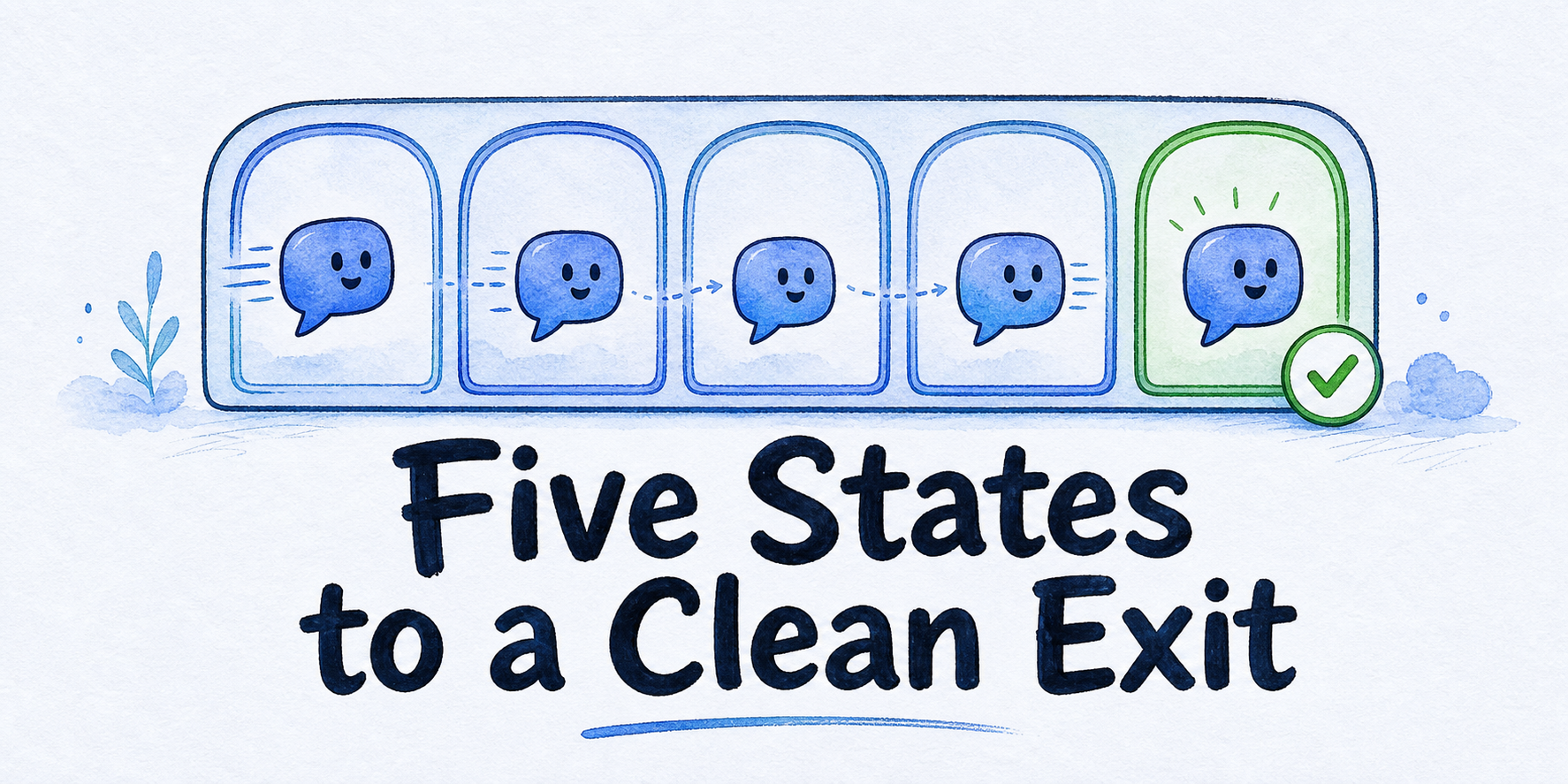
- Assign every offboarding item one final state: transfer, retain, delete, disable, or escalate.
- Do not close the engagement until every item has a named owner, approver, evidence, deadline, and completed dependency.
- Verify who can request termination, approve transfers, request deletion, receive records, and accept residual risk before changing anything.
- Map dependencies before shutdown so visitor notices, routing, domains, credentials, and active handoffs are not removed too early.
- Replace agency-controlled credentials with successor-owned credentials, test the new path, revoke agency access, and verify the result from both sides.
- End with one decision: approve shutdown, confirm transfer, pause for missing evidence, or escalate the unresolved issue.
A retainer can end while the assistant still answers visitors, sends leads, uses agency credentials, depends on a custom domain, and generates charges. AI chatbot client offboarding begins only after an authorized termination, transfer, or ownership-change event for an already deployed assistant. From that point, one exit register should control the work, and closure should remain blocked until every live asset and obligation has a final state and verification evidence.
Key Takeaways
- The exit register is the operating record, not a general project checklist.
- A desired final state does not determine execution order. Dependencies do.
- A deletion request, retention need, or transfer request must be supported by the applicable authority and written evidence.
- Successor access is incomplete until the replacement works and agency access no longer does.
- An escalated row is properly routed, but it is not resolved.
Build the exit register from verified authority and a complete inventory
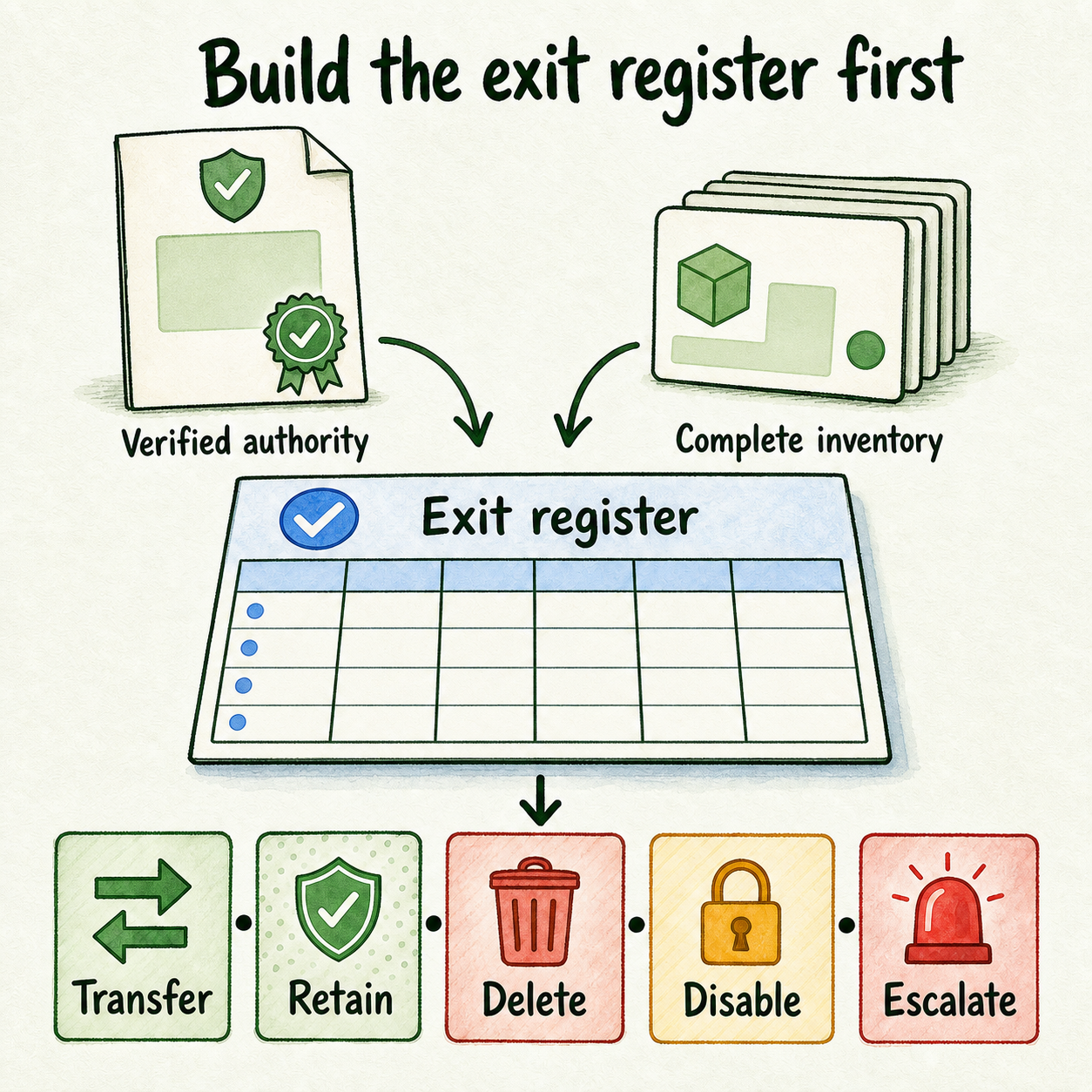
Start with the trigger. Record the written termination, successor-transfer, or ownership-change request, its effective date, and the person who submitted it. Then verify five separate authorities because one contact may not hold all of them:
- Who may terminate the service?
- Who may approve transfer of assets or operational control?
- Who may instruct deletion of client records or personal data?
- Who may receive records, exports, reports, or documentation?
- Who may accept residual risk or approve a documented exception?
Do not infer these powers from a job title or routine project access. Check the executed agreement, amendments, client authority records, and applicable agency policy. Contractual, privacy, security, tax, dispute-hold, and regulated-record questions should go to qualified reviewers.
Create the exit register before changing permissions or channels. Give it these fields:
| Field | What to record |
|---|---|
| Asset or obligation | The specific item being decided |
| Current owner | Person or organization controlling it now |
| Target state | Transfer, retain, delete, disable, or escalate |
| Approver | Person authorized to approve that state |
| Evidence | Approval, receipt, system state, test result, or specialist decision |
| Deadline | Required completion or review date |
| Dependency | Item that must happen first |
| Unresolved-risk disposition | Owner, evidence needed, and escalation route |
Use the five states consistently. Transfer moves approved control to an authorized successor. Retain preserves an item because an identified obligation requires it. Delete removes an approved item through a verified process. Disable ends operation or access without claiming deletion. Escalate holds an unresolved decision until written evidence or specialist review determines the next action.
Build the inventory from existing client onboarding records, chatbot implementation records, and recent chatbot maintenance records. These are inputs, not substitute exit decisions.
Inventory every relevant surface:
- Assistants, approved sources, prompts, reusable templates, client-specific instructions, brand assets, and documentation
- Domains, widgets, inline or iframe embeds, hosted pages, share links, phone or voice channels, and customer-domain email
- Inboxes, open conversations, leads, reports, feedback, assignments, and unresolved handoffs
- Workspaces, seats, roles, client users, agency users, and billing access
- Integrations, webhooks, API credentials, SMTP configuration, provider keys, booking systems, CRM routes, and support destinations
- Subscriptions, usage, outstanding work, recurring charges, invoices, incident records, and approval records
Do not place passwords, tokens, private keys, or sensitive conversation contents in the register. Identify the credential by system, owner, purpose, and replacement status without recording its secret value.
Use dependencies to decide data, access, and shutdown order
The target state tells you where an item should finish. The dependency map tells you when it is safe to act. For example, an agency API credential may be marked disable, but revoking it before the successor credential passes a test could break lead routing or booking.
Map each customer-facing path from entry point to follow-up owner:
- Visitor entry: widget, embed, hosted page, custom domain, phone, voice, or email.
- Assistant operation: approved sources, prompts, tools, and model-provider access.
- Routing: inbox, booking path, CRM, support desk, webhook, or API.
- Human ownership: active conversation owner, lead recipient, and fallback contact.
- Final state: replacement experience, visitor notice, controlled shutdown, or verified transfer.
InsertChat documents deployment across widgets, embeds, hosted pages, custom domains, and API-backed experiences, so one assistant may have several customer-facing dependencies that need separate register rows (Channels, verified July 29, 2026). Its integration documentation also identifies CRM, support, ecommerce, calendar, webhook, and owned follow-up destinations that may remain active after the visible widget changes (Integrations, verified July 29, 2026).
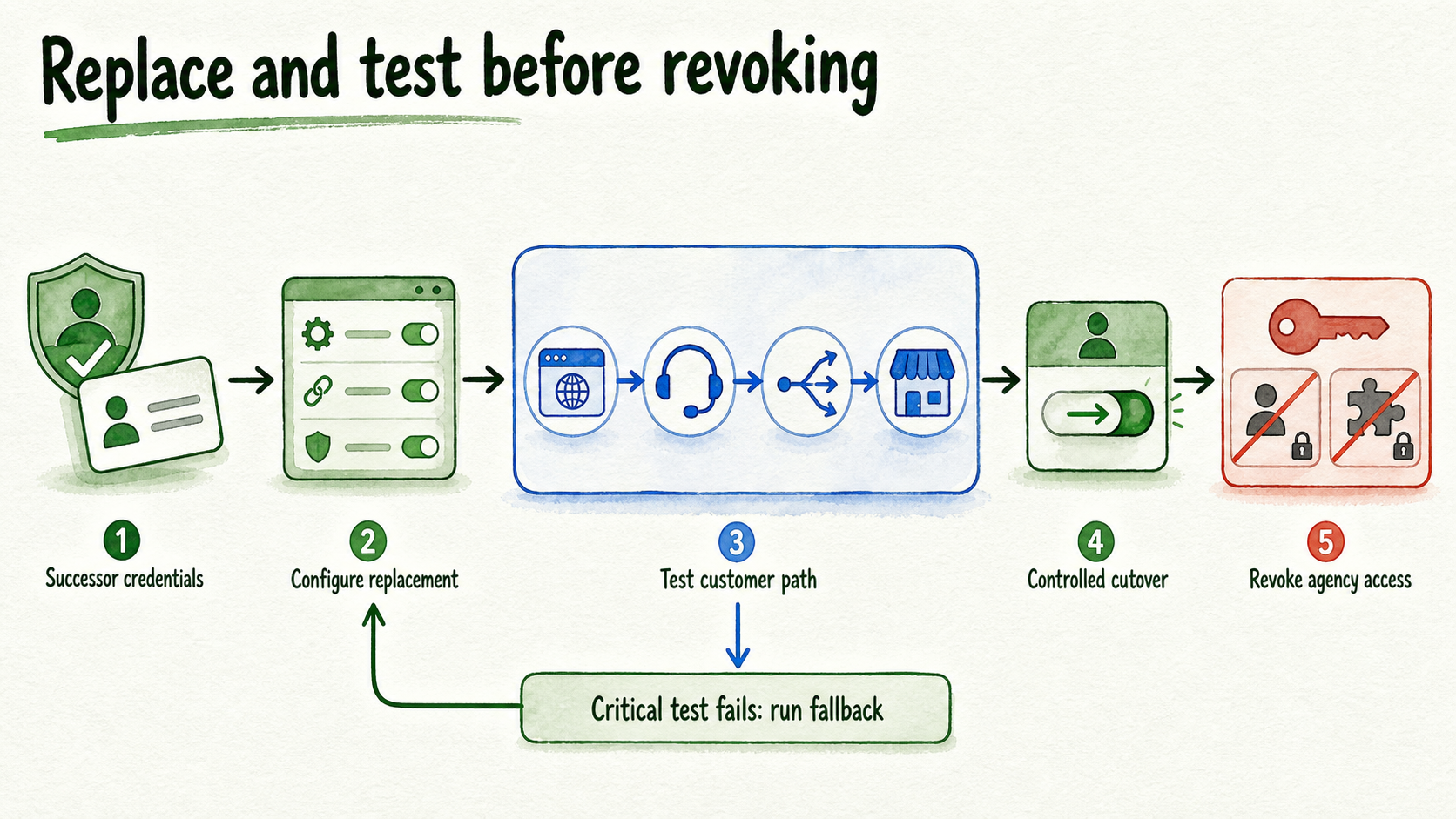
Use a replacement-first order for a transfer:
- Confirm the successor owner and approved scope.
- Have the successor create credentials under its own control.
- Configure the replacement without copying or transmitting agency secrets.
- Test the customer path and downstream destination.
- Move routing or control at the approved cutover time.
- Revoke agency credentials, roles, and integration access.
- Verify that the successor can operate the path and the agency can no longer access it.
- Run the fallback if any critical test fails.
Data decisions need their own evidence. Separate them rather than applying one blanket retention rule:
| Decision input | Register action |
|---|---|
| Authorized client instruction | Record the instruction, approver, scope, and requested state |
| Contractual requirement | Retain, transfer, or delete only as the reviewed term requires |
| Privacy or rights request | Route through the documented privacy process and authorized controller |
| Security or dispute evidence | Preserve only under an identified obligation and controlled access |
| Operational record | Decide whether it is still needed for handoff, support, billing, or proof |
| Undocumented platform outcome | Escalate until current written evidence confirms the available action |
InsertChat's Privacy page describes retention as dependent on purpose, legal obligations, business needs, and data minimization, and it documents paths for access, correction, deletion, export, objection, and restriction requests (Privacy, verified July 29, 2026). Its DPA states that, subject to section 9, Company Personal Data must be deleted promptly and within 10 business days after cessation of processing services (DPA, verified July 29, 2026). Apply that clause only after confirming that the DPA governs the engagement, the cessation date, the relevant data, and any specialist interpretation required.
Do not treat deletion of a workspace item as proof that every contractual, privacy, accounting, tax, dispute, or regulated-record duty has been met. Export format, completeness, backup treatment, domain transfer, phone-number portability, and post-cancellation access also require current written confirmation for the specific account and plan. If that evidence is absent, mark the row escalate.
InsertChat documents owners, admins, managers, and client-scoped access across assistants, sources, conversations, billing, and integrations (Team Workspaces, verified July 29, 2026). Check each access surface individually. A removed workspace seat does not prove that an API credential, webhook, SMTP account, provider key, domain account, or connected application has also been removed.
Protect customer continuity and close commercial obligations
Before cutting over a live channel, define the visitor experience during and after the change. Record the replacement assistant or destination, the approved visitor message, the date and time of cutover, the person watching the change, and the fallback if the replacement fails.
Review active work immediately before cutover:
- Assign every open conversation to the agency, client, or successor team.
- Confirm who follows up with each pending lead and by what deadline.
- Check bookings, support tickets, live handoffs, and scheduled messages.
- Test the destination inbox, CRM, calendar, webhook, and customer-domain email.
- Replace misleading greetings, availability statements, or support promises.
- Preserve only the context the receiving owner is authorized to receive.
InsertChat's conversation documentation describes transcripts, metadata, feedback, handoff status, search, archive, and resolution states (Conversation Inbox, verified July 29, 2026). Use these as inventory and verification surfaces, not as evidence that every record can be exported or transferred in a particular format.
The commercial close should reconcile responsibility, not reopen pricing strategy. Review final usage, outstanding work, approved change requests, invoice inputs, credits or consumption relevant to billing, and every recurring charge connected to the client. Use prior client chatbot reports to locate final lead, handoff, usage, and unresolved-work records without recreating the reporting model.
Record who owns future platform usage, model-provider charges, phone or email services, domains, integrations, and support after the cutoff. InsertChat's current Terms state that cancellation occurs through account settings and takes effect at the end of the current paid term (Terms, verified July 29, 2026). Verify the actual billing account, paid term, cancellation status, and any connected third-party charges before marking the commercial rows complete.
Test two exit scenarios against the closure gate
The following scenarios are illustrative. They show how to apply the register, not guaranteed platform transfer or deletion behavior.
Scenario 1: Shut down a managed website FAQ assistant
A client ends a retainer for a website assistant that answers from public FAQ and service pages. It uses a widget, one agency-managed workspace seat, a shared inbox, conversation records, and recurring platform allocation.
The agency records the assistant and widget as disable after an approved visitor notice or replacement contact path is live. Client-specific sources, prompts, branding, conversations, and reports receive separate transfer, retain, delete, or escalate decisions. Agency access is disabled only after open conversations and leads have named owners. Billing closes after final usage and invoice inputs are recorded.
Closure evidence includes the authorized termination, client approval for each data decision, screenshot or system evidence that the widget is no longer available, confirmation that no open lead lacks an owner, revoked agency access, charge reconciliation, and a post-shutdown page test. If record deletion or retention remains disputed, the engagement cannot receive clean-closure approval. That row stays escalated with a named reviewer.
Scenario 2: Transfer a multi-surface assistant to a successor
A second assistant uses a custom domain, customer-domain email, lead capture, booking, webhooks, client-scoped workspace access, and agency-controlled credentials. The successor team must operate the same customer journey after cutover.
The domain, email configuration, client-specific sources, approved prompts, brand assets, workspace roles, and documentation are candidate transfer rows, subject to authority and supported transfer methods. The successor creates its own SMTP, provider, webhook, API, booking, and integration credentials. Each replacement is tested before the corresponding agency credential is disabled.
Open conversations and leads move to named recipients with approved context. Visitor messaging and a fallback destination remain ready during the change. Reusable agency templates are retained only after removing client-specific sources, branding, prompts, records, and secrets. Any uncertain export, domain-control, email, phone, or post-cancellation outcome is escalated until current written evidence supports an action.
Transfer evidence includes client approval, successor receipt, successful channel and handoff tests, failed-cutover fallback results if used, agency revocation confirmation, two-sided access verification, final billing ownership, and a dated post-cutover check.
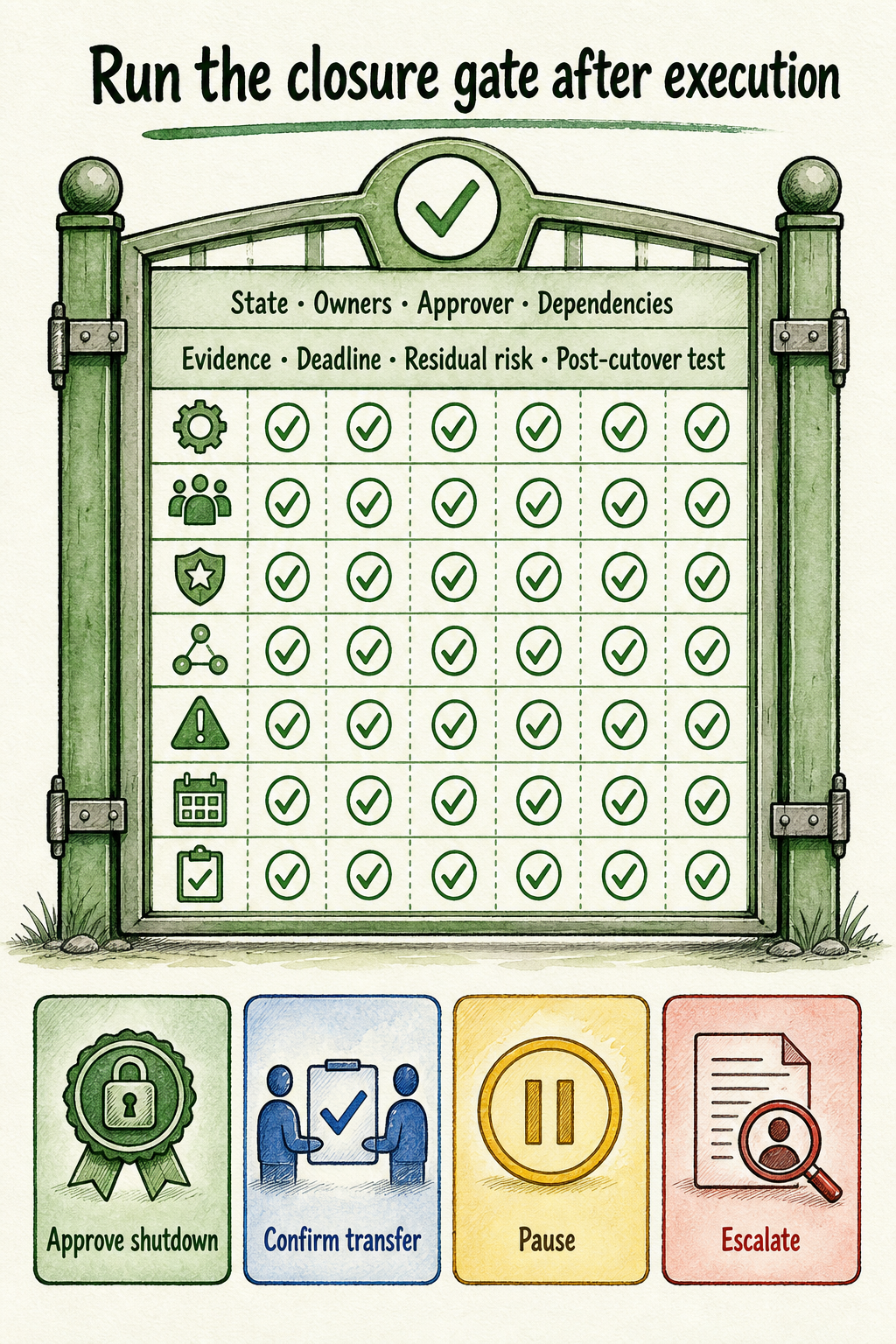
Run the closure gate only after execution. Every row must show:
- One of the five final states
- A named current and final owner
- An authorized approver
- Completed dependencies
- Dated verification evidence
- A closed deadline or approved extension
- A documented residual-risk disposition
- A post-cutover test result
Choose one outcome. Approve shutdown when all shutdown rows pass. Confirm transfer when the successor can operate and agency access is removed. Pause when required evidence, approval, or testing is missing. Escalate contractual, privacy, security, tax, portability, or regulated-record questions to the named specialist.
For the next exiting engagement, start the exit register when the authorized notice arrives, not on the final service day. That creates enough time to verify authority, map dependencies, replace credentials, protect active customers, and test closure before access or billing disappears.
FAQ
Can the agency delete everything when service ends?
No universal rule supports that action. Some items may need deletion under authorized instructions or an applicable agreement, while others may need limited retention for an identified contractual, accounting, tax, security, dispute, or regulated-record obligation. Route the decision to the authorized client owner and qualified specialist, then record the approved state and evidence for each item.
If the platform does not document the required export or transfer outcome, mark the row escalate. Name who will obtain current written confirmation, what evidence is required, and which dependent actions must wait. Do not promise portability or cancel the account while required records may become inaccessible.
Should reusable agency templates be transferred, and who verifies the exit?
Transfer client-specific sources, prompts, brand rules, documentation, and other assets only where ownership and authority support it. A reusable agency template may remain with the agency, but it must be separated from client content, conversations, branding, credentials, and secrets before the client's row can close.
Verification should be two-sided. The client or successor confirms that approved assets and customer paths work under its control. The agency confirms that its roles, credentials, integrations, billing responsibility, and support obligations have ended. A named closure approver then reviews the evidence and records the final decision.