TL;DR
- An AI workspace for business keeps approved context, roles, model rules, actions, ownership, and review attached to a workflow. Access to several models alone does not meet that standard.
- Evaluate one workflow across seven requirements: business job, approved knowledge, model strategy, workspace access, allowed actions, human ownership, and measurable evidence.
- Consolidation may reduce tab switching and duplicated setup, but migration work and specialist requirements can justify a hybrid approach or the current tool mix.
- Run a bounded, non-sensitive trial only when the sources, permissions, owner, evidence, and stop conditions are clear.
A support lead, marketer, and operations manager can put the same customer question into three AI tools and receive three plausible answers. Each tool has a separate history, nobody knows which source was used, and follow-up ownership lives in a chat message or someone’s memory. Moving every model into one screen may reduce tab switching, but it does not fix that operating problem. The useful decision is whether one defined workflow can share context and controls without weakening answer quality, access boundaries, or accountability.
Key Takeaways
- Judge what survives a model change. Approved sources, permissions, actions, conversation context, handoff paths, and review records matter more than the number of provider logos in the interface.
- Make the workflow the unit of evaluation. A subscription count does not show whether customer questions are answered correctly or whether account briefs remain restricted to the right revenue team.
- Treat broad model choice as an operating responsibility. Every routing rule creates work for testing quality, latency, cost, source use, and edge cases.
- Accept more than one valid outcome. A bounded trial, hybrid setup, current tool mix, or deliberate pause can each be the right decision.
What makes an AI workspace different from a multi-model screen
An AI workspace for business is a shared operating environment where approved knowledge, roles, controls, models, allowed actions, human review, and evidence remain connected to a business workflow. A multi-model interface gives users access to several models, but it may leave each person responsible for copying context, protecting sensitive information, checking answers, and deciding what happens next.
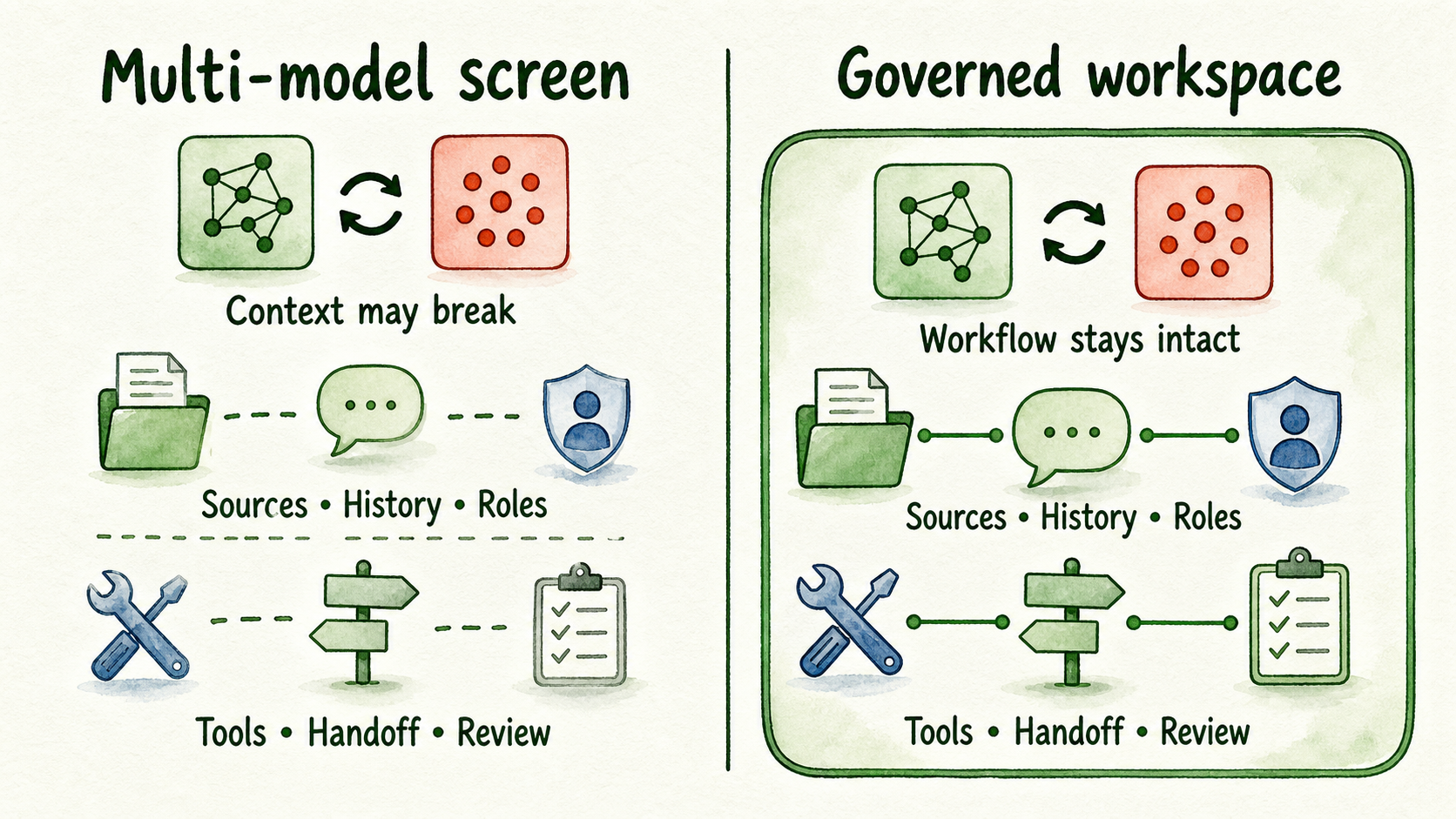
A useful test is simple: change the model and inspect what remains. If the source set, conversation history, role restrictions, enabled tools, handoff route, and review record remain intact, the workspace can support governed operations. If those elements disappear or depend on manual copying, the product is primarily a shared interface.
A “unified AI platform” is therefore an incomplete description. Ask what is actually unified. The answer might be login and model access, or it might include knowledge, permissions, workflow controls, deployment, and review. Those are materially different operating models.
This distinction also sets a boundary. An individual writer who needs several drafting styles may be well served by a multi-model screen. A customer support team answering policy questions needs approved sources, citations, role limits, escalation, and conversation review. The same model access can support both cases, but only the second case requires a governed workflow workspace.
Choose the operating approach that fits the workflow
Do not start by asking which platform has the longest feature list. First decide how much shared context and control the workflow needs.
| Operating approach | Where it can fit | Main advantage | Main tradeoff | Evidence to require |
|---|---|---|---|---|
| Separate AI tools | Distinct specialist jobs with different owners, data, or output requirements | Preserves specialist capabilities and avoids migration | Context, permissions, subscriptions, and review stay fragmented | Each tool produces enough value to justify its separate setup and oversight |
| Multi-model interface | Individual or team drafting where model access is the main need | Fewer tabs and simpler switching between providers | Shared access may not include approved knowledge, actions, handoff, or role-scoped governance | Users can switch models without losing the context needed for the task |
| Governed workflow workspace | Repeated business workflows that need common sources, permissions, routing, actions, and review | Reuses one operating layer across models and participants | Requires source migration, role design, testing, and ongoing ownership | The workflow remains accurate, controlled, inspectable, and easier to operate |
There is no universal winner. A revenue operations team might use a shared workspace to prepare account briefs while retaining a specialist forecasting tool. Prospect notes should be visible only to assigned roles, even if marketing and support use the same broader platform. A design team may keep a dedicated creative application because moving it would remove capabilities the shared workspace cannot match.
The relevant question is not “Can one subscription replace everything?” It is “Which repeated workflow benefits from shared context and controls, and which specialist jobs should stay separate?” Fewer subscriptions can be useful, but savings are not established until migration effort, provider usage, review labor, and retained specialist tools are included.
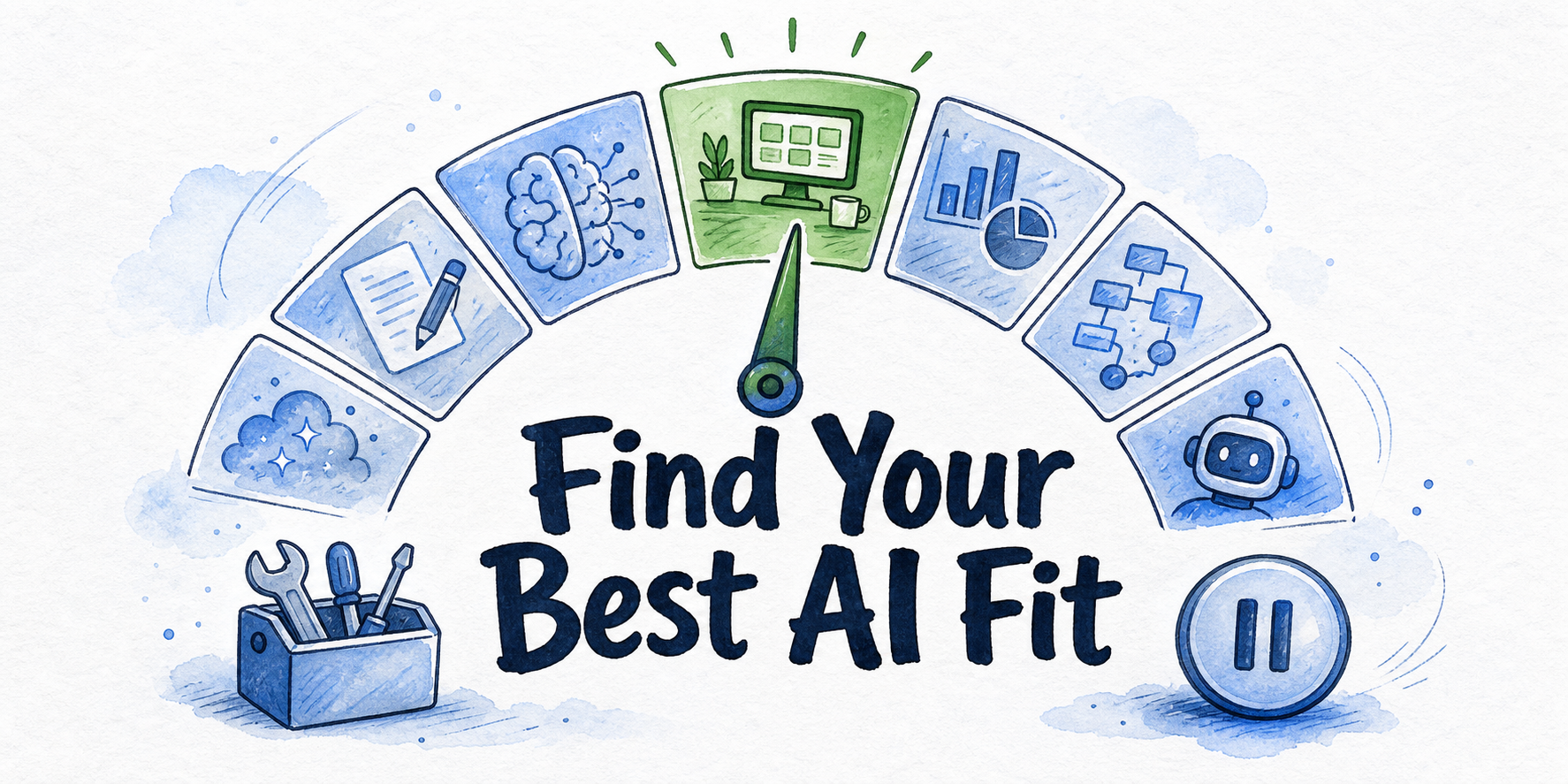
Score the workspace across seven operating requirements
Use the following scorecard for one workflow, not for the company’s entire AI estate. Mark each requirement as pass, caution, or stop. One attractive model feature should not compensate for missing knowledge or ownership.
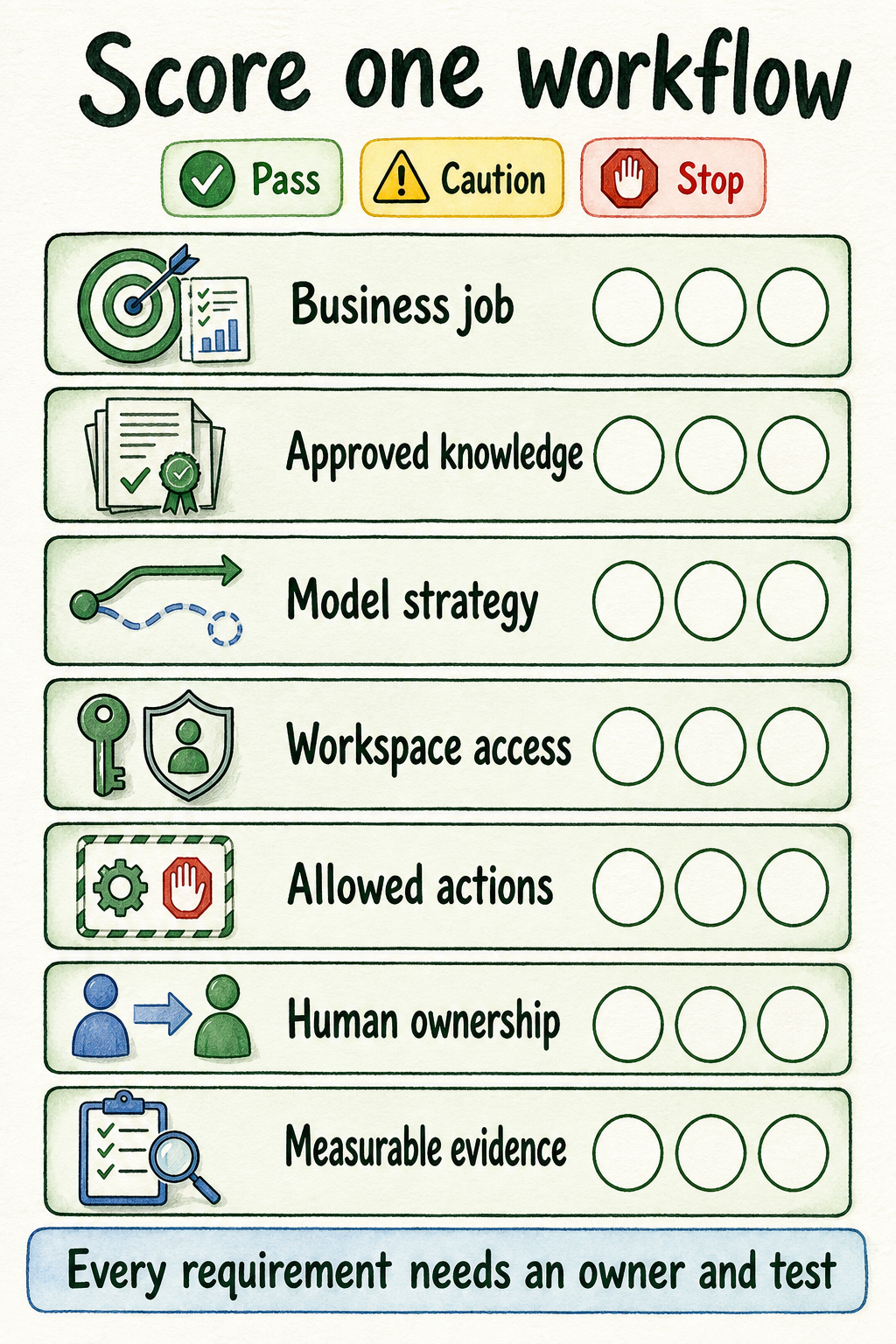
Business job: Name the user, trigger, output, and next step. “Help with support” is too broad. “Answer routine after-hours shipping and return questions on the website, then route account-specific cases to support” is testable. Stop if stakeholders cannot agree on the job.
Approved knowledge: List the pages, FAQs, documents, policies, or structured records the assistant may use, plus the person responsible for updates. Approved sources are authorized inputs, not every file the business can access. InsertChat’s current knowledge-base evidence supports website pages, documents, videos, FAQs, policies, structured content, source refresh, and citations from approved material (Knowledge Base). Stop if the business has no approved answer for frequent questions.
Model strategy: Define a default model and the condition that sends work elsewhere. OpenAI, Anthropic, Google, and alternative provider families are inputs to this decision, not contestants in a universal ranking. InsertChat currently documents multi-provider choice, model routing, BYOK, and model switching that retains chat history, retrieved context, and enabled handoff paths (Models). Availability and eligibility should be checked again when the trial begins.
Workspace access: Decide who can see and change sources, prompts, conversations, billing, integrations, and client or department workspaces. Shared context without scoped access can expose material to the wrong people. InsertChat documents owner, admin, manager, private, and client-scoped access patterns (Team Workspaces). Stop if the trial requires unrestricted access merely for convenience.
Allowed actions: Write down what the assistant may do, what requires approval, and what remains prohibited. A first test may answer and hand off without booking, updating records, or calling external systems. InsertChat documents controlled tools, integrations, webhooks, and handoff paths, but every enabled action still needs a clear business boundary (Workflows).
Human ownership: Name the person or queue that receives complex, sensitive, account-specific, or unsupported requests. Human handoff is the point where the assistant stops or routes the conversation with relevant context. Stop if nobody can respond, correct the source, or decide whether the workflow should change.
Measurable evidence: Record answer review, source use, unresolved patterns, handoff completion, action errors, and operator effort. Chat volume alone cannot prove workflow quality. InsertChat’s conversation records can include transcripts, page context, source usage, metadata, feedback, resolution, and handoff status (Conversation Inbox).
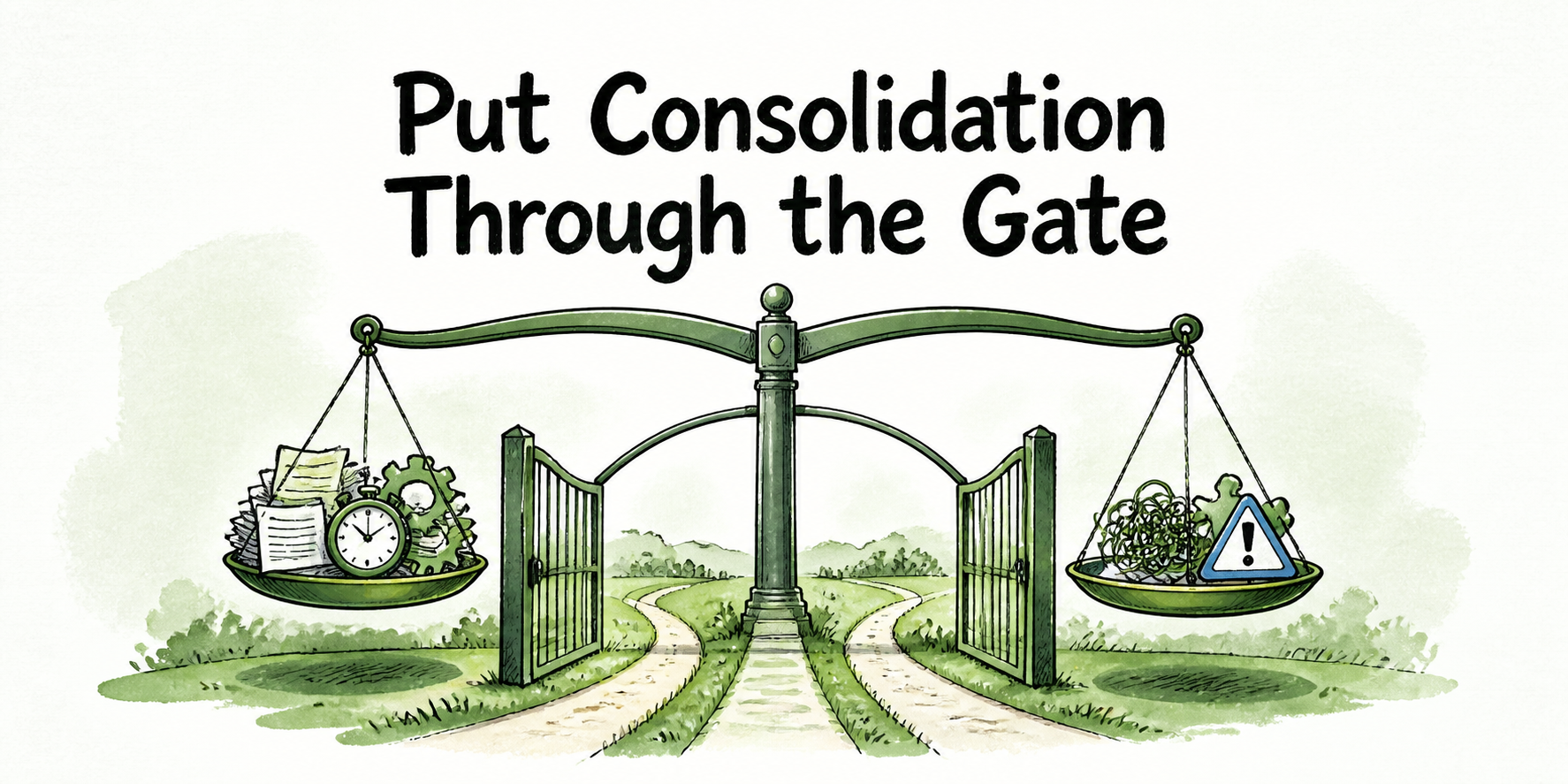
A workflow is trial-ready when all seven requirements have an owner and an observable test. A caution can be acceptable if it is deliberately excluded from the first trial. A stop signal means the team should repair the workflow definition before consolidating it.
Apply the scorecard to one bounded trial
Consider this illustrative scenario: a small business wants its support and marketing teams to handle routine after-hours website questions from the same approved material. It is considering phone, inbox, and connected actions later, but the first test covers one website assistant on selected pages.
The trial brief could read as follows:
- Business job: Answer routine questions about shipping, returns, service availability, and published product guidance. Account-specific, disputed, or sensitive requests go to support.
- Approved knowledge: Use the current shipping FAQ, return policy, product guide, and service-hours page. The support lead owns policies; marketing may propose wording changes but cannot publish policy changes.
- Model strategy: Send short, source-backed questions to the default route. Send questions requiring comparison across several documents to a stronger route. If neither route finds an approved answer, do not improvise.
- Workspace access: Support can review conversations and update support sources. Marketing can review question patterns and edit approved brand language. Billing, integrations, and prospect records remain restricted.
- Allowed actions: The assistant may answer from approved sources and create one handoff. It may not issue refunds, change orders, promise exceptions, place calls, or update external records.
- Human ownership: A named support queue receives account-specific questions, policy exceptions, complaints, and requests for a person, together with the conversation history.
- Measurable evidence: Review whether answers cite the right source, whether unsupported questions stop correctly, whether handoffs reach the owner with enough context, and whether operators spend less or more time correcting the workflow.
Set stop conditions before launch. Stop or narrow the test if stale documents produce conflicting answers, users can access the wrong conversations, routing sends complex questions to an unsuitable path, handoffs have no active owner, or the team repeatedly corrects claims that should have come from approved material.
This trial cannot establish readiness for every channel. Phone conversations, connected actions, sensitive records, regional requirements, and enterprise integrations add different risks. A stable website workflow is a reason to evaluate expansion, not automatic approval to expand.
Choose consolidation, a hybrid setup, the current stack, or a pause
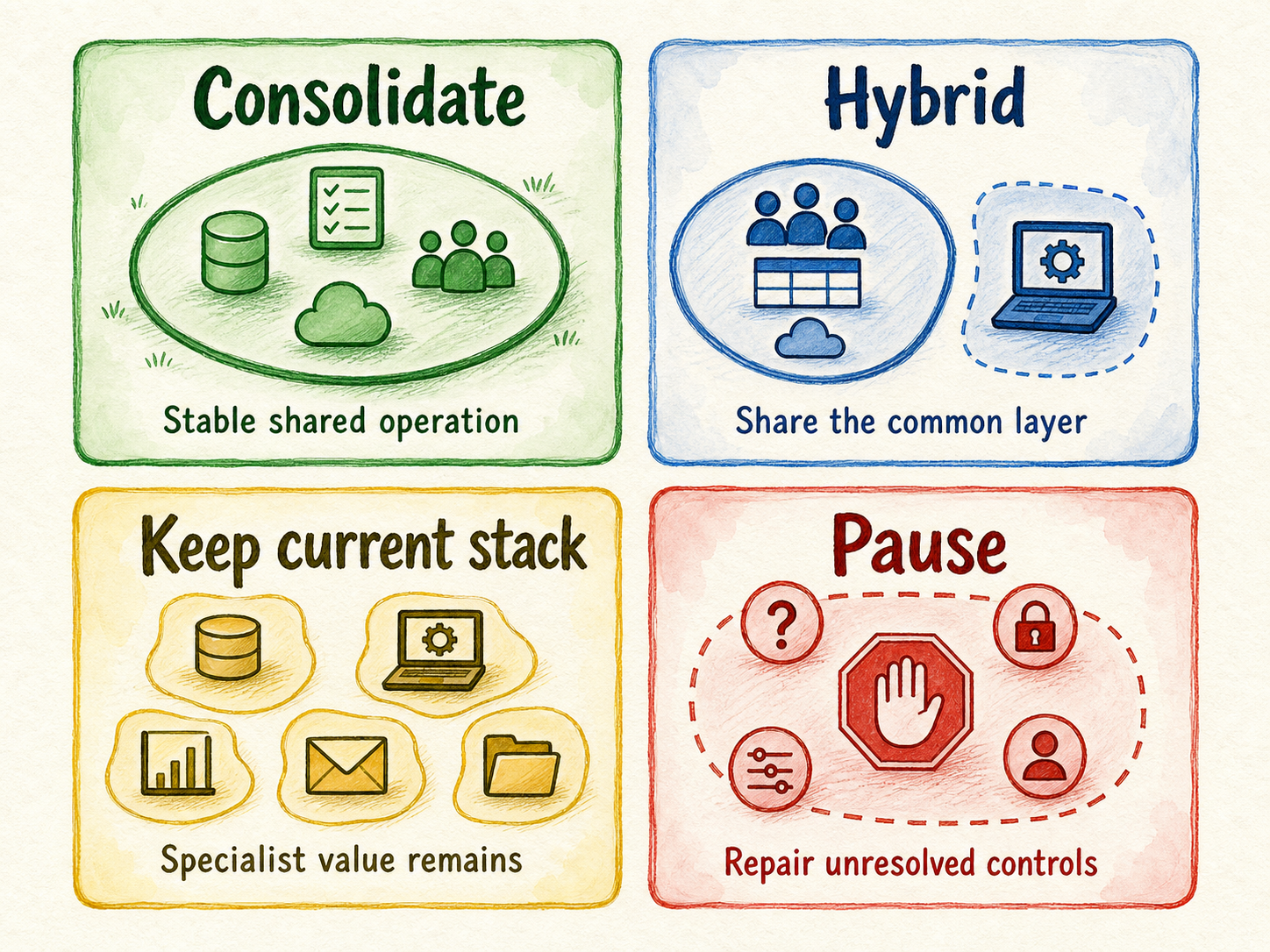
Use trial evidence to make one of four decisions:
- Consolidate the tested workflow when approved knowledge stays consistent, model changes preserve context and controls, access remains scoped, handoffs reach the right owner, and review evidence shows stable operation.
- Use a hybrid setup when the shared workspace improves common knowledge, conversation context, model switching, and reusable controls, but a specialist tool remains better for a distinct task.
- Keep the current stack when separate tools provide clear specialist value and the proposed workspace does not materially improve ownership, review, or workflow execution.
- Pause when sources are stale or missing, permissions are too broad, allowed actions are unclear, review has no owner, or the platform cannot meet a specialist, security, or regional requirement.
InsertChat can be evaluated against this framework because its current official materials document approved-source answers, model choice and routing, workspace roles, controlled tools, handoff, and conversation review. That makes it a candidate for a bounded test, not a universal replacement for every business tool.
Before starting, verify the details that can change:
- Current provider and model availability, plus plan eligibility
- Subscription terms, prices, credits, usage measurement, limits, and trial conditions
- Whether BYOK provider usage is billed separately from the workspace subscription
- Security documentation, retention, deletion, and provider-processing terms
- Region, residency, private-deployment, or self-hosting requirements
- Restrictions affecting assistants, sources, seats, uploads, integrations, and actions
The current pricing material confirms that BYOK does not remove the InsertChat subscription and that provider usage is billed separately (Pricing). Its security material also states that prompts and relevant source excerpts go to the selected model provider, including when the customer supplies the key (Security and Privacy). Product marketing should recheck volatile product and commercial details before publication, while security or legal owners should review deployment-specific requirements.
If one non-sensitive workflow has current sources, scoped roles, limited actions, a named reviewer, and explicit stop conditions, complete the scorecard and choose Start for Free for a bounded trial. If the decision depends on security documents, regional deployment, self-hosting, custom infrastructure, sensitive data, or procurement approval, choose Contact us before connecting those sources.
FAQ
Does BYOK keep prompts and business context away from model providers?
No. BYOK gives the customer control of the provider API key and direct provider billing, but prompts and relevant context still go to the selected provider to generate an answer. Review the provider’s terms as well as the workspace platform’s security and retention terms.
Can one AI workspace replace every specialist tool?
It should not be assumed. Keep a specialist tool when it handles a distinct job better or meets requirements the shared workspace cannot support. Judge replacement one workflow at a time.
Should sensitive business data be used in the first trial?
A first trial should use non-sensitive sources unless security, privacy, access, retention, provider, and procurement requirements have already been reviewed. Public FAQs and controlled documents usually create a clearer initial test than customer records or confidential account data.
Can a short trial prove enterprise readiness?
A short trial can test source grounding, routing, roles, handoff, and review for a bounded workflow. It cannot by itself establish fit for complex integrations, regulated information, regional deployment, procurement terms, self-hosting, or organization-wide rollout. Those requirements need a scoped review.