TL;DR
- Assign named owners before the next cross-client chatbot update.
- Separate agency-only changes from changes that need client review or explicit approval.
- Treat shared templates as controlled assets, not shortcuts copied across every client.
- Keep a change log for affected accounts, approvers, reasons, rollback notes, and next review dates.
- Review permissions on a fixed cadence so source, template, conversation, billing, integration, and handoff access stay accountable.
- Prepare a basic incident path before a risky conversation, wrong-account answer, or unauthorized edit creates confusion.
When one agency runs several branded chatbot clients, the hard part is no longer basic setup. The risk moves to shared templates, separate approval chains, recurring content updates, staff access, handoff ownership, and who answers for a change after it goes live. AI chatbot governance for agencies should give each account a clear operating record without turning every update into a new project.
Key Takeaways
- Governance starts when multiple clients share templates, workflows, support processes, or internal operators.
- Roles and responsibilities need names, not job titles alone. A small agency can combine roles, but every responsibility still needs an owner.
- Client approvals should be based on change type and risk. A spelling fix is not the same as changing approved sources, handoff ownership, or a shared response template.
- Template governance protects scale. Reusable patterns save time, but client-specific sources, brand rules, regulated topics, handoff contacts, and integrations need separate control.
- Change logs record operating decisions: what changed, why, who approved it, who implemented it, what accounts were affected, and how to roll back.
- Permission reviews should cover who can edit sources, prompts or templates, branding, conversations, analytics, billing, integrations, and handoff destinations.
- Incident response can stay lightweight, but it must exist before a risky conversation appears.
Set the Governance Scope Across Client Accounts
Start by deciding what your agency governance system owns. Keep it narrow enough to maintain, but broad enough to answer the questions clients ask after a change: who approved this, what changed, who had access, and what happens now?
For multi-client chatbot management, governance should cover owners, approval rights, template controls, change records, permissions, review cadence, and incident basics. That means the record should show who is accountable for edits, which changes need client approval, what can be reused across accounts, who can view or change each account, and who handles escalation.
This scope is different from a vendor security review, privacy checklist, launch plan, or detailed handoff design process. Do not use this governance model to answer data retention, model training, encryption, compliance, or procurement questions. Those questions need a separate security or privacy review.
Also keep the launch boundary clear. A single chatbot launch plan decides when one assistant is ready to publish. Agency chatbot governance decides how several live or near-live client assistants are changed, approved, reviewed, and controlled over time.
For InsertChat-style branded assistant work, the relevant operating context is that teams may work with approved website pages, docs, FAQs, policies, sources, conversations, integrations, and branded assistant behavior. Governance should sit above those moving parts so every client account has a visible decision trail.
Assign Owners Before the Next Client Change
Ownership is the first control because every other rule depends on it. If nobody is named, approvals drift into chat threads, permission changes become informal, and incidents turn into status confusion.
Use a simple ownership matrix for each client account:
| Role | Primary responsibility | Common owner |
|---|---|---|
| Agency admin | Maintains the account, coordinates updates, and keeps records current | Agency implementation lead |
| Client approver | Gives final approval for client-facing behavior changes | Client marketing, support, operations, or compliance lead |
| Content owner | Confirms source material, policies, and account-specific facts | Client subject matter owner |
| Reviewer | Checks proposed updates against the approved account scope | Agency strategist or client reviewer |
| Support or incident owner | Handles risky conversations, wrong answers, handoff concerns, and escalation | Agency support lead or client support lead |
| Permission owner | Approves access additions, removals, and role changes | Agency operations lead or client account owner |
A small agency may have one person acting as agency admin, reviewer, and permission owner. That is acceptable when volume is low. The caution is that a combined role still needs written authority. The record should say who can approve a source update, who can publish a template change, and who can remove access when a staff member leaves the account.
Do the ownership assignment before the next client change. A short owner table attached to each client account is enough to start.
Define Which Changes Need Client Approval
Not every update needs the same approval path. Agencies lose time when every small operational fix requires a client meeting. They create risk when client-facing behavior changes go live without approval.
Which Chatbot Changes Need Approval?
| Change type | Approval path | Record required | |
|---|---|---|---|
| Low-risk operations | Internal label cleanup, typo fix, non-client-facing record update | Agency-only operational change | Change log entry with implementer and date |
| Visible account update | Wording, source selection, reports, or support workflow | Client review | Reviewer, date, affected account, summary |
| Behavior change | Approved sources, templates, brand behavior, handoff, integrations, analytics, or client-facing claims | Explicit client approval | Approver name, approval date, reason, rollback note |
| Exception | Regulated topics, disputed facts, risky conversations, unauthorized access, unclear authority | Pause before change | Incident or exception record before release |
Use four approval levels:
| Approval level | Use when | Record needed |
|---|---|---|
| Agency-only operational change | Internal label cleanup, obvious typo fix, non-client-facing record update | Change log entry with implementer and date |
| Client review | The change affects wording, source selection, reports, or support workflow but is low risk | Reviewer, date, affected account, summary |
| Explicit client approval | The change affects approved sources, templates, brand behavior, handoff ownership, integrations, analytics access, or client-facing claims | Approver name, approval date, reason, rollback note |
| Pause before change | The update touches regulated topics, disputed facts, risky conversations, unauthorized access concerns, or unclear client authority | Incident or exception record before release |
The approval rule should follow the affected item. Source changes need the content owner. Shared prompt or template changes need the agency owner plus any client approver whose account behavior changes. Branding changes need the client brand or marketing approver. Handoff owner changes need the support or incident owner. Integration changes need the owner of the connected workflow.
Keep approvals practical. A client does not need to approve every internal note. They do need a record when the assistant may answer differently, route differently, expose different information to a reviewer, or rely on different approved material.
Control Shared Templates Without Copying Risk Across Clients
Shared templates are useful because agencies should not rebuild every operating pattern from scratch. The risk is that one client-specific assumption can travel into unrelated accounts.
Reusable controls can include change log format, approval level labels, permission review questions, incident severity labels, review cadence options, baseline template structure, and internal naming conventions.
Client-specific controls should include approved sources, brand rules, regulated topic boundaries, handoff contacts, escalation owners, connected tools, integrations, account-specific analytics access, and client approval rights.
The decision rule is simple: if a template change could alter a client-facing answer, route, source boundary, handoff destination, or connected workflow, it needs account-level review before it is applied to that client.
Template governance also needs version discipline. Do not overwrite the shared baseline without noting what changed and which clients inherited it. If one client needs a different rule, record it as an account override rather than quietly changing the shared template for everyone.
Speed is the tradeoff. Template reuse saves delivery time, but it also multiplies mistakes. A shared greeting pattern is low risk. A shared instruction for policy, eligibility, refunds, appointments, legal intake, or support routing can create account-specific risk.
Use a Change Log as the Operating Record
The change log is the central artifact for white label chatbot governance because it connects approvals, template updates, source changes, permission decisions, and incidents in one place.
A useful minimum log includes:
| Field | What to capture |
|---|---|
| Change ID | A short unique ID for reference |
| Date | Request date and release date if different |
| Requester | Person asking for the change |
| Affected client accounts | Every account touched by the change |
| Changed item | Source, template, prompt, branding, permission, integration, handoff destination, or record |
| Reason | The business or support reason for the change |
| Approver | Agency owner, client approver, or both |
| Implementation owner | Person who made or published the change |
| Rollback note | How to restore the prior state or narrow the change |
| Next review date | When the change should be checked again |
Do not make the log so heavy that nobody maintains it. A record that gets used is better than a detailed governance database that is ignored after two weeks. At the same time, a vague note like "updated chatbot" is not enough. It will not answer which clients were affected, who approved the change, or what to reverse if a problem appears.
Log decisions as well as technical edits. If the client rejects a shared template change, record the rejection and the reason. If the agency delays a permission request until the client names the right approver, record that too.
For ongoing improvement work, a change log can point to the next review without turning this into a performance reporting process. If the next step is to prioritize answer fixes or unresolved questions after release, connect the governance record to a separate post-launch optimization workflow.
Review Access and Permissions on a Fixed Cadence
Access control is an operating question before it becomes a security question. Agencies need to know who can touch each client account and who approved that access.
Review these permission questions on a fixed cadence:
- Who can edit approved sources?
- Who can edit prompts or shared templates?
- Who can change branding?
- Who can view conversations?
- Who can view analytics or reports?
- Who can access billing or workspace settings?
- Who can connect, edit, or remove integrations?
- Who can change handoff destinations or support contacts?
- Who approves new agency staff access?
- Who approves client-side access?
- Who removes access when a staff member changes role or leaves?
Use the platform controls available to you, but do not rely on memory. The governance record should show the current permission owner and the last review date. InsertChat context includes roles and access language for giving marketing, digital, agency, and client teams the right access to assistants, sources, conversations, and billing. Treat that as an operating control: the right people should have the right access for the current account role.
Cadence depends on risk and client complexity. A low-volume content assistant with one stable approver may not need weekly access review. A multi-location support assistant with agency staff, client staff, handoff workflows, and integrations needs tighter review because more people can change the outcome.
Prepare a Basic Incident Workflow Before a Risky Conversation Happens
Incident response for agency chatbot governance does not need to become a full security manual. It does need a short path for the common events that create client concern.
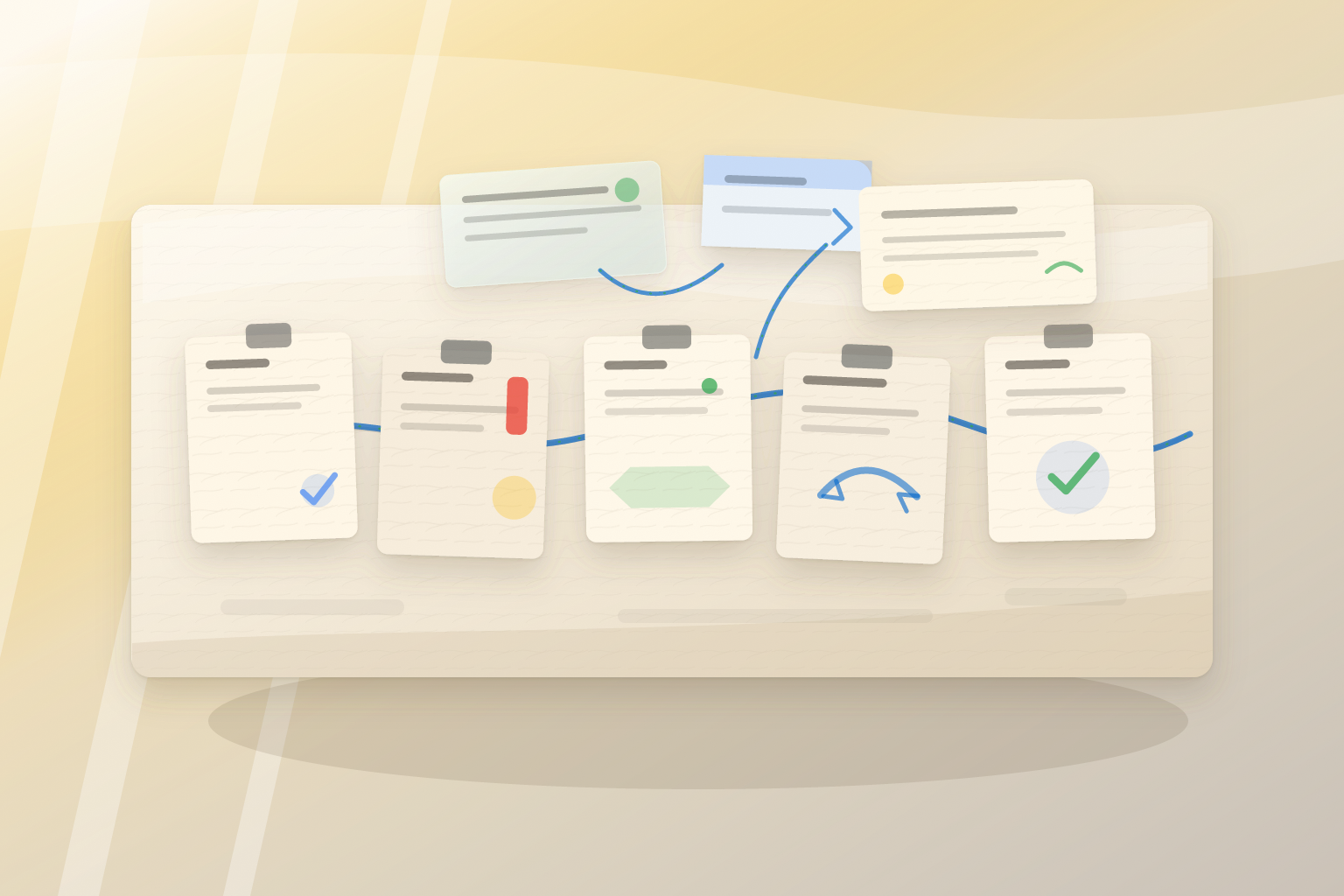
Plan for wrong account content, risky answers, failed handoff paths, suspected unauthorized edits, and disputes about whether an update was approved.
Use a lightweight incident record:
| Incident field | Purpose |
|---|---|
| Severity label | Low, medium, high, or client-defined category |
| Pause or escalate decision | Whether to pause, narrow, roll back, or send to the client owner |
| Client notification owner | Person responsible for telling the client what happened |
| Evidence captured | Conversation excerpt, change ID, affected account, timestamp, and screenshot if available |
| Remediation log | What was changed, who approved it, and when |
| Post-incident review | What owner, approval, template, or permission rule needs adjustment |
Keep human handoff at the governance level here. Name who owns handoff policy approval and who receives incident escalation. Do not rewrite trigger categories, escalation messages, routing scripts, or review workflow inside the governance record. For that deeper workflow, use a dedicated human handoff rules process.
The basic rule: if the incident changes what the assistant is allowed to say, where it sends a visitor, or who can act on the conversation, it should create a change log entry after the immediate response is handled.
Scenario: Updating One Shared Template Across Three Clients
An agency manages three branded website assistants for three clients: a local clinic group, a B2B SaaS company, and a home services company. All three use a shared lead capture template with account-specific sources, brand wording, and handoff contacts.
The agency wants to update the shared template so the assistant asks one clarifying question before routing a visitor to a person. The agency admin opens a change request and marks the affected accounts. The changed item is "shared lead capture routing template." The reason is "reduce incomplete handoff requests." The rollback note is "restore prior routing template per account."
The client approvers are different. The SaaS client approves the shared wording the same day. The home services client approves it but asks to keep its existing handoff destination. The clinic group delays approval until its operations lead reviews the wording against its intake policy.
The agency does not apply the shared update to all three accounts at once. It releases the approved version to the SaaS account, releases a version with the old handoff destination for home services, and leaves the clinic group on the prior template. The change log records each account status separately.
Before publishing, the permission owner adjusts access so only the template owner can publish shared template changes. Account managers can request edits, but they cannot apply shared behavior changes across clients.
Two days later, a risky conversation appears in the home services account. The visitor describes an emergency after the assistant asks the clarifying question. The agency captures the conversation evidence, marks the incident medium severity, notifies the client support owner, and narrows the template behavior for that account until the client confirms the preferred escalation path. The remediation log points back to the original change ID and creates a follow-up review date.
The agency did not need a broad new policy document during the incident. It needed named owners, separate client approvals, a template control rule, permission limits, a change log, and a basic incident path.
FAQ
What is ai chatbot governance for agencies?
It is the operating model an agency uses to manage several client chatbot accounts after basic setup is no longer the main risk. It covers owners, client approvals, shared template controls, change logs, permissions, review cadence, and basic incident handling across accounts.
Who should approve chatbot changes for a client account?
The approver should match the change. Source changes need a content owner. Brand behavior changes need the client brand or marketing approver. Handoff ownership changes need the support or incident owner. Permission changes need the permission owner. Shared template changes need agency review plus client approval when client-facing behavior changes.
What should a chatbot change log include?
At minimum, include change ID, date, requester, affected client accounts, changed item, reason, approver, implementation owner, rollback note, and next review date. Add incident references when a change is connected to a risky conversation or client concern.
How often should agencies review permissions?
Choose a cadence based on account risk. Monthly review is sensible for accounts with frequent edits, several users, integrations, or handoff workflows. Quarterly review may be enough for stable accounts with few users and limited changes. The key is to record the permission owner and last review date.
How is this different from chatbot security or handoff rules?
Agency governance decides who owns access, approvals, updates, records, and escalation across client accounts. Security review goes deeper on vendor data handling, retention, compliance, and procurement questions. Handoff rules go deeper on when automation stops, what the assistant says, what context is collected, and where the conversation routes.
What should agencies do first?
Pick the first governance cadence and assign owners for the highest-risk client group. Start with accounts that share templates, have the most editors, or depend on handoff and integrations, because those accounts create the most cross-client risk when governance is informal.