TL;DR
- Inspect the live widget, embedded assistant, welcome screen, footer, and shared links as separate customer-facing surfaces.
- Save screenshots with the URL, date, device, session state, account, and plan context.
- Confirm any removal option, affected surfaces, and account requirements through current official documentation or direct support.
- Choose one outcome: accept the branding, verify a documented removal route, or evaluate an alternative.
Your assistant is ready for launch, but the final signed-out review shows a vendor label that was not visible during setup. That discovery does not automatically mean the branding is permanent, nor does a clean desktop widget prove it is gone everywhere. To decide whether you can remove Powered by Chatbase from the deployment, audit every public route, preserve the conditions behind each result, and verify what the current product terms actually promise.
Key Takeaways
- A screenshot records observed behavior under specific conditions. It does not establish what a plan or contract guarantees.
- Customers may reach an assistant through several routes, so each route needs its own test.
- The strictest required public surface should determine the decision, not the best-looking result.
- Current official terms or direct support confirmation should support any decision to pay for a removal option.
- Third-party attribution may be acceptable for a pilot or internal use, but it can conflict with a customer-facing brand standard.
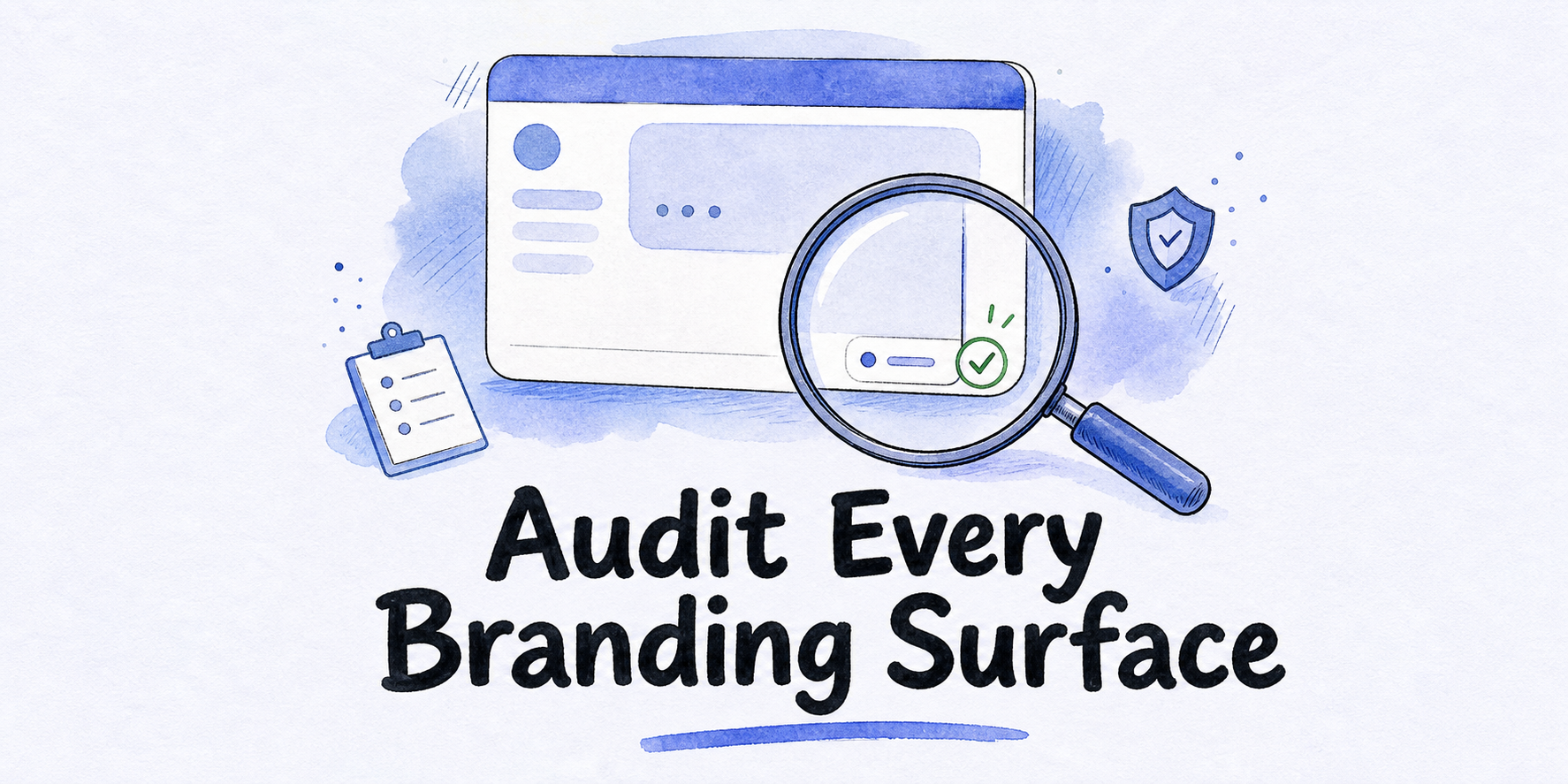
Start with a five-surface branding audit
A search for “remove Powered by Chatbase” suggests one visible badge and one setting. A live deployment can be less simple. The initial screen, an open conversation, an embedded page, and a public sharing route may present different layouts. Test them independently instead of assuming that one configuration controls all of them.
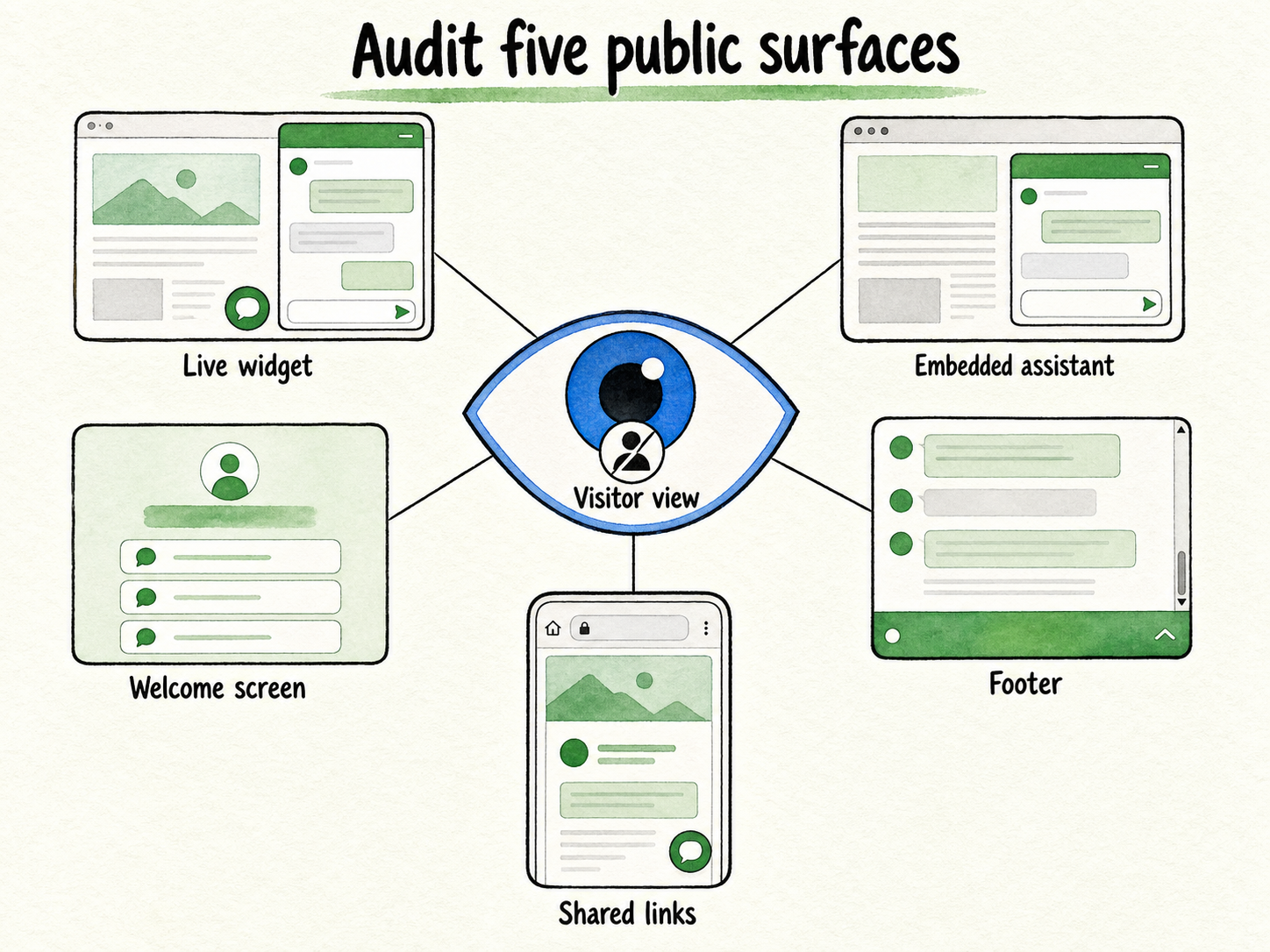
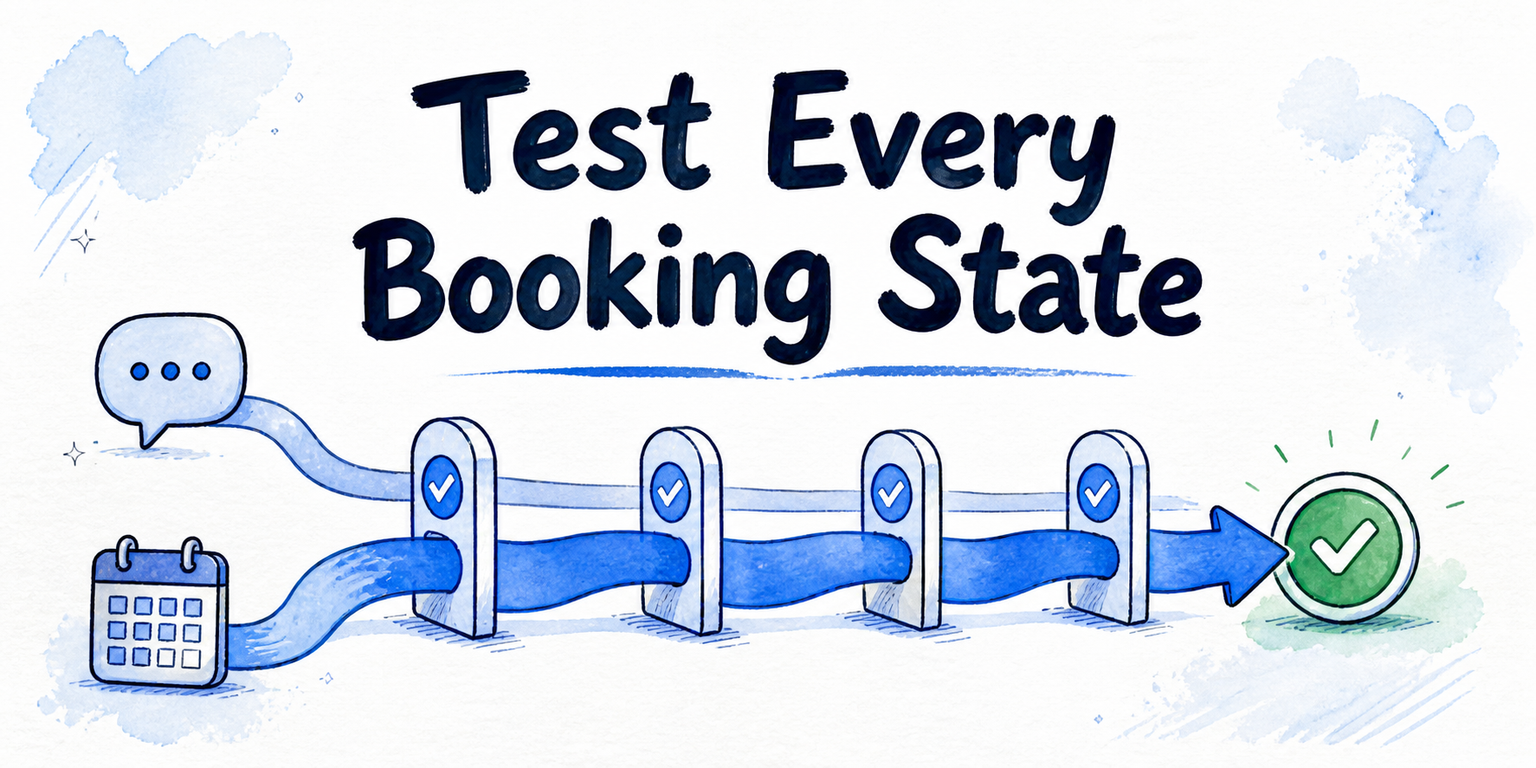
Use a published test assistant with safe sample content. Review it as a visitor, not only from an account used to configure it. Where relevant, repeat the test on desktop and mobile, in a fresh private browser session, and while signed out.
| Surface | What to inspect | Useful test states |
|---|---|---|
| Live widget | Launcher, expanded panel, header, message area, controls, and attribution near the panel edge | Desktop and mobile, before and after the first message, fresh session |
| Embedded assistant | The complete frame placed inside the website, including areas below the conversation | Wide and narrow viewport, initial load, active conversation |
| Welcome screen | Greeting, suggested questions, empty-state copy, logo, avatar, and any label shown before interaction | First visit, cleared storage, signed-out session |
| Footer | Text, badge, logo, or link at the bottom of the assistant before and after scrolling | Short and long conversation, desktop and mobile |
| Shared links | Public assistant page, page title, header, footer, browser metadata, and any vendor-owned URL or identity visible to visitors | Signed out, mobile, copied link opened in another browser |
Do not stop after finding the words “Powered by Chatbase.” Record other visible forms of attribution too, such as a vendor logo, linked badge, vendor name in a page title, or a public route that clearly presents the vendor rather than your business. Your requirement may concern all visible attribution, not one exact phrase.
Check the first-load state before sending a message. Some interface elements appear only on the welcome screen and disappear after a conversation begins. Then create a longer conversation and scroll to the bottom. This reveals footers or labels that a short test may not expose.
Also inspect the assistant in the real page layout. A website theme, cookie banner, mobile viewport, or constrained embed height can hide part of the interface during setup and expose it to customers later. The goal is not to diagnose layout code. It is to see what a visitor can actually see.
Consider an illustrative SaaS team preparing a help assistant for release. Its desktop widget shows the expected company colors and no unwanted attribution in the open panel. A product manager opens the shared link on a phone and finds a vendor label in the page footer. The widget result still matters, but it cannot approve the shared link. The team records both states and treats the shared-link requirement as unresolved.
This audit is intentionally narrow. It does not assess security, answer quality, workflow support, administrator screens, or total cost. Those factors may matter to the broader purchase, but they should not blur the immediate branding question.
Record evidence that another person can reproduce
A screenshot alone leaves too many questions. Which assistant was tested? Was the reviewer signed in? Was the image captured before or after a setting changed? Did the test use a draft preview or a public URL?
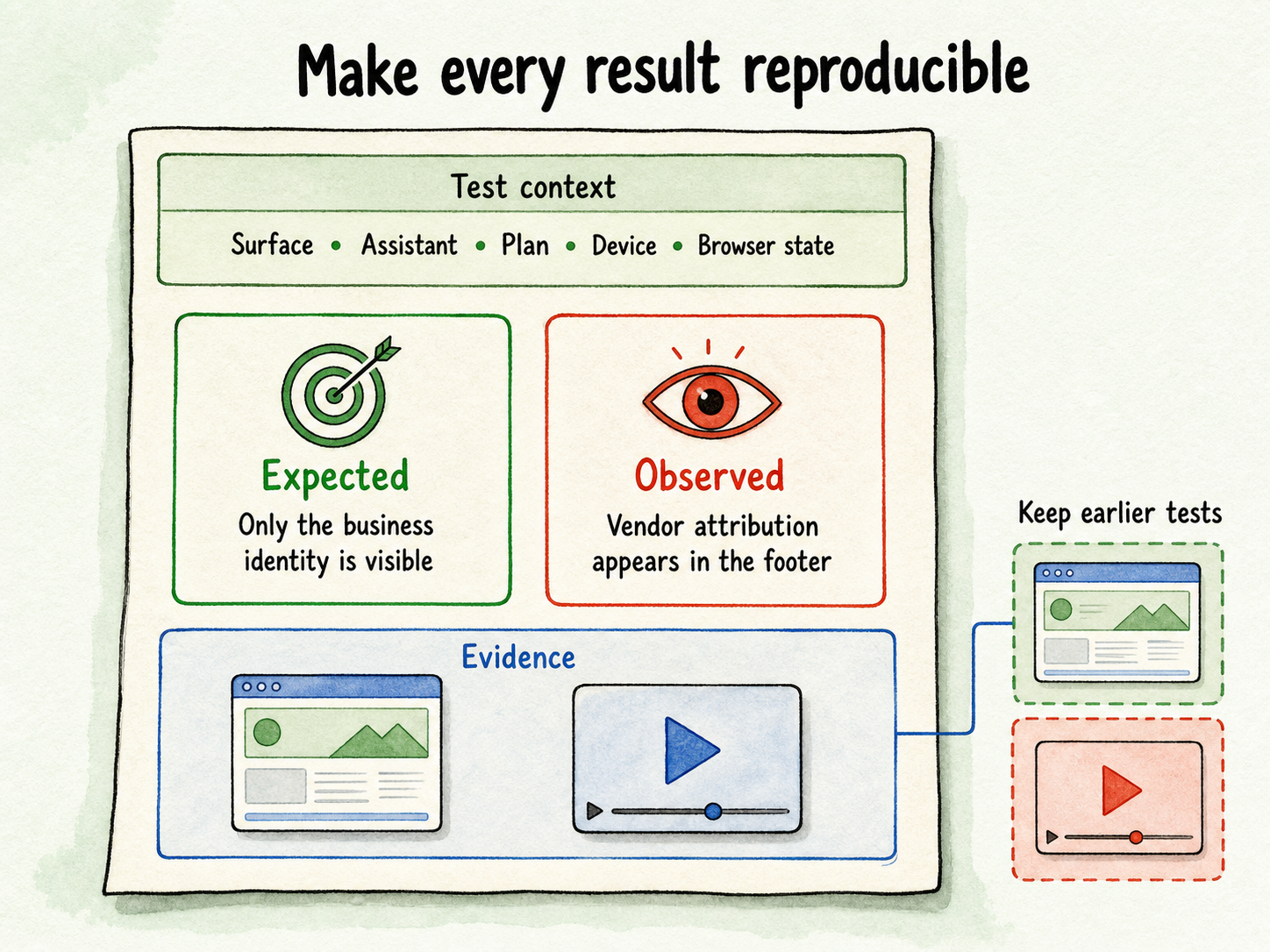
Create one record for every surface and state. A simple table is enough:
| Field | Example entry |
|---|---|
| Surface | Shared public link, footer |
| Exact URL | Saved in the private review record |
| Date and time | Date and time of the test |
| Account or workspace | Workspace used for the test |
| Plan context | Plan or entitlement shown in the account at test time |
| Assistant | Name or internal identifier |
| Device and viewport | Phone, narrow viewport |
| Browser state | Signed out, private window, fresh session |
| Expected result | Only the business identity is visible |
| Observed result | Vendor attribution appears in the footer |
| Evidence | Screenshot or short screen recording filename |
Record the plan exactly as the account displays it. Do not infer an entitlement from an old invoice, a comparison page, or another account. If a branding setting is visible, capture its label and current state too, but keep private account details out of public screenshots.
Use “observed” and “expected” as separate fields. That distinction prevents a requirement from being mistaken for a product fact. “No vendor attribution should appear on the shared link” is an expectation. “A linked vendor label appeared in the footer during a signed-out mobile test” is an observation.
For a failed check, capture enough surrounding interface to identify the surface. A tightly cropped badge may prove that text existed, but not where it appeared. For a passing check, record the full visible area. Absence is harder to demonstrate than presence, so a short screen recording that opens the public URL, starts a conversation, and reaches the footer can be useful.
Retest after any configuration or account change. Keep the earlier evidence rather than overwriting it. A before-and-after pair shows what changed and helps another reviewer reproduce the result.
This record proves only what appeared under the tested conditions. It does not prove that the behavior applies to every account, future product version, or public surface. That requires a second layer of evidence.
Verify the removal condition before changing plans
Observed interface behavior answers, “What appeared in this test?” Official documentation or direct support should answer, “What does the current product promise for this account and deployment?” Keep those questions separate.
Before assuming the badge can be removed, ask:
- Is removal of customer-visible vendor attribution currently supported for this account?
- Does the removal apply to the live widget, embedded assistant, welcome screen, footer, and shared links, or only selected surfaces?
- Is a particular plan, add-on, account state, or configuration required?
- Does the condition apply to both existing and newly created assistants?
- Are public sharing pages covered in the same way as assistants embedded on a business website?
- Does the setting remove one badge, or all visible vendor names, logos, links, page titles, and footer attribution?
- Are there contractual or usage conditions that require attribution in some cases?
- Where is the answer stated in current official documentation or account terms?
- If the documentation is unclear, can support confirm the answer in writing for the specific account and surfaces?
Save the documentation URL, relevant wording, and access date in the private evidence record. If support provides the answer, preserve the dated response with the account and assistant context. Product interfaces and commercial terms can change, so an undated recollection is weak evidence for a launch or renewal decision.
Compare that confirmation with the live audit. If the official promise says a surface is covered but the tested deployment still shows attribution, treat the difference as an issue to resolve. Do not assume the setting merely needs time, and do not assume the official promise is wrong. Provide the reproducible evidence when asking support for clarification.
Cost belongs here only as a condition to verify. Ask whether the documented removal route depends on a plan or add-on and whether it applies to every required surface. A full price comparison is a separate buying exercise.
Treat visible vendor branding as a customer-experience decision
Visible attribution affects who appears to own the interaction. If an assistant answers inside a product, support page, or sales experience, customers may connect the visible vendor name with that interaction. That may conflict with a business that wants the assistant to look and feel like part of its own service.
SaaS teams often apply a strict standard when the assistant sits inside their product or documentation. Their logo, colors, terminology, and public domain establish one identity. An unrelated vendor label can make the experience feel externally supplied, even when the underlying service works as intended.
Client-facing agencies and service businesses can face the same issue because the assistant is presented to another organization’s customers. The practical concern is ownership and consistency, not a claim that any badge automatically reduces trust. If the public experience is supposed to represent the client or service provider, visible third-party branding needs explicit acceptance.
The stricter recommendation does not apply everywhere. Vendor attribution may be acceptable during an internal test, a short pilot, a transparent demonstration, or a deployment where disclosure is intentional. A small business may also decide that the badge has no meaningful effect on the experience it wants to provide.
Write the branding requirement before judging the result. For example: “No vendor name, logo, badge, link, or vendor-owned public identity may appear on the website widget or shared assistant page.” Another business might require only that its website embed use its own colors and avatar. The audit result can be identical while the correct decision differs.
Use a branding-fit gate to choose the next move
Once the five surfaces are tested and the removal conditions are verified, choose one of three outcomes. Keep this gate focused on branding fit.
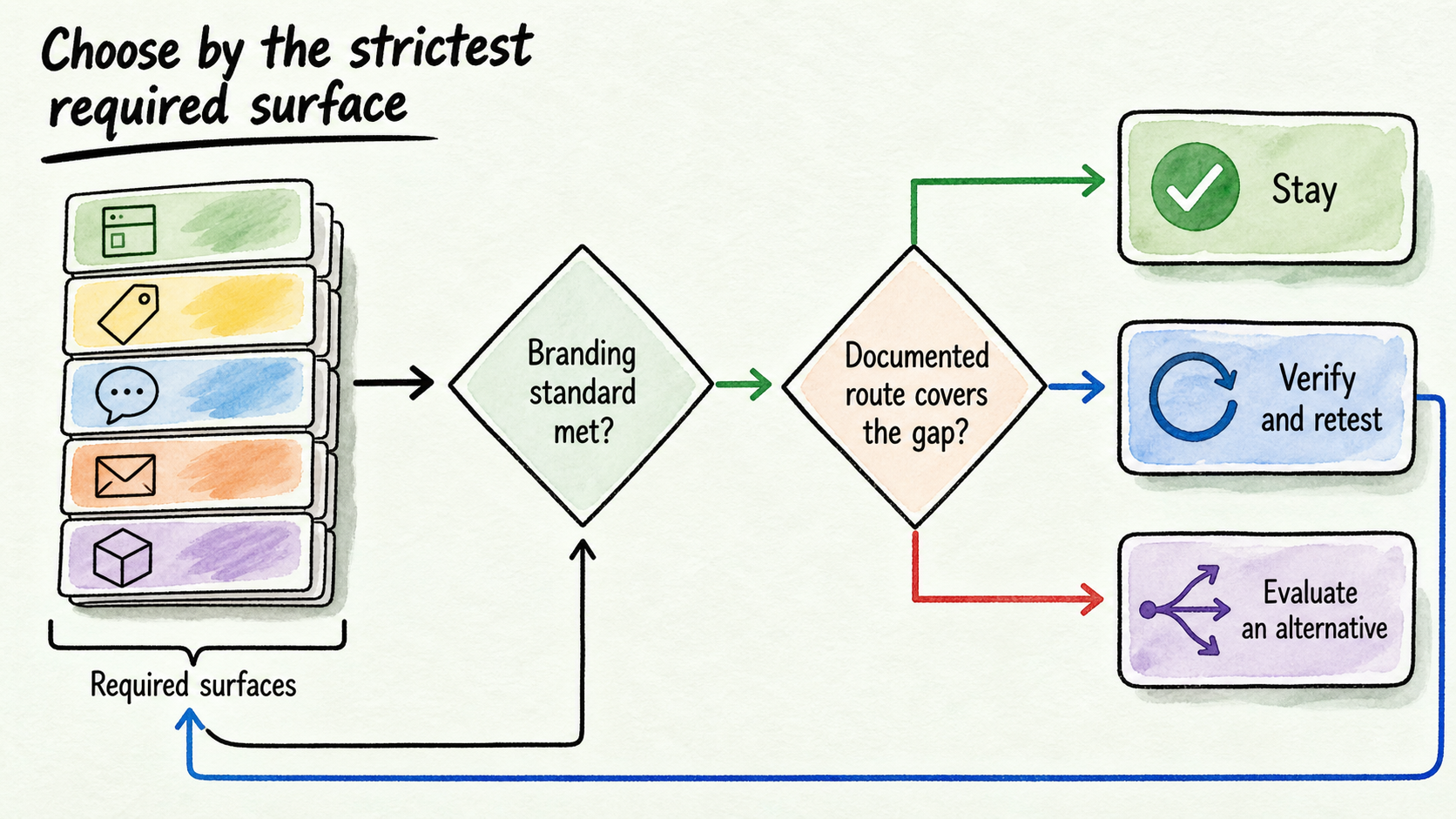
Stay with the current deployment when every required public surface has been tested and the observed attribution is acceptable. This can include a deliberate decision to retain visible vendor branding. Record that acceptance so a later reviewer does not treat the same result as an overlooked defect.
Verify an upgrade, add-on, or configuration route when current official terms identify a path that appears to cover the failed surfaces. Confirm the exact coverage before paying or changing the account. Then repeat the same tests. A setting is not the final result; the signed-out public experience is.
Begin evaluating an alternative when a required customer-facing surface remains incompatible with the written branding standard, no suitable removal route can be confirmed, or the available condition does not cover the deployment. Stop at that decision. Comparing security, setup, workflow support, and total cost belongs in a broader vendor review.
Apply the gate to the strictest required surface. In the earlier SaaS example, the clean desktop widget cannot offset a shared link that customers must use and that fails the stated requirement. If shared links are optional and will never be distributed, the team may exclude that route, but it should document the boundary rather than quietly ignore the result.
Use this compact approval check:
- Have all required public surfaces been identified?
- Has each surface been tested in the visitor states customers will use?
- Can another person reproduce every result from the saved record?
- Do current official terms support any claimed removal condition?
- Does observed behavior match that documented condition?
- Has the business explicitly accepted any remaining attribution?
If every answer is yes, approve the branding fit. If a documented route may solve a gap, verify it and retest. If a required surface still fails, begin evaluating an alternative.
Test InsertChat against the same branding requirement
If the gate points toward evaluation, keep the next test proportional. InsertChat positions its assistants as operating under the customer’s brand and supports branded appearance through customer colors and an avatar. Its public path lets buyers Start for Free with a branded assistant.
Treat that positioning as a reason to test, not proof that every surface will meet your requirement. Create a test assistant and repeat the same five-surface audit. Check the live widget, embedded view, welcome screen, footer, and any shared public route. Use the same desktop, mobile, signed-out, and fresh-session conditions where applicable.
Save the results beside the Chatbase evidence. Comparable records are more useful than two sets of marketing claims because they show what each tested deployment presented to a visitor. Verify any plan conditions or coverage promises before making a purchase decision.
Do not infer price superiority, complete feature parity, or guaranteed removal from this branding test. The immediate job is narrower: confirm whether the customer-facing identity meets the written standard. If it does, the next step is a separate review of the other requirements that matter to the business.
FAQ
Can the Powered by Chatbase badge be removed?
Do not rely on a universal yes or no. Check the current account, test every required public surface, and verify the applicable removal conditions through current official documentation or direct support. Availability, account requirements, and surface coverage can change.
Which customer-facing surfaces should I check?
At minimum, check the live widget, embedded assistant, welcome screen, footer, and shared links. Review the initial state and an active conversation. Repeat relevant checks on desktop and mobile, while signed out, and in a fresh browser session.
Is one screenshot enough to confirm that Chatbase branding is removed?
No. One screenshot confirms only one visible state under one set of conditions. Record the URL, surface, account, plan context, date, device, viewport, browser state, expected result, and observed result. Test other routes independently.
Should I change plans or evaluate an alternative?
First verify whether a current, documented plan or add-on condition covers every surface your deployment requires. If it does, confirm the condition and retest. If a required surface remains incompatible with the branding standard, begin evaluating an alternative. Do not change plans based only on an assumption or comparison-page claim.
How should I test a branded-assistant trial?
Write the branding requirement first, then run the same five-surface audit used for the current deployment. Capture comparable evidence and verify any commercial conditions separately. Approve the trial only when the public experience, not merely the configuration screen, meets the requirement.