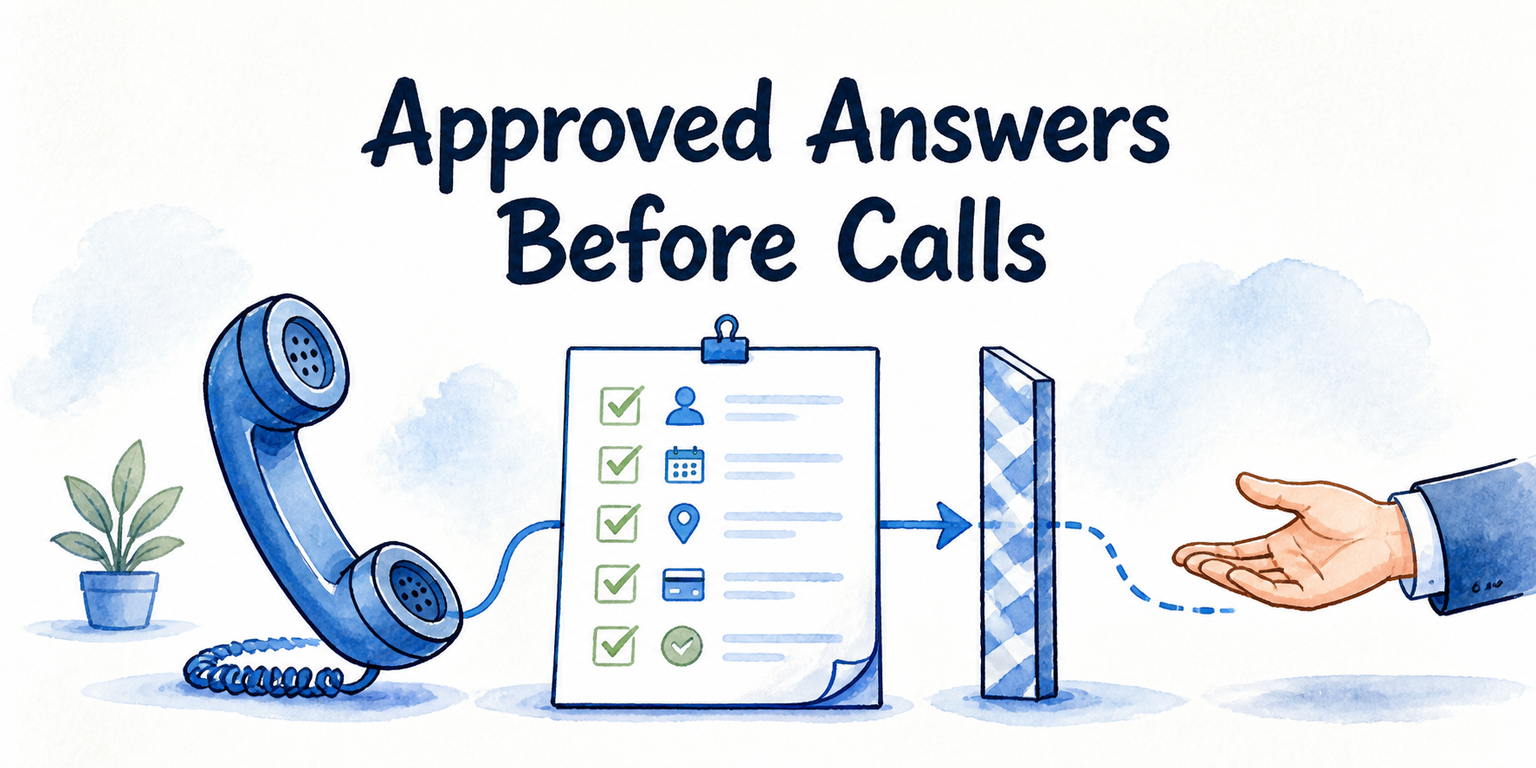
TL;DR
- Inventory the real questions callers ask about hours, locations, services, prices, availability, appointments, policies, existing accounts, and urgent needs.
- Classify every need as state, collect, act, or escalate. A call may move through several classes, but each step needs an explicit boundary.
- Treat websites and documents as candidate sources until an owner confirms that they are current and approved for spoken answers.
- Record one canonical answer, its owner, permitted actions, exclusions, and a safe fallback for each in-scope question.
- Do not let the receptionist resolve missing or contradictory guidance by guessing. Narrow the answer, collect what is needed, or route the request.
- Wait to configure the live workflow until sources, owners, representative questions, exclusions, and escalation destinations are documented.
Uploading a website is not the same as approving a phone receptionist. A page may be outdated, a price may depend on the caller’s situation, or a policy may omit the exception someone will ask about first. The practical fix is a call-ready source register: one record showing what the receptionist may say, what it may collect, what it may do, and where the call goes when approved information runs out.
Key Takeaways
- Available does not mean approved. A public page can be useful without being the final authority for a spoken answer.
- Every caller need requires a handling class and a final human owner, even when the receptionist can complete the routine path.
- Variable prices and account-specific questions need tighter boundaries than stable facts such as published opening hours.
- When no approved guidance exists, the safe response is to collect and route—not infer a policy.
- Information readiness is an operating decision. Source volume alone does not make a phone workflow dependable.
1. Inventory the Questions Callers Actually Ask
Start with caller demand, not your navigation menu. Page titles reflect how a business publishes information; callers describe the situation they want resolved. “Are you open?” may mean normal hours, holiday hours, the hours of a particular location, or whether someone can accept an urgent request now.
Create one inventory row for each distinct caller question. Cover at least these categories:
- Hours: normal, weekend, holiday, and service-specific hours.
- Locations and service areas: addresses, directions, accessibility, remote service, and geographic limits.
- Services: what is offered, who it is for, prerequisites, and exclusions.
- Prices: fixed fees, starting prices, estimates, deposits, discounts, and questions whose answer varies.
- Availability: whether a service, person, slot, or resource is currently available.
- Appointments: booking, rescheduling, cancellation, preparation, and late-arrival rules.
- Policies: refunds, cancellations, eligibility, privacy, payment, and service conditions.
- Existing-customer needs: booking changes, order or case status, billing questions, and complaints.
- Urgent requests: situations that may require immediate human or specialist attention.
Write questions in callers’ language. Include short and incomplete forms such as “Saturday?” or “Can I come today?” alongside complete versions. At this stage, you are mapping demand—not deciding that the receptionist should answer everything on the list.
2. Classify Every Need: State, Collect, Act, or Escalate
Assign each inventory row one or more handling classes. This turns a list of topics into a clear authority model.
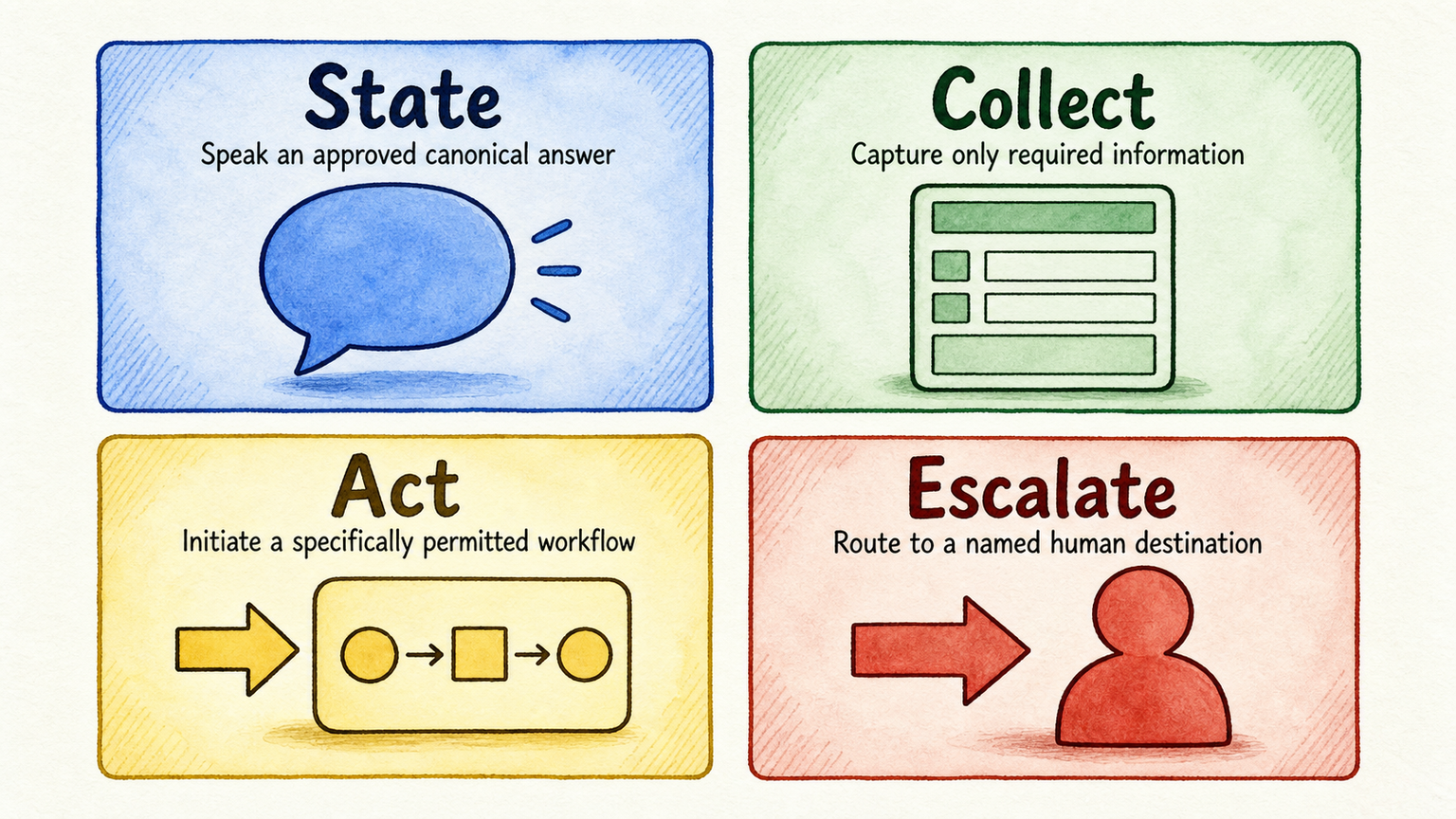
- State: Speak a current, canonical answer approved for callers. Example: state the published opening hours for a named location.
- Collect: Capture only the information required for the next approved step. That might include a name, callback detail, preferred location, service need, or requested time.
- Act: Initiate a specifically permitted workflow, such as offering an approved booking path. Define what the action can change and what confirmation the caller receives.
- Escalate: Transfer or assign the request to a named human destination. Include a fallback for times when that person or team is unavailable.
A single call can move through several classes. For a routine appointment request, the receptionist might state service hours, collect contact details and the requested service, then initiate booking. If the caller asks for an exception to an eligibility rule, the path changes to escalation.
For every stage, record the answer boundary and final owner. “Can book appointments” is too broad. “May offer available consultation slots for new customers, but may not override eligibility rules or promise a particular practitioner” is operationally useful.
3. Build the Call-Ready Source Register
The register connects each caller question to the information and authority needed to handle it. A spreadsheet is enough if every row remains owned and reviewable.
Use these fields:
| Field | What to record |
|---|---|
| Caller question | The caller’s likely wording and the underlying need |
| Approved source | The page, document, policy, system, or structured record authorized for this answer |
| Canonical answer | The exact business fact the receptionist should communicate |
| Source owner | The person responsible for accuracy and resolving conflicts |
| Freshness check | The last review point or event that triggers another review |
| Permitted answer | What may be stated without additional approval |
| Permitted action | What the receptionist may initiate or change |
| Answer boundary | Conditions, exceptions, and claims it must not make |
| Fallback | What to say or collect when the answer cannot be given |
| Escalation destination | The person, team, queue, or approved procedure that owns the next step |
For example, a Sunday-hours row could name the approved location page, the canonical spoken hours, the operations owner, and its last review point. The receptionist may state those hours but may not promise an exception. If a caller asks about special access outside those hours, it collects the approved callback details and routes the request.
Can an AI receptionist learn from a website and documents? Yes, when the chosen platform supports those formats—but connection is only the ingestion step. InsertChat can use approved websites, PDFs, documents, FAQs, policies, and other business content. It can also restrict answers to approved sources and provide citations, with source rules and fallbacks configured for the assistant (InsertChat source capabilities). Your team still decides which source is canonical, current, and suitable for phone use.
Keep the register phone-specific. A long policy document may be an approved source, yet its spoken answer may need a concise canonical summary plus a boundary for exceptions. The document remains the authority; the summary controls what callers hear.
4. Set Rules for Unsafe Information States
Do not handle every source problem with the same generic refusal. Define a rule for each common failure state.
Contradictory sources: An owner must choose the canonical source. If a service page and a newer rate sheet disagree, do not let the receptionist select whichever passage it retrieves. Hold the disputed answer until the owner resolves it, or use an approved fallback that avoids quoting a settled figure.
Stale pages: Exclude them until the owner reviews or replaces them. Do not invent a universal review interval; the right trigger depends on how the information changes. Holiday hours may need event-based review, while a stable location address may be checked when operations change.
Absent policies: Do not infer a rule from a similar service, common industry practice, or an employee’s informal habit. Collect the minimum information needed and route the question to the policy owner.
Variable prices: Approve one of three paths: a truthful range, a qualification rule that determines the price, or a human quote. Never turn “starting at” into a guaranteed total.
Account-specific questions: Require approved identity verification, permitted system access, and a defined data boundary before answering. Without those controls, escalate rather than disclose or modify account information.
Urgent or high-stakes requests: Follow the business’s approved specialist or emergency procedure. The receptionist must not create its own definition of urgency, improvise professional guidance, or promise a response that the business has not authorized.
Keep refusal language brief: explain the boundary, collect only permitted details, and state the approved next step. Detailed scripts and transfer trees belong in the relevant operating policy.
5. Audit a Small Appointment Business
Consider a hypothetical appointment studio. Use your actual hours records, service descriptions, rate sheets, booking rules, policies, customer system, and escalation contacts when applying this audit.
| Caller need | Handling | Readiness finding | Required fix |
|---|---|---|---|
| “Are you open Saturday?” | State | Current location page and canonical hours are owner-approved | Ready; retain the review trigger |
| “Can I book an introductory appointment?” | Collect, then act | Service eligibility and bookable calendar path are approved | Define the minimum details to collect and the booking confirmation |
| “Can I arrive late?” | State or escalate | Website wording conflicts with a newer internal policy | Operations owner selects the canonical rule; exclude the answer until resolved |
| “How much will my session cost?” | State or collect | Price depends on service length and selected option | Approve a range or qualification path; otherwise route for a quote |
| “Move my existing booking” | Act or escalate | Requires account lookup and identity verification | Approve access and verification or route to the booking team |
| “I need help immediately” | Escalate | No approved urgent-request procedure is attached | Policy owner defines the appropriate destination and unavailable-person fallback |
This business is not ready to answer every inventoried question. It can keep the stable hours and standard new-booking path in scope while owners resolve the remaining rows. Narrowing the first workflow is a valid decision; allowing ambiguous answers is not.
The fixes are concrete: operations resolves the late-arrival contradiction, the service owner approves the pricing boundary, the booking owner defines verification and permissions, and the appropriate policy owner approves urgent-request handling. No invented benchmark is needed to see what remains blocked.
6. Pass the Information-Readiness Gate
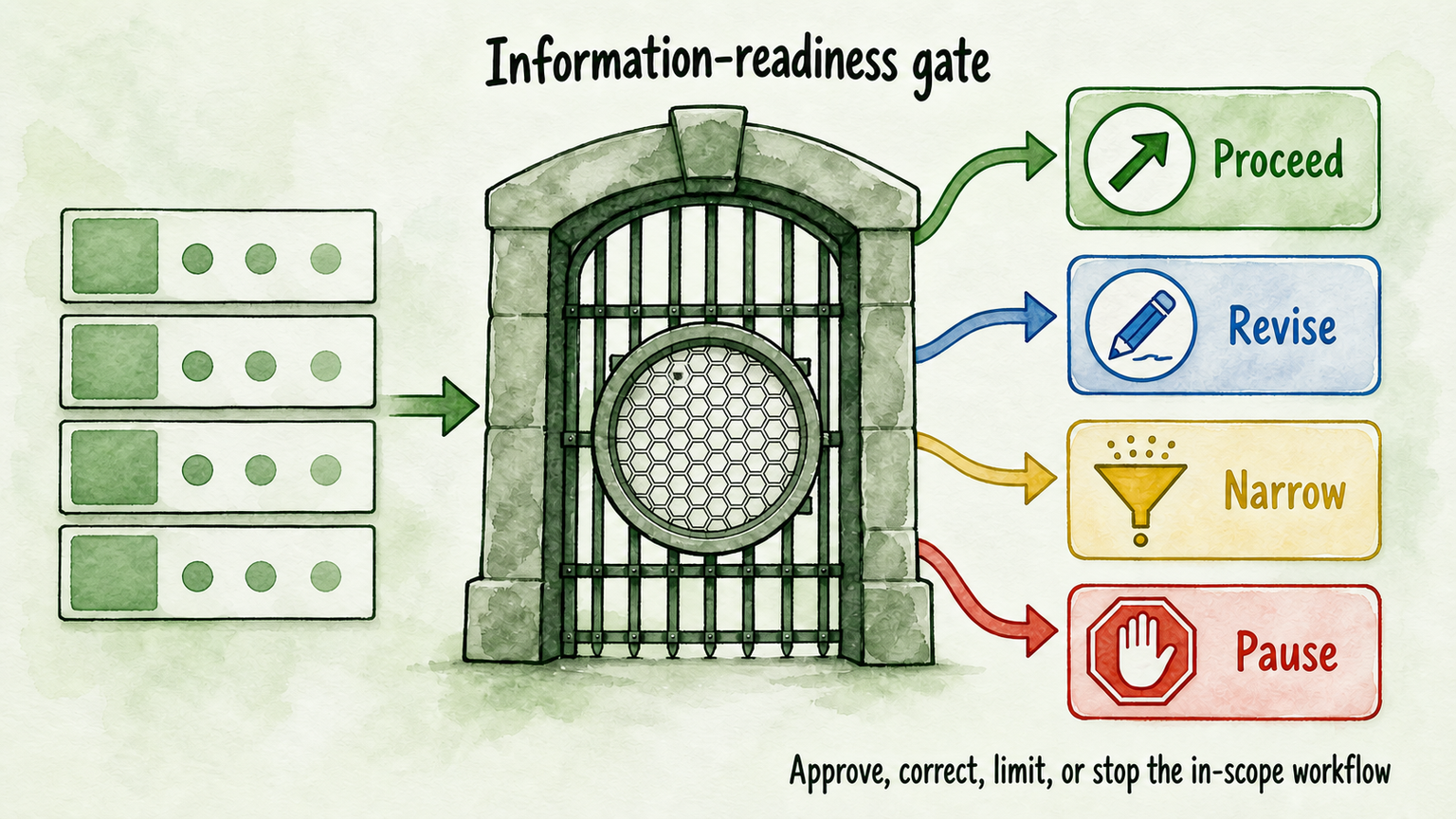
Before configuration, review the register as a go/no-go gate. Every in-scope row should meet all of these conditions:
- A current, approved source supports the answer.
- The canonical answer and its boundary are explicit.
- The source owner and follow-up owner are named.
- Any permitted collection or action is narrowly defined.
- Excluded questions and prohibited claims are documented.
- Contradictions affecting material answers are resolved.
- The escalation destination is reachable, with an approved fallback when unavailable.
- Representative questions include complete, paraphrased, and incomplete caller wording for the later testing stage.
Use four outcomes. Proceed when all in-scope rows pass. Revise when the workflow is sound but specified sources or rules need correction. Narrow when a safe subset can move forward while unresolved needs remain excluded. Pause when material answers, owners, or escalation destinations are missing.
What should an AI receptionist refuse or escalate? It should not provide an answer outside its approved sources and boundaries. It should route contradictions, unresolved policies, unsupported price promises, unauthorized account requests, exceptions requiring judgment, and urgent or high-stakes needs according to approved business procedures.
Complete the register for one bounded, non-sensitive phone workflow first. Then, if InsertChat fits your operating requirements, Start for Free and use the trial to connect the approved sources, configure boundaries, and prepare the representative questions for testing. Configuration should implement the decisions in the register—not substitute for them.