TL;DR
- Start with the client’s verified operational problem, not a feature list or a generic argument for AI.
- Show the current workflow beside the proposed workflow so the buyer can see what changes and where people remain responsible.
- Define one audience, one visitor job, approved information sources, exclusions, and the human handoff point.
- Distinguish demonstrated capabilities from client evidence and outcomes that still need to be tested.
- State the content, owners, access, review steps, and security answers required before promising a timeline.
- End by asking the client to approve a bounded pilot—or the discovery work required to define one credibly.
A qualified prospect rarely needs another explanation of what a chatbot is. They need a reason to believe that a specific workflow can improve without creating an accuracy, support, or governance problem elsewhere. A useful pitch deck therefore acts as a decision path: each slide removes one uncertainty between a recognized operational problem and approval of a controlled next step.
Key Takeaways
- Lead with one business outcome, then introduce only the capabilities needed to support it.
- Keep the initial assistant focused on one visitor job and a small set of approved business information.
- Make human ownership visible wherever the assistant must stop, escalate, or defer.
- Label baselines, timing, security answers, and expected outcomes according to what has actually been verified.
- Give every slide one job and a natural transition to the next buyer question.
- Ask for one decision at the end. The pitch deck should not try to double as a complete proposal, quote, or implementation plan.
Use a 10-Slide Decision Chain, Not a Feature Tour
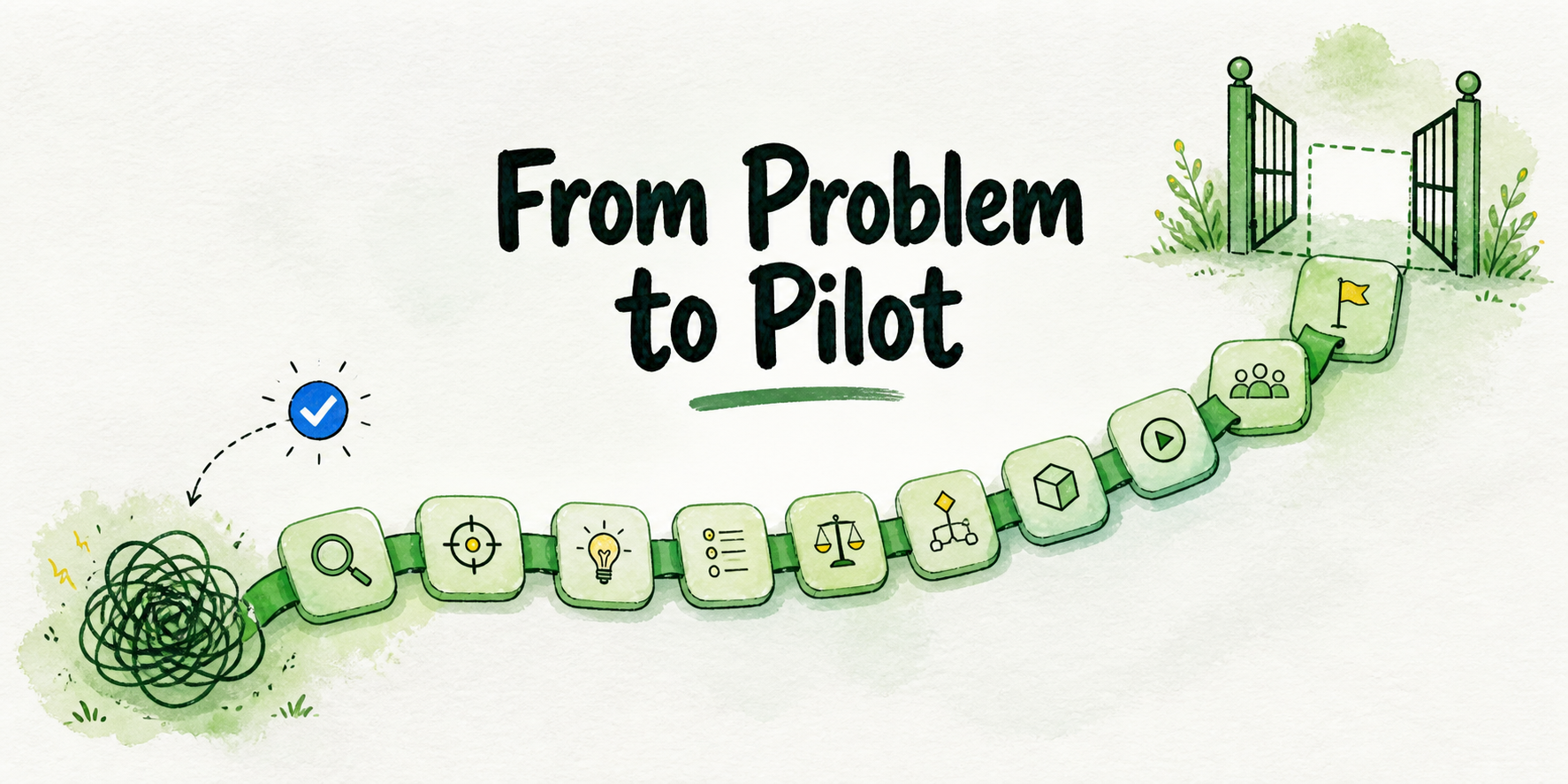
A feature tour asks the buyer to assemble the business case themselves. A decision chain does that work for them. It starts with a problem they already recognize, shows the proposed operational change, limits the promise, and identifies what must be tested before broader deployment.
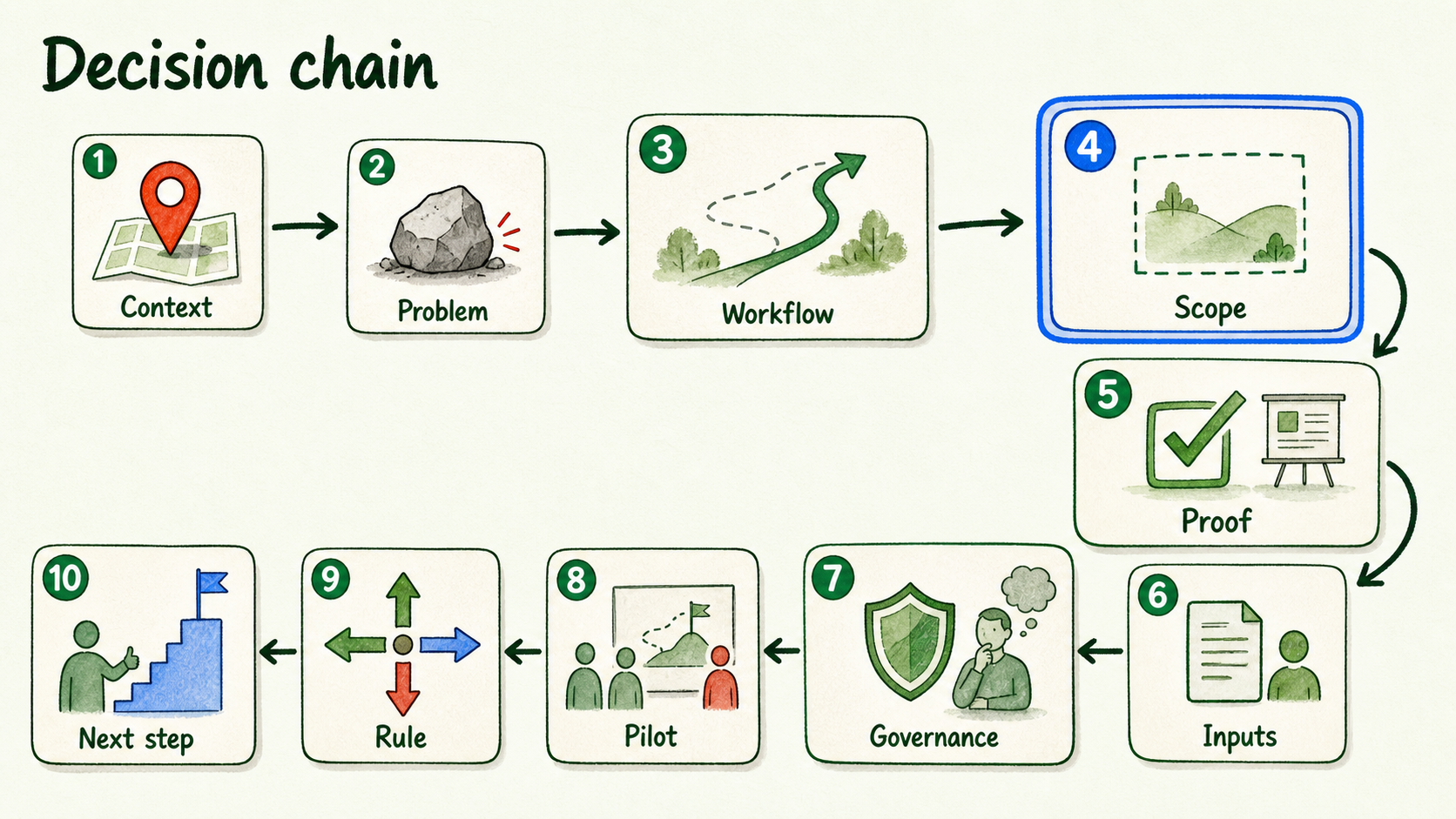
Use this sequence:
- Client context: Why is this workflow under review now?
- Problem and consequence: What recurring friction deserves attention?
- Before-and-after workflow: What changes for the visitor and the team?
- Assistant scope: What will the assistant handle, refuse, and hand off?
- Workflow proof: What can be demonstrated, and what remains a hypothesis?
- Inputs and timing: What must the client provide, approve, or enable?
- Security, data, and support: Which governance questions are settled, and which require review?
- Pilot evidence: What will the team observe during a controlled test?
- Decision rule: What would justify proceeding, narrowing, fixing inputs, or pausing?
- Next step: What specific approval is needed now?
The test for every slide is simple: Which buyer uncertainty does this remove? If a slide merely lists models, channels, integrations, or design options without advancing the decision, cut it or move it to an appendix.
This structure is a practical working architecture, not a universal law. A complex procurement process may require supporting material, while a small owner-led business may need fewer slides. Keep the decision sequence even when you adjust the format.
Slides 1–2: Establish the Problem and Its Consequence
Slide 1 should locate the opportunity inside the client’s operation. Name the affected audience, the recurring situation, and the person or team that currently owns it. “Improve customer experience with AI” is too broad. “Help service-page visitors get approved answers before they contact the booking team” is reviewable.
Slide 2 should explain why the current path deserves attention. Use the client’s records where they exist: conversation logs, support categories, form submissions, call notes, search terms, staff observations, or website journeys. Do not add a percentage, cost, missed-lead estimate, or response delay simply because the slide looks stronger with a number.
A hypothetical example: a home-services company repeatedly receives questions about service areas and appointment preparation. Its website spreads the answers across several pages, so visitors search, leave, or contact staff. The real deck should use that client’s actual question records, page paths, response process, and workflow owner—not invented volumes or savings.
The transition to Slide 3 is: If this is the current friction, what would a better path look like?
Slide 3: Show the Before-and-After Workflow
Make the operational change visible in a simple side-by-side diagram. Avoid technical architecture unless the buyer needs it to make the current decision.
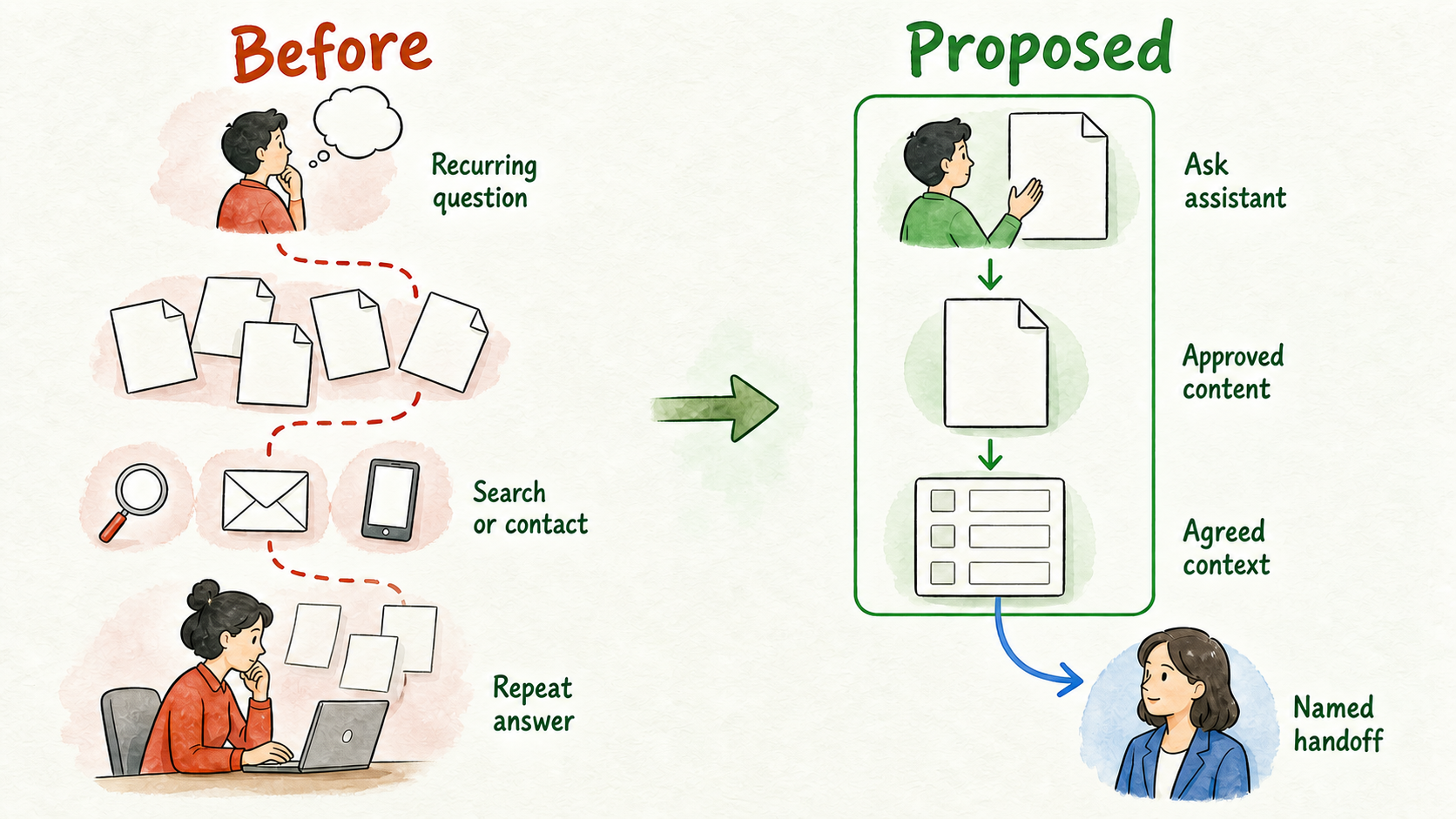
| Before | Proposed bounded workflow |
|---|---|
| Visitor arrives with a recurring question | Visitor asks the assistant on a relevant page |
| Visitor searches several pages or contacts staff | Assistant answers from approved business content |
| Staff reconstruct context and repeat a standard answer | Assistant collects only the agreed context |
| Staff handles both routine and exceptional cases | Routine questions follow the defined path; exceptions go to a named person |
| Next action varies by employee or channel | Visitor receives the agreed next step or handoff |
Include five elements: the trigger, current path, proposed assistant step, human handoff, and next action. This is still a proposed workflow, not evidence that the client will save time, capture more leads, or improve conversion.
The mechanism matters because buyers can evaluate a process more easily than a promise. They can point to a missing owner, an unsafe decision, or a step that should remain human before the project advances.
The transition to Slide 4 is: Which parts of this workflow are actually inside the assistant’s boundary?
Slide 4: Define What the Assistant Will and Will Not Do
This slide prevents “chatbot” from becoming shorthand for every customer-facing task. Define the first assistant with six fields:
- Audience: Who will use it?
- Visitor job: What is the one task or question category it supports?
- Approved sources: Which current pages, policies, documents, FAQs, or structured information may inform its answers?
- Included paths: Which answers, intake steps, or next actions are permitted?
- Exclusions: Which topics, decisions, and sensitive cases remain outside scope?
- Handoff: What triggers escalation, and who receives it?
For the hypothetical service-business example, the assistant might answer approved service-area and preparation questions, then collect basic contact details for a booking request. It would not create custom prices, interpret policy exceptions, confirm availability, or make a safety-sensitive judgment. Those cases would go to the named booking or support owner.
This boundary does more selling work than an oversized capability list. It shows that the service has been designed around control, not autonomy. It also creates a clear basis for the proof slide: the demonstration can now test a known job instead of showcasing unrelated features.
The transition to Slide 5 is: Can this bounded workflow be demonstrated without treating a demo as proof of business impact?
Slide 5: Prove the Workflow Without Overclaiming
A credible proof slide separates three things that weak decks often blend together:
- Verified capability: What the selected platform can demonstrably do.
- Client evidence: What is already known about this client’s questions, content, systems, and staff workflow.
- Pilot hypothesis: What the proposed workflow may improve but has not yet established.
For example, demonstrate an assistant answering a real question from an approved client page. Show the source boundary, the answer, and what happens when the question falls outside scope. If the handoff path has been configured, show it. If it has not, label it as a pilot requirement instead of describing it as complete.
InsertChat can be considered here as the underlying platform for a branded, source-grounded assistant. Keep the presentation focused on the client workflow: approved content, controlled behavior, human ownership, and the deployment surface required for the pilot. Do not turn the slide into an inventory of every available channel, model, or integration.
Product evidence does not prove a client outcome. A working answer from approved content can support the feasibility of that answer path; it cannot establish future savings, accuracy across every question, or business impact. Those questions belong in the pilot.
The transition to Slide 6 is: What must be true on the client side to implement and test this workflow?
Slide 6: State Client Inputs and Timeline Assumptions
Avoid presenting implementation as a timer that starts when the client says yes. The schedule depends on the readiness of the content, owners, access, integrations, review path, and governance requirements.
At presentation depth, show the dependencies without expanding them into a full project plan:
- Approved, current content for the selected question category
- A person authorized to approve answers and exclusions
- A named owner for escalated conversations or requests
- Access to the selected page, channel, or relevant system
- Any integration dependency required by the bounded workflow
- Real test questions and an agreed review method
- Security or procurement review when the deployment requires it
Present timing as conditional phases: confirm scope and sources, configure the workflow, test with real questions, resolve material issues, and decide whether to proceed. Add dates or durations only after the responsible people have confirmed the inputs and review windows.
A small website pilot based on ready content is not comparable to a workflow involving private account data, custom integrations, phone handling, regional requirements, or formal procurement. The slide should make that distinction visible without becoming a detailed onboarding or implementation procedure.
The transition to Slide 7 is: Before anyone commits, which data, access, and support conditions need confirmation?
Slide 7: Put Security, Data, and Support Questions in the Open
Treat governance as part of the workflow, not a defensive appendix. The right slide does not declare the deployment “compliant” or attempt to resolve every concern inside the deck. It shows which questions have clear answers and which need current, deployment-specific review.
Organize the slide around the proposed use case:
- What information will visitors provide?
- Which approved sources will the assistant use?
- Which people can access sources, settings, and conversations?
- Which model provider and connected tools are involved?
- Where do prompts and relevant context go during processing?
- Who reviews difficult cases, and who owns human escalation?
- What support path applies when the assistant or an integration fails?
- Which retention, deletion, residency, export, subprocessor, or incident requirements must be verified?
Be explicit that prompts and relevant context may be transmitted to the selected model provider. Do not promise a retention period, storage region, export outcome, post-cancellation treatment, or regulated-data suitability unless it has been confirmed for the actual deployment and terms.
If security or procurement teams require documentation, route those questions to a scoped review. The objective of this slide is not to force an instant yes. It is to identify what must be resolved before the buyer can make a responsible commitment. Detailed responses to accuracy, security, budget, staffing, readiness, maintenance, and poor-fit concerns belong in separate objection-handling work, not in this presentation outline.
The transition to Slide 8 is: Given these operating boundaries and open verification items, what evidence should a controlled pilot produce?
Slides 8–9: Define Pilot Evidence and the Decision Rule
Slide 8 turns the pitch from a prediction into a test. Choose evidence that matches the bounded workflow rather than borrowing a generic chatbot benchmark.
For an approved-answer workflow, review whether the assistant:
- Answers representative questions using the approved information
- Declines or routes questions outside its boundary
- Preserves a usable next step for the visitor
- Gives the human owner enough context to continue
- Reveals missing, stale, or contradictory business content
Agree on the actual test set and acceptable standard with the client. There is no universal accuracy rate, containment target, lead target, savings figure, or ROI threshold that can be inserted credibly without workflow-specific evidence.
The transition to Slide 9 is: How will the client act on the evidence the pilot produces?
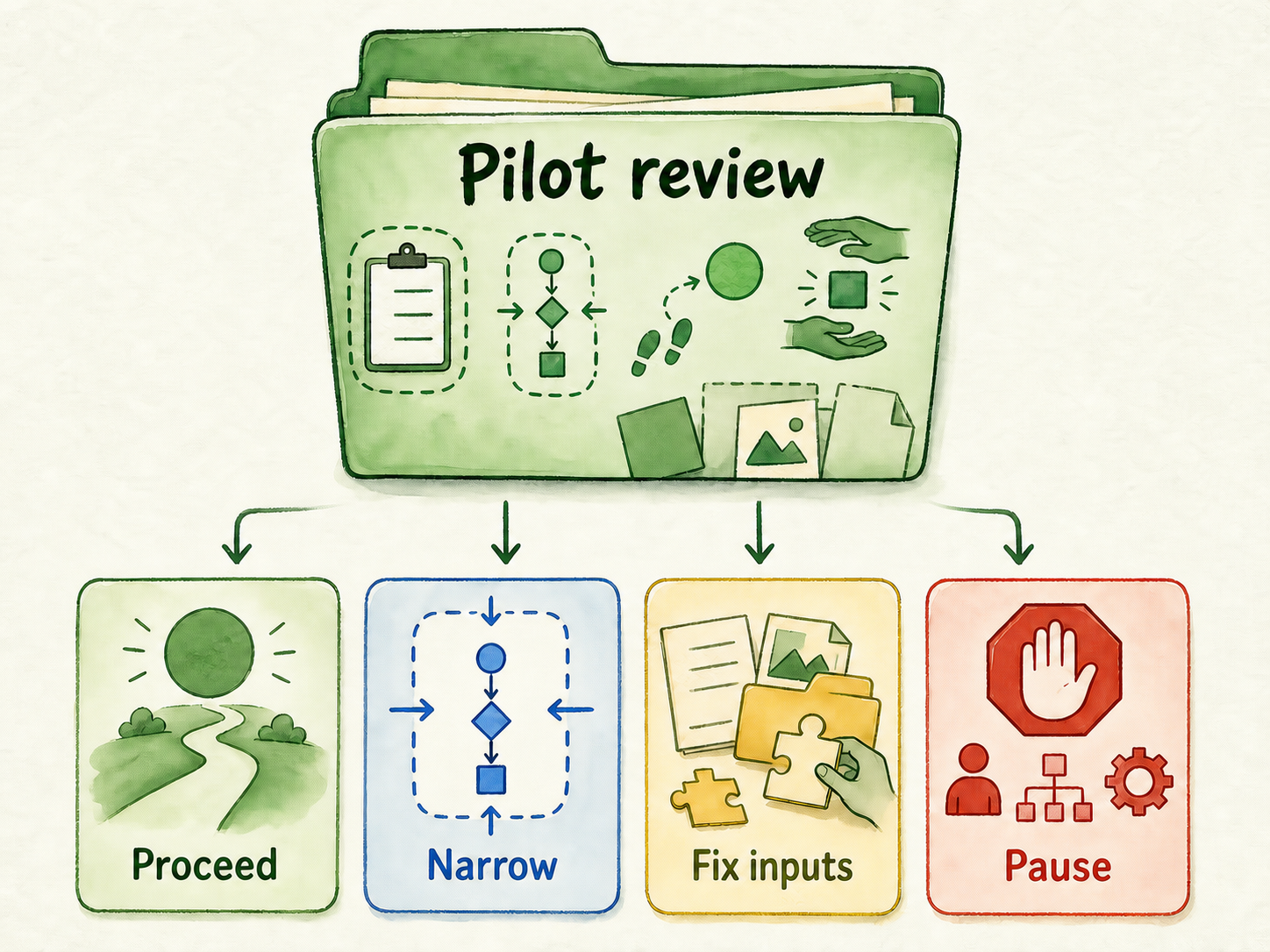
Slide 9 states what happens after review. Keep the rule operational:
- Proceed when the bounded workflow performs reliably enough for the agreed use and ownership is working.
- Narrow when part of the scope works but some question categories or actions create avoidable risk.
- Fix inputs when failures come from missing content, conflicting guidance, unclear approvals, or an incomplete handoff path.
- Pause when the workflow depends on unsupported decisions, unavailable owners, unresolved governance requirements, or unready systems.
This decision rule prevents the pilot from becoming an indefinite experiment. It also protects the client from interpreting a polished demonstration as proof that broad deployment is ready.
The transition to Slide 10 is: Which single approval will move this bounded workflow to its next responsible stage?
Slide 10: Ask for One Concrete Next Step
Close with the smallest decision that logically follows from the deck. Usually that is approval of a bounded pilot brief or approval of the discovery work needed to define one.
State:
- The decision requested
- The client owner and delivery owner
- The content, access, and test questions required before work begins
- The security, support, or technical items still awaiting verification
- The next review point, using a date only if the client has supplied or approved it
Do not end by presenting an exact price detached from confirmed scope, usage, support expectations, and commercial terms. Service packaging and the final proposal follow after the buyer understands the workflow and the remaining verification work; their detailed scope belongs in separate packaging guidance and a proposal checklist.
If the client is ready to test the defined workflow, the practical next action can be to start a controlled assistant with non-sensitive, approved content. For complex integrations, procurement, security review, regional requirements, or custom deployment, confirm the relevant platform and client requirements before making commitments in the presentation.
A strong AI chatbot pitch deck does not win by making the assistant appear unlimited. It wins by making the next decision clear: the problem is real, the proposed workflow is understandable, the boundary is responsible, the unknowns are visible, and the pilot can produce evidence the client can act on.