TL;DR
- Contribution per client equals the client fee minus variable usage, payment costs, recurring labor, and every other per-client delivery cost.
- If contribution is positive, divide fixed monthly costs by contribution per client and round up to the next whole client.
- There is no universal break-even client count. The answer changes with the verified platform price and the portion of each client fee left after delivery costs.
- Calculate three thresholds: platform-only, cash, and labor-adjusted break-even.
- If contribution is zero or negative, stop. Reprice, narrow the scope, cap exposure, or pause instead of calculating a meaningless client target.
A proposed client fee can look generous beside one platform subscription. That apparent spread shrinks when usage, payment costs, setup work, recurring review, reporting, support exceptions, and administration enter the calculation. The useful decision has two gates: determine how many clients cover the real cost of delivery, then check whether that number of accounts can be supported without exceptions consuming the remaining contribution.
Key Takeaways
- A platform-only calculation answers a narrow software-cost question. It does not show whether the service covers its cash and labor burden.
- Setup cost and recurring delivery cost affect different periods. Keep them separate before choosing immediate recovery or amortization.
- An unknown material cost is a research item. Entering zero creates false precision.
- A mathematically valid client target can still fail if it exceeds the number of accounts you can support with exception headroom.
- The final action is one of five choices: go, reprice, narrow, cap, or pause.
Calculate contribution and complete the three-layer worksheet
Start with contribution per client:
Contribution per client = client fee - variable usage - payment costs - recurring labor - other per-client costs
Then calculate the break-even client count:
Break-even clients = fixed monthly costs / positive contribution per client
Always round the result up. A calculation of 2.1 means three clients are required because two clients do not cover the fixed cost.
No universal client count can cover every reseller's platform cost. The numerator depends on the platform price verified when the calculation is made. The denominator depends on the portion of the operator's client fee that remains after usage and delivery costs. Change either value and the answer changes.
If contribution is zero or negative, do not divide fixed costs by it. More clients would reproduce or deepen the loss. The appropriate response is to raise the fee, reduce the included burden, control the cost exposure, or pause the offer.
Use one worksheet for all inputs, but record the status of each amount. A practical copyable structure is:
| Input | Cost behavior | Layer | Amount | Status and owner | Verified or observed date |
|---|---|---|---|---|---|
| Platform subscription | Fixed monthly | All | [enter] | Verified platform fact | [date] |
| Other fixed tools or contracted charges | Fixed monthly | Cash and labor-adjusted | [enter] | Contract or invoice | [date] |
| Variable usage per client | Per client | All applicable layers | [enter] | Written term or observed usage | [date] |
| Payment costs per client | Per client | Cash and labor-adjusted | [enter] | Payment provider or operator | [date] |
| Setup labor | One time per client | Labor-adjusted | [enter] | Operator-observed hours | [date] |
| Setup amortization period | Operator choice | Labor-adjusted | [enter] | Operator decision | [date] |
| Recurring review and support | Per client | Labor-adjusted | [enter] | Pilot or internal records | [date] |
| Reporting labor | Per client | Labor-adjusted | [enter] | Pilot or internal records | [date] |
| Administration and sales overhead | Fixed or allocated | Cash and labor-adjusted | [enter] | Operator records | [date] |
| Applicable taxes | Fixed or variable | Cash | [unresolved] | Qualified owner | [date] |
| Refunds or credits | Per client or reserve | Cash | [unresolved] | Contract and operator records | [date] |
| Contingency | Fixed or per client | Cash and labor-adjusted | [enter] | Operator choice | [date] |
| Partner charges | Fixed or variable | Cash | [unresolved] | Written partner terms | [date] |
Do not replace [unresolved] with zero. If the missing amount could materially change contribution, the expected calculation is not ready.
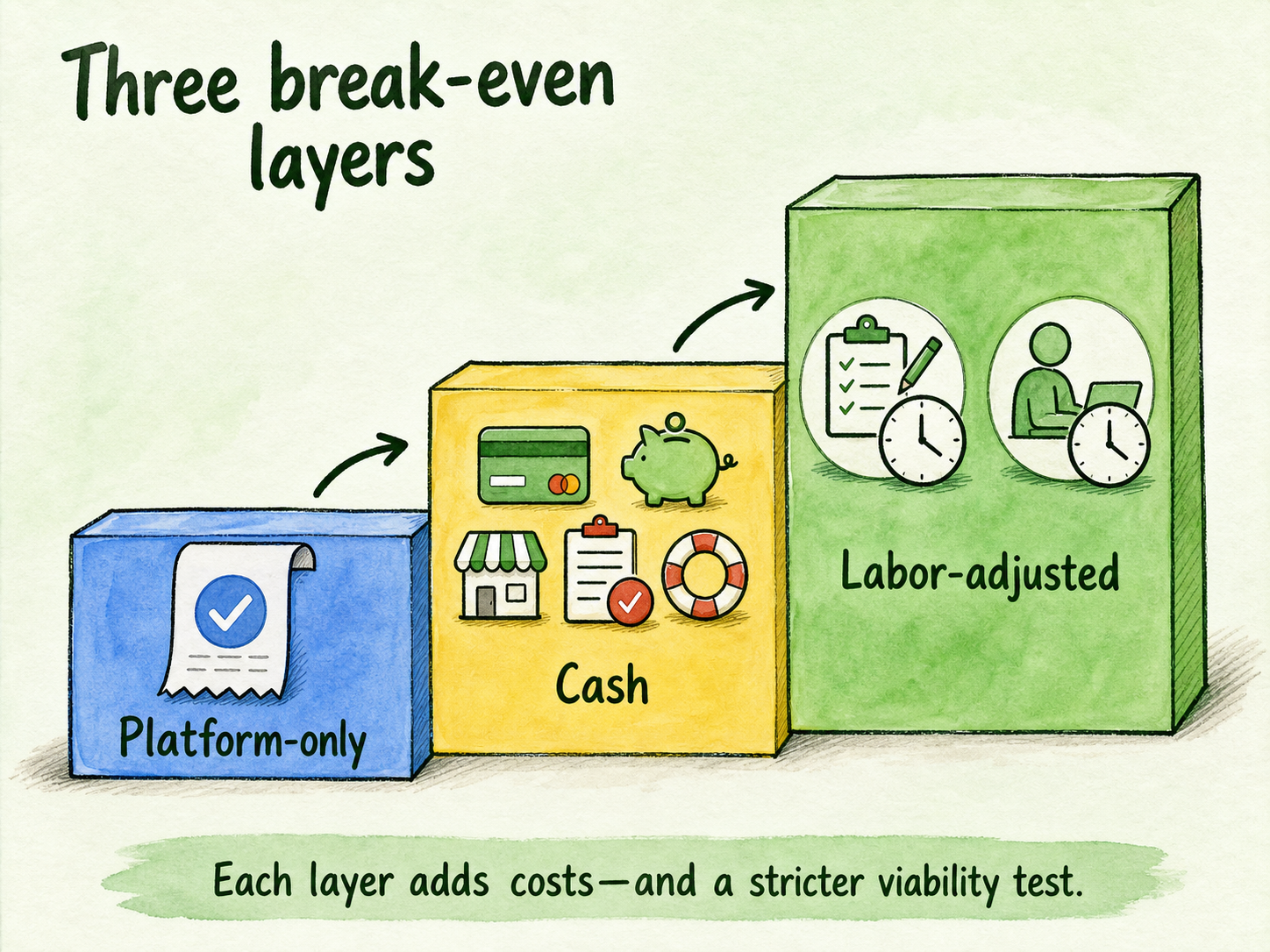
Run the same worksheet in three layers:
| Break-even layer | What it includes | Decision it supports | Main limitation |
|---|---|---|---|
| Platform-only | Verified subscription and applicable per-client platform costs | How many clients cover the software bill? | Excludes the broader cost of delivery |
| Cash | Platform cost plus recurring cash expenses, fees, overhead, reserves, and contract charges | How many clients cover monthly cash outlays? | May omit unpaid owner time |
| Labor-adjusted | Cash costs plus valued setup and recurring delivery labor | Does the offer compensate for the work required? | Depends on observed hours and the operator's chosen labor value |
These are not competing formulas. They are progressively stricter views of the same offer. The labor-adjusted result is the strongest viability test in this calculator, but it remains provisional until labor comes from a bounded pilot or internal records.
Separate setup recovery from recurring economics
A client can produce positive recurring contribution and still create an initial-period loss. Setup work happens before or around launch, while the client fee and recurring delivery costs are usually measured by billing period.
For an illustrative one-client pilot, enter your own values:
First-period result = client fee - recurring per-client costs - setup cash cost - setup labor value
Recurring contribution = client fee - recurring per-client costs
Suppose the second line is positive after operator-entered costs, but the first line is negative because setup labor is substantial. That does not make the recurring calculation wrong. It means the offer has not recovered its acquisition and setup burden in the first period.
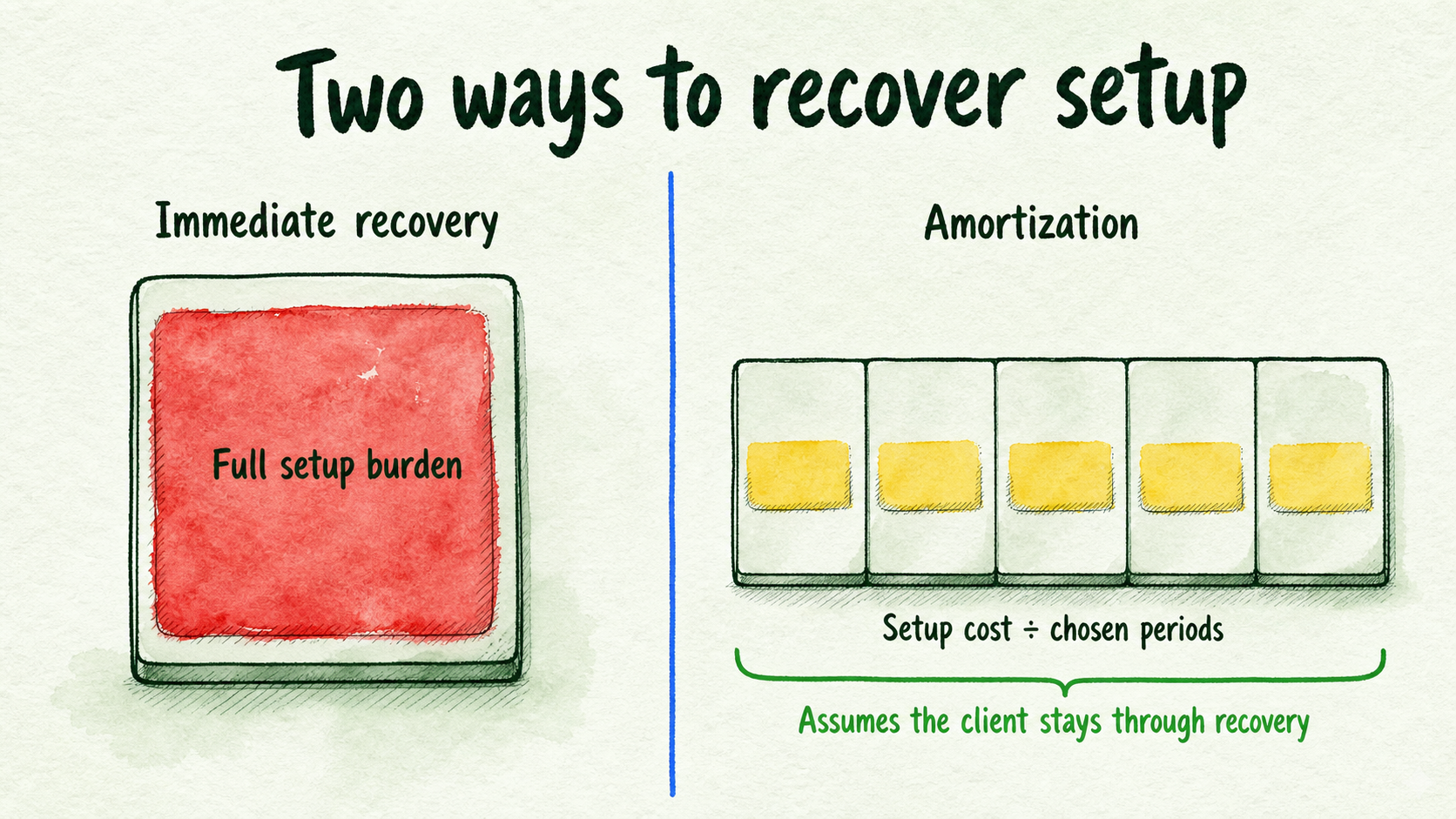
You have two calculation choices. Immediate recovery assigns the full setup burden to the first period. It protects faster recovery but raises the required initial fee or contribution. Amortization spreads setup cost across an operator-chosen number of expected client periods:
Monthly setup allocation = setup cost / chosen amortization periods
Amortization lowers the monthly recovery burden, but it assumes the client remains long enough to complete recovery. Record the chosen period as an assumption, not a fact.
Introductory pricing creates the same timing issue. A lower opening fee may reduce immediate purchase resistance, but it can leave setup work unrecovered. Simple client pricing can also be easier to communicate while exposing the operator to changing usage and support costs. The worksheet should make these tradeoffs visible without prescribing a pricing model.
Stress-test the target with operator-entered scenarios
One expected estimate can hide the cost that breaks the offer. Keep the client fee and formula constant, then vary only values you can enter, verify, or observe.
| Input or output | Conservative burden | Expected burden | High burden |
|---|---|---|---|
| Client fee | [enter] | [enter] | [enter] |
| Usage per client | [enter] | [enter] | [enter] |
| Payment cost | [enter] | [enter] | [enter] |
| Recurring support and review labor | [enter] | [enter] | [enter] |
| Reporting and administration allocation | [enter] | [enter] | [enter] |
| Refund, credit, or contingency allocation | [enter] | [enter] | [enter] |
| Other per-client costs | [enter] | [enter] | [enter] |
| Contribution per client | [calculate] | [calculate] | [calculate] |
| Fixed monthly costs | [enter] | [enter] | [enter] |
| Rounded break-even clients | [calculate or stop] | [calculate or stop] | [calculate or stop] |
The scenario names describe your assumptions, not probabilities or industry norms. Conservative may mean lower cost burden, while high burden may reflect observed support exceptions or heavier usage. Define the labels beside the worksheet so another reviewer can reproduce the calculation.
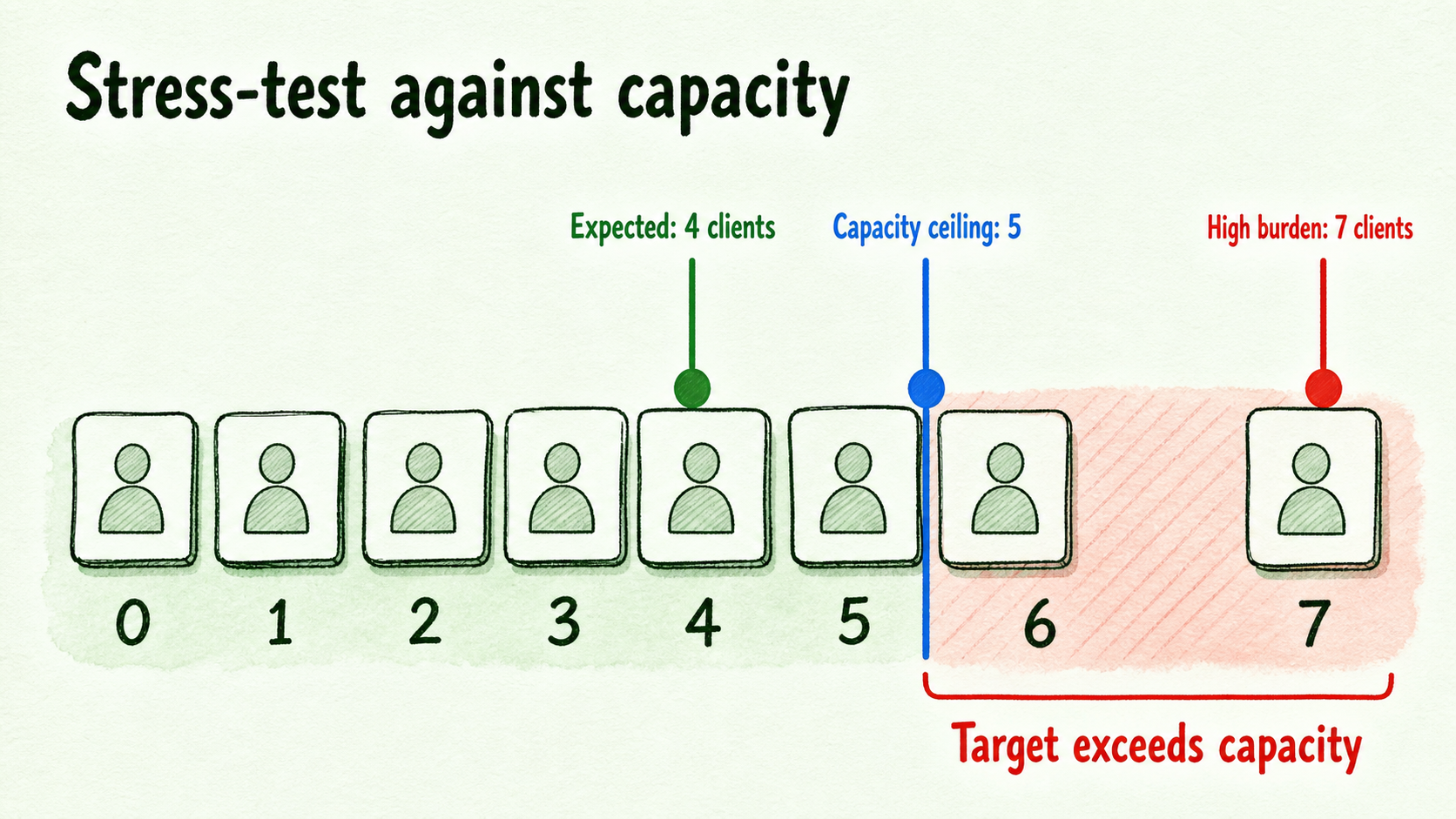
Consider an illustrative operator whose expected scenario produces a positive contribution and a four-client target. The high-burden scenario shows support exceptions reducing contribution enough to require seven clients. If the operator can support only five accounts within the current service boundary, the four-client answer is not sufficient. The offer needs a capacity cap, a narrower burden, a higher fee, or more evidence before intake expands.
Measure setup, review, reporting, support, and escalation time during a bounded pilot. Record actual events and hours instead of substituting generic labor benchmarks. The same applies to usage: observed records are stronger than a guessed average.
Interpret the dated five-client example correctly
InsertChat presents its platform for white-label agency delivery and says operators can resell client assistants at a price they choose. That positioning was verified on July 28, 2026, but volatile packaging details should be checked again before use. AI Chat, Voice & Phone Agents for Your Business | InsertChat
A separate official example states that five clients at $300 per month on a $198-per-month Agency plan produce more than $1,300 before usage. Models | InsertChat
The arithmetic is:
5 × $300 = $1,500 client revenue
$1,500 - $198 = $1,302 before usage
That illustration proves only the revenue-minus-plan layer stated by the source. The $198 figure is a dated example, not a current-price claim. The result is not net profit, a guaranteed margin, or an amount after labor.
To extend the example, add operator assumptions as labeled rows rather than silently deducting invented figures:
- Variable usage:
[operator input] - Payment costs:
[operator input] - Recurring review, support, and reporting labor:
[observed input] - Setup-cost allocation:
[operator input] - Administration, sales overhead, taxes, refunds, credits, contingency, and partner charges:
[operator input or unresolved]
Only after those rows are completed can the example support a cash or labor-adjusted decision.
Apply capacity, stop-loss, and verification gates
Break-even is viable only when the rounded target fits the operator-observed account ceiling. Define that ceiling as the number of accounts that can be supported within the existing service boundary while preserving room for exceptions. It is a constraint on this calculation, not a workforce forecast.
Use this decision sequence:
- Go when labor-adjusted contribution is positive, material inputs are verified, and the rounded client target sits below the observed ceiling with exception headroom.
- Reprice when the service is supportable but contribution is too small or becomes nonpositive under credible burden.
- Narrow when specific usage or support obligations consume contribution.
- Cap when current clients remain viable but additional intake would remove exception headroom.
- Pause when contribution is nonpositive, the required target exceeds capacity, or material costs remain unresolved.
Set stop-loss triggers before adding clients. Useful triggers include contribution reaching zero, usage exceeding the amount entered in the high-burden scenario, support exceptions consuming the allocated labor value, or the client target reaching the account ceiling. A trigger should produce a named action rather than another period of unpriced work.
Immediately before publication or a commercial decision, verify and date-stamp the plan price, included credits, limits, packaging, and trial terms on the InsertChat pricing page. On July 28, 2026, its prominent Agency plan card displayed $165 per month, 20 assistants, 10,000 monthly credits, and a seven-day trial, while older copy elsewhere on the same page showed different figures. Do not mix those plan-card facts with older packaging copy, and recheck them before calculating. Pricing — White-Label Included | InsertChat
Request written confirmation for usage measurement, charges, overages, billing behavior, refunds, taxes, payment-processing exposure, assistant limits, custom-domain entitlement, and contracted partner charges. Conflicting assistant-limit and custom-domain descriptions remain unresolved until an authoritative written term confirms the applicable entitlement.
If partnership availability or obligations affect the calculation, check the official page and obtain the applicable written terms before entering partner charges as known. The partnership offering and the requirement to use current plan details and written terms were verified on July 28, 2026. Partnership Program | White-Label Website Assistants — InsertChat
Assign re-verification clearly. The editorial or product marketing owner maintains official price and packaging facts. The reseller operator maintains the client fee, labor, usage, support, overhead, capacity, and contract-specific inputs.
Once all three gates agree, positive labor-adjusted contribution, a supportable client target, and verified material inputs, run one bounded pilot. Use its records to replace assumptions with observed usage, setup time, review work, reporting effort, support events, and escalations. If the current trial terms support that test, the next proportional step is to start with one controlled client workflow and recalculate before expanding intake.
FAQ
Is the five-client example net profit?
No. It is a dated illustration of five $300 client fees minus a historical $198 plan input, producing more than $1,300 before usage. It does not deduct labor, payment costs, taxes, refunds, overhead, or other delivery expenses.
What should I do when a cost is unknown or contribution is nonpositive?
Keep an unknown material cost marked unresolved and postpone the expected calculation until it is verified. You may place a clearly labeled range in the sensitivity table, but do not use zero merely to complete the formula.
When contribution is zero or negative, there is no valid break-even client count. Reprice, narrow the included burden, cap the exposure, or pause. Recheck volatile platform and contract inputs immediately before publication, before sending a firm commercial offer, and whenever pricing, packaging, workload, or written terms change.