TL;DR
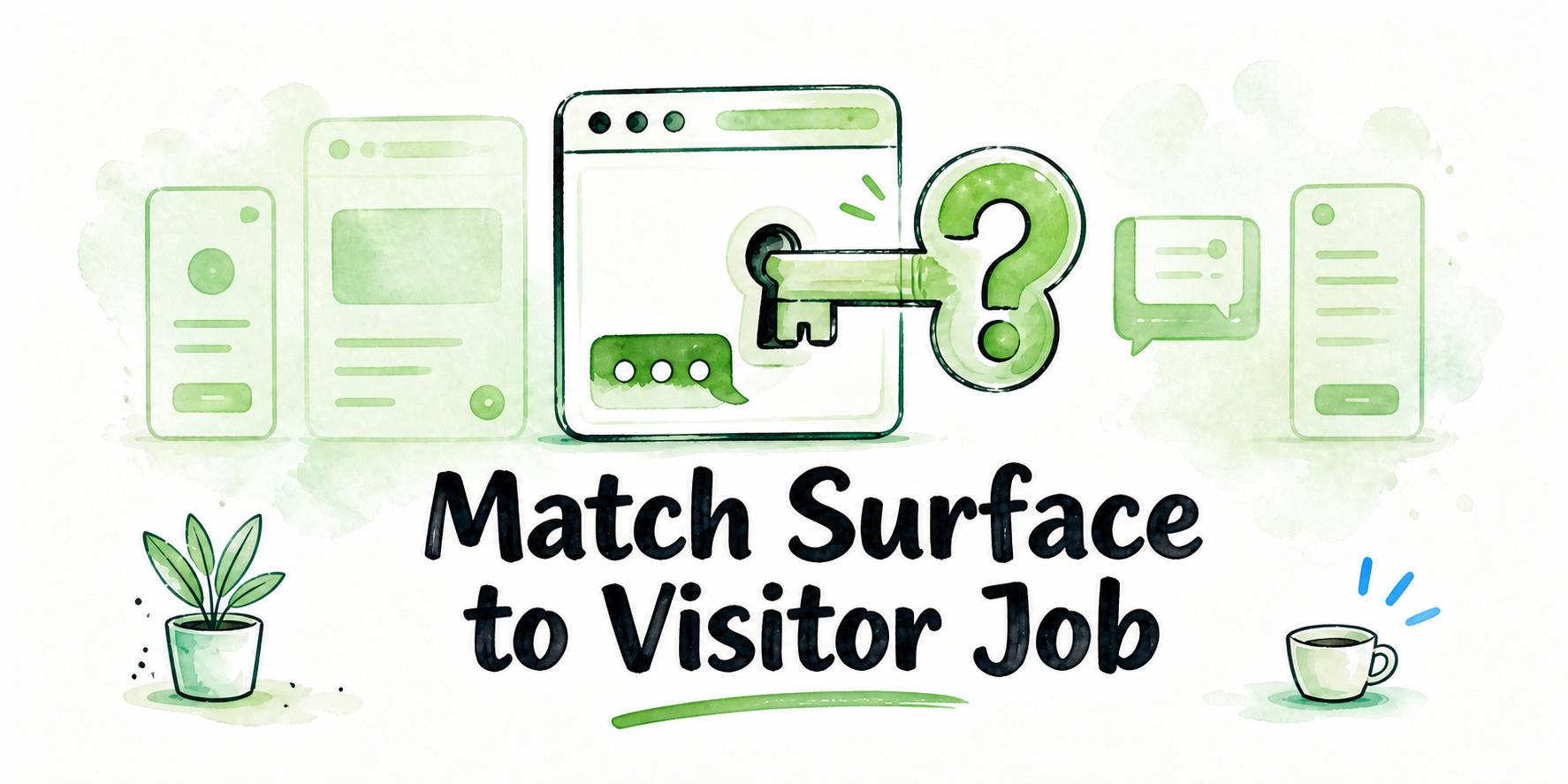
- Choose the chatbot surface from the visitor’s immediate job, not solely from installation convenience.
- Use a widget for ambient help, an inline embed or iframe for contextual guidance, a hosted or custom-domain page for a dedicated conversation, and an API-backed interface for a product-integrated workflow.
- Begin with one assistant, one visitor job, and one controlled page or tightly defined page family.
- Keep the experience under visitor control unless the page justifies automatic opening and the behavior passes site-specific checks.
- Verify mobile behavior, accessibility, consent, performance, analytics, and rollback on the actual website before expanding.
A chatbot surface is the form the experience takes: a floating widget, an assistant embedded in a page, a dedicated conversation page, or a custom interface. Placement means the pages and journey moments where that surface appears. The visitor job is the immediate task, such as finding a policy, choosing a service, navigating resources, or completing work inside a product. When you embed an AI chatbot on a website, installation convenience matters, but it should not decide the experience. Choose the least intrusive placement that helps with the immediate job while keeping the page’s primary content and next step usable.
Key Takeaways
- Match reach to context. A persistent widget reaches more visitors; an inline assistant serves a narrower page moment.
- Keep the initial page scope narrow and reversible.
- Make the greeting, teaser, disclosure, starter questions, and human handoff fit the page.
- Treat automatic opening as a page-level tradeoff, not a default.
- Assign rollback ownership and a disable method before release.
- Reserve API-backed interfaces for workflows that require custom UI, application context, or system handoff.
Choose the Embed Surface From the Visitor Job
Start by asking what kind of help the visitor expects at that moment.
| Visitor job | Candidate surface | Reach | Contextual fit | Implementation control | Interruption risk | Rollback method |
|---|---|---|---|---|---|---|
| Ambient help across documentation or selected pages | Widget | High | Medium | Medium | Launcher may clutter or interrupt the page | Disable the launcher or page rule |
| Guidance tied to nearby resources or instructions | Inline embed | Low to medium | High | Medium | Component may compete with the content | Remove or hide the component |
| A contained experience within an existing page | Iframe | Low to medium | High | Medium | Layout and integration constraints | Remove the frame or page component |
| A focused advisory or support destination | Hosted or custom-domain page | Deliberate destination | High | Medium | Visitor must take another navigation step | Remove links or unpublish the destination |
| A workflow inside a portal or application | API-backed interface | Product-defined | Very high | High | Greater engineering and operational responsibility | Disable the feature or integration route |
A widget suits optional, ambient help. A documentation area might use a restrained launcher so visitors can ask about the material without leaving the page. Its strength is availability; its weakness is persistence. It can cover navigation, clash with another support control, or distract from a primary call to action.
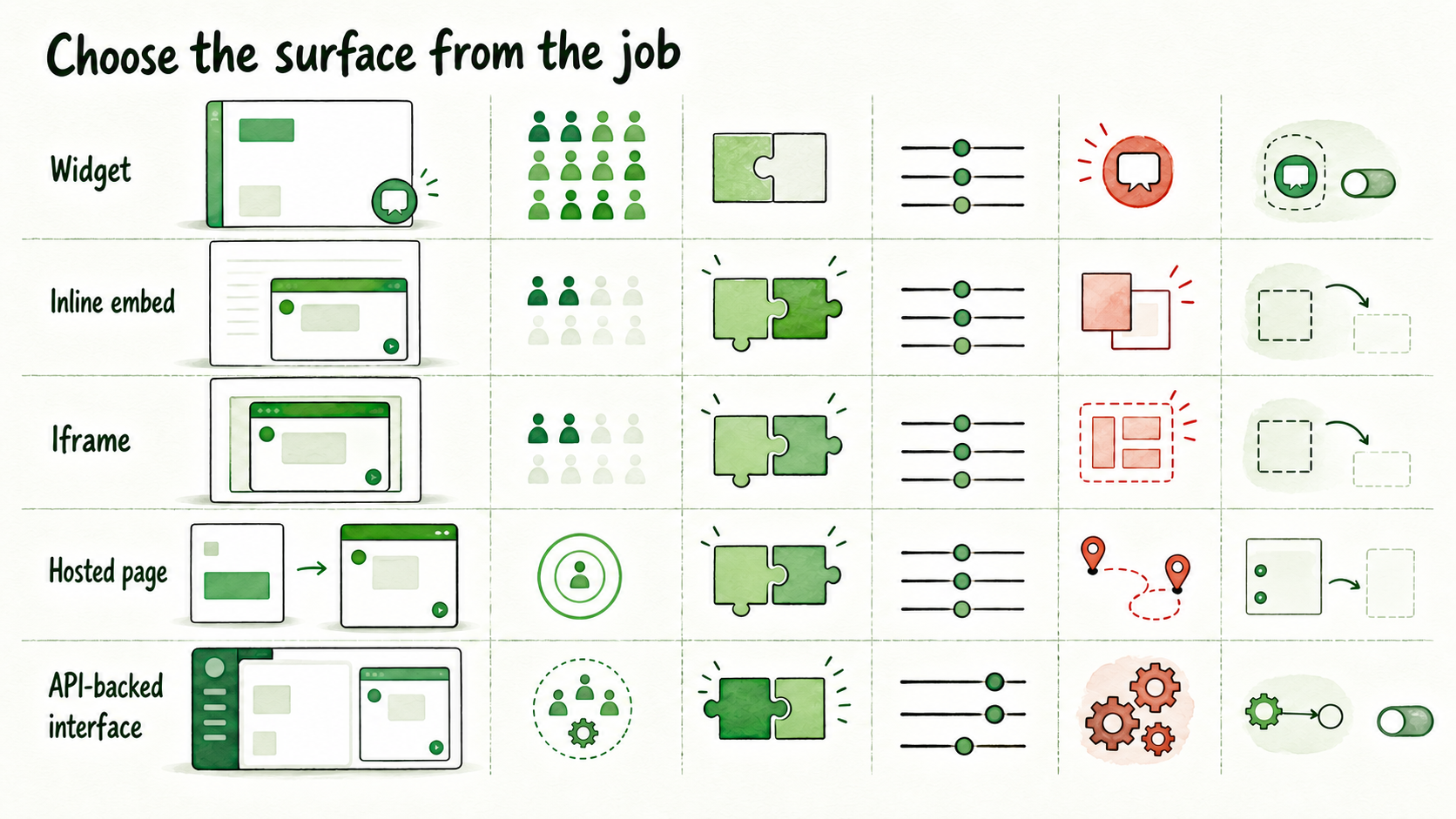
An inline assistant belongs inside the content flow. In a resource center, it might help visitors locate a relevant guide using the collection around it. That creates strong context but limited reach because only visitors who reach the component will see it.
An iframe can contain an assistant within a page when a separated embedded experience is appropriate. Its sizing, focus behavior, responsive layout, content-security restrictions, and permitted communication with the host page require verification on the actual site.
A hosted or custom-domain page fits when conversation is the destination rather than a supplement. It can serve as a focused advisory or support experience reached from another page, email, or campaign. The tradeoff is that the visitor must leave the original page experience.
An API-backed interface makes sense when the assistant must use custom product UI, application context, or events passed to other systems. It offers deeper control, but the implementation team owns more interface behavior, error handling, privacy design, monitoring, and rollback.
InsertChat’s indexed API documentation supports embeddable widgets, full-page assistant experiences, custom-domain assistant pages, webhooks, handoff into existing tools, and custom website surfaces backed by its API. The documentation also covers assistants, approved sources, conversations, feedback, and analytics.
Stored implementation guidance indicates that a basic deployment may use a one-line JavaScript embed, while more integrated experiences may use an iframe, in-app embed, REST API, webhooks, or MCP. However, the supplied evidence does not establish the current installation instructions for every inline, iframe, hosted-page, or tag-manager route. Before implementation, verify the available widget, inline, hosted-page, custom-domain, iframe, and API launch paths in the current InsertChat Launch Channels documentation and API documentation. Confirm the exact procedure for the target site rather than relying on a generic method description.
Scope the First Placement to One Controlled Page
Start with one assistant, one visitor job, and one controlled page. A tightly defined page family can also qualify when every page serves the same intent, uses the same template, and has the same owner.
A page is eligible when:
- The likely visitor question is relevant to the page.
- Approved, current material exists for the assistant to use.
- The page has a working next step, such as contacting support or opening a relevant guide.
- Named owners are responsible for the page, implementation, and handoff route.
- The installation can be reversed without affecting unrelated pages.
Give checkout, account-specific screens, sensitive forms, contradictory policy paths, and unowned journeys separate review. Exclude them from the first placement unless their risks, content, permissions, and escalation paths have been resolved.
For example, limit a lead assistant to one high-intent service page whose approved service information and human destination already exist. Placing it site-wide would expose it to unrelated support, employment, partnership, and account questions before those paths have owners.
Expand only after the initial placement is stable. Broader answer testing, failure gates, and production decisions can move into the organization’s chatbot pilot process once its publishable internal URL is available.
Design the Invitation Without Hijacking the Page
Review the assistant’s position relative to navigation, forms, calls to action, cookie controls, accessibility tools, and existing support buttons. Controls that work separately can become unusable when they occupy the same part of a mobile screen.
Write the greeting around the visitor job. “Ask about setup, permissions, or troubleshooting” sets a clearer boundary on documentation than “How can I help?” On a service page, offer help understanding published scope without suggesting that the assistant can make commitments.
Use a teaser to describe available help without manufacturing urgency or promising resolution. Add clear disclosure so visitors understand that they are interacting with an AI assistant. Keep the disclosure visible when the conversation expands.
Offer two or three starter questions tied to the page. Documentation prompts might include “Which setup guide should I use?” and “How do I contact support?” A resource-center assistant might offer “Find a guide for my use case.”
Keep the human handoff visible before a difficult question occurs. Do not imply immediate human availability unless the operating model is staffed accordingly.
Start closed by default unless site-specific evidence supports another behavior. If automatic opening is used, define its trigger, repetition rules, dismissal behavior, and treatment of returning visitors. Verify both desktop and mobile presentation on the target site.
Verify the Placement, Analytics, and Rollback Path
A working preview does not establish release readiness. Complete these checks using the actual templates, policies, devices, and deployment configuration:
- CMS and deployment: Confirm who may add the script or component, whether site security rules permit it, and whether the CMS or tag manager is an approved route.
- Accessibility: Verify keyboard access, focus order and return, labels, contrast, zoom, and screen-reader behavior against the target site’s requirements.
- Consent and disclosure: Determine what may load before consent, what data is processed, and how the real configuration, connected tools, retention settings, and handoff destination affect disclosure.
- Performance: Measure load timing, script behavior, layout shift, interaction delay, network-failure behavior, and impact on the site’s performance budget.
- Mobile: Check supported breakpoints, short viewports, landscape orientation, launcher overlap, scrolling, close controls, and on-screen keyboard behavior.
- Analytics: Collect only events approved by the site’s analytics plan. Candidate events are impression, open, conversation start, handoff, and close. Check for duplicate firing.
- Rollback: Record the removal trigger, decision owner, deployment owner, and exact disable method. After removal, verify that the interface, event listeners, analytics calls, and reserved layout space are gone.
InsertChat’s API documentation identifies webhooks as an option for sending conversation or handoff events into existing tools. Use them only when the approved workflow requires that connection and the team can manage the additional failure states, access controls, and monitoring.
Worked Placement Brief: One High-Intent Service Page
This example is illustrative and makes no claim about visitor or business results.
Inputs
- Visitor job: determine whether a consulting service fits the visitor’s problem and identify the next step.
- Page: one high-intent service page with detailed scope and a contact call to action.
- Approved content: published service scope, eligibility boundaries, process, and FAQs.
- Human destination: the service team’s existing contact route.
- Owners: the page owner and the implementation and rollback owner.
Decision
Use a widget limited to this page. The visitor may need clarification while reading, but the page content and primary call to action should remain dominant. An inline assistant would give the conversation more visual weight. A hosted page would add a navigation step, while an API interface would create additional responsibility without a product-integrated requirement.
The tradeoff is availability versus visual interruption. Keep the widget closed by default. Its launcher must not cover the call to action, form, consent control, or mobile navigation.
Visitor copy
- Greeting: “Questions about whether this service fits your needs?”
- Disclosure: identify the experience as an AI assistant using approved service information.
- Starter questions: “What does the service cover?”, “Who is it designed for?”, and “How can I talk to the team?”
- Handoff: preserve the existing human contact route in both the assistant and the page.
Release conditions
The owners must verify CMS permission, mobile layout, accessibility, consent behavior, load impact, approved analytics events, and the disable procedure on the actual site. They must also confirm that uncertain or consequential requests expose the human route rather than an unsupported commitment.
The result is a completed deployment brief, not a promised lead outcome. Retain, revise, or remove the placement based on observed usability and operational evidence; no threshold can be set from the information supplied here.
FAQ
Is a widget or inline embed better for a first placement?
Neither is universally better. Use a widget for optional ambient help and an inline embed when the conversation depends strongly on nearby content.
When should a chatbot use a hosted or custom-domain page?
Use one when conversation is the primary destination. Verify current availability, domain requirements, and launch instructions before committing to that route.
When is an iframe preferable to an API-backed interface?
An iframe may suit a contained experience with standard behavior. Use an API-backed interface when custom product UI, application context, or deeper workflow control is required. Verify iframe security, accessibility, and responsive behavior.
Should a chatbot open automatically?
Start closed unless the page has a justified reason for interruption and site-specific checks show that opening will not obstruct content, forms, navigation, consent controls, or mobile use.
Can an AI chatbot be added with one line of JavaScript?
Stored implementation guidance says a basic InsertChat deployment may use a one-line JavaScript embed. Verify the current instructions and the target site’s CMS, security, consent, and deployment requirements before installation.
What must be verified on mobile before release?
Check supported breakpoints, viewport height, launcher overlap, scrolling, focus, close controls, handoff access, and on-screen keyboard behavior on representative devices.